AI Can Suggest Your Clips. You Should Still Decide Which Ones Go Out.
AI is good at finding candidate moments in a long video. Learn how to keep the speed of AI clip suggestions without giving up editorial control over what represents your channel.
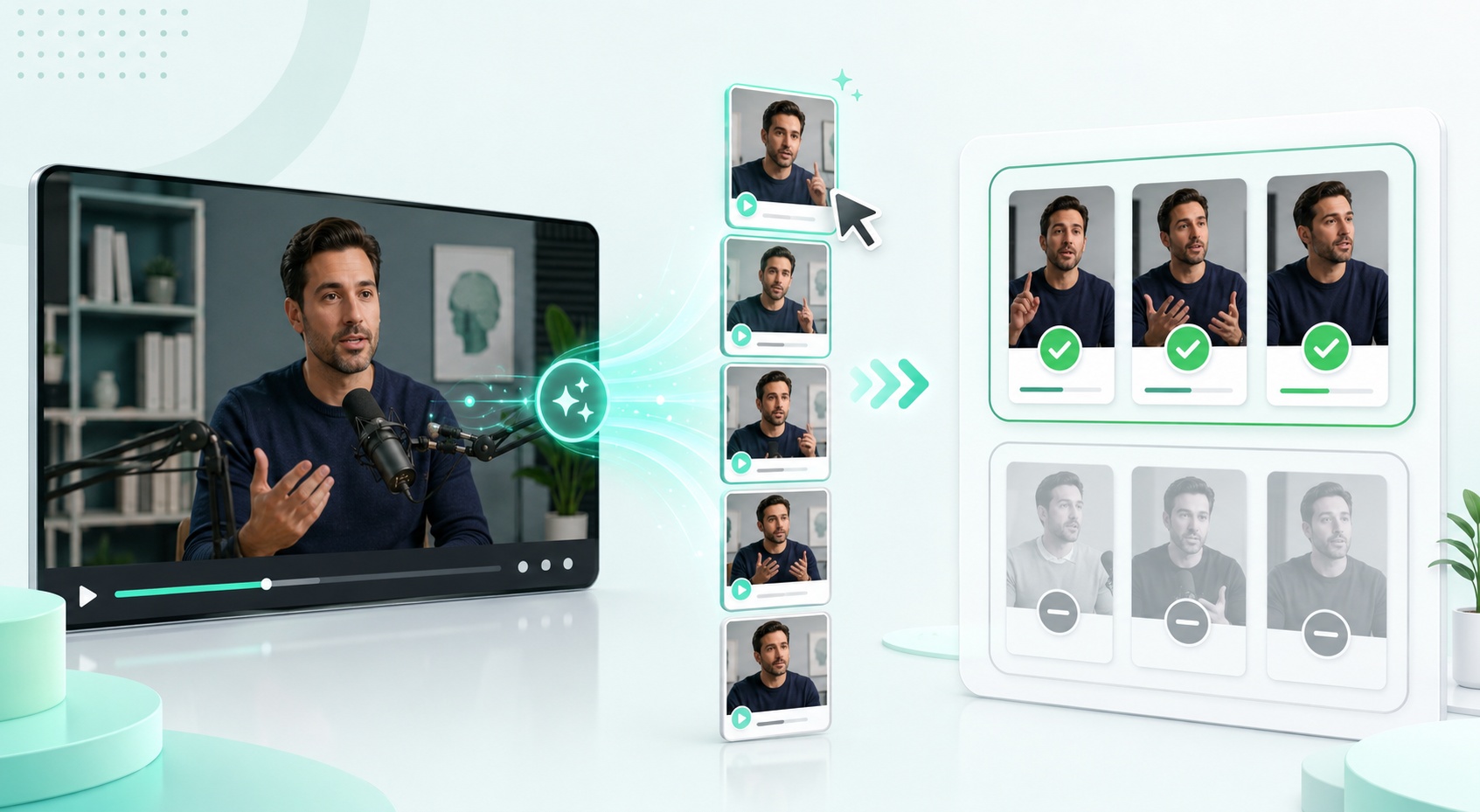
AI suggestions are a starting point, not a verdict
If you record one strong long-form video, there are usually several short clips hiding inside it. Modern tools can scan the transcript, find candidate moments, and propose clips automatically. That removes the blank-page problem and saves you from scrubbing through a long recording looking for the good parts.
In MintiStudio, that is what Suggest clips with AI does: it reads the full transcript and proposes a set of clips, each with a suggested title and time range, so you start with options instead of an empty timeline.
But there is a real difference between proposing clips and deciding which clips actually go out under your name. The first is a job AI does well. The second is an editorial call that belongs to you.
When those two ideas get blurred, the AI stops being a useful assistant and starts quietly shaping the identity of your channel. That is the boundary worth protecting.
Why the human decision still matters
An AI planner optimizes for generic signals: a self-contained moment, a clean hook, and a reasonable length. It does not know when a clip oversimplifies a point you care about, repeats something you posted last week, or lands the wrong way with your audience.
You know those things. The useful split is simple: the AI proposes candidates from the full video, fast, so you are not starting from nothing. You review them, keep the ones that represent you well, cut the ones that do not, and refine the rest.
That is not a step backward from automation. It is what makes the automation safe to use at all.
- The tool handles breadth by finding multiple candidate moments quickly.
- You handle judgment by deciding what is accurate, on-brand, and worth publishing.
- The final publishing decision stays with the creator, not the model.
What keeping control should actually feel like
In practice, staying in control is less about philosophy and more about whether your tools make the boundary visible. You should be able to tell at a glance which clips are AI suggestions and which ones you created or already committed to.
In MintiStudio, unbuilt AI suggestions are clearly marked as drafts and shown separately from the clips you have actually built. A proposal should never get mistaken for a finished clip you chose.
Removing suggestions also needs to be safe. Clearing a batch of AI suggestions should affect only the unbuilt proposals, not clips you have already built, scheduled, or published.
Once you turn a suggestion into a real clip, it should stop behaving like a suggestion. At that point it is part of your library and should be treated and protected like the rest of your work.
A simple working rhythm
A repeatable workflow is straightforward: generate suggestions once per video, review them as drafts, and treat that review as the real decision point.
Keep the clips that earn their spot, remove the rest, and refine titles and hooks on the survivors. Then move those into your publishing schedule the same way you would any clip you cut yourself.
You get the speed of automated clip-finding and the confidence that everything going out is something you actually chose.
- Generate AI suggestions once per source video.
- Review them as drafts before anything is built or scheduled.
- Promote only the clips you want to publish.
Where MintiStudio fits
MintiStudio is built around this split. AI proposes clips from your long-form video, and those proposals stay clearly marked as suggestions, separate from the clips you have already built.
You keep the ones you want, remove the rest without risking finished work, and any suggestion that becomes a real clip is protected like the rest of your library.
The result is a workflow with both speed and control: one production session, several candidate clips, and a publishing calendar filled only with clips you decided were worth it.
Next step
Turn one video into clips you actually chose
Let AI find the candidates, then keep control of what represents your channel.
More from the blog
Help New Viewers Follow Your Expertise One Lesson at a Time
A practical guide for educators, coaches, and podcasters who want Shorts to build understanding in sequence instead of acting like disconnected teasers. Learn how to plan a YouTube Shorts series, avoid common packaging mistakes, and use MintiStudio to turn long recordings into a coherent teaching flow.

Best OpusClip Alternatives for Busy Experts Who Need Less Clipping Work
A practical comparison of OpusClip alternatives for solo educators, coaches, consultants, and podcasters who want less weekly clipping work. See which tools fit self-serve editing, planning, publishing, and done-for-you Autopilot workflows.