YouTube Shorts for Doctors: The Complete Guide
A practical guide for doctors and clinicians who want to use YouTube Shorts for education without turning content into a second job. Learn how to choose safe, useful topics, keep the tone professional, build a simple workflow, and use Minti Studio when your real bottleneck is turning recorded expertise into publishable Shorts.
Educational Shorts work best when they respect your time and your standards.
YouTube Shorts can be a useful channel for doctors and clinicians who want to teach in public without building a whole new production habit. The format is short, direct, and easy to test. That makes it appealing for busy professionals who already have lectures, talks, webinars, or recorded teaching sessions sitting on a hard drive.
The main challenge is not whether Shorts can work. It is whether you can create them in a way that still feels professional, consistent, and manageable alongside clinical work.
This guide walks through that balance. You will see what makes a medical education Short useful, how to keep the workflow simple, and where Minti Studio fits when you already have long-form recordings and need a faster path to clips.
What YouTube Shorts can do for doctors
For a doctor, a Short is not a place to explain everything.
That point might be a common misconception, a quick framework, an explanation of how you organize a teaching topic, or a small teaching moment from a longer talk. The goal is to help viewers understand one thing well enough that they remember it.
Shorts are also a practical discovery format. A person may not search for your full lecture, but they may stop for a concise clip that answers a question they already have.
Keep the job of the Short small
A good Short for a doctor usually does one of three things:
- explains one concept in plain language
- answers one recurring question about your teaching topic
- points a viewer toward deeper education on your channel
That keeps the clip focused. It also keeps your workflow sane, because a short educational format is easier to review, approve, and publish than a long edited video.
What to publish, and what to skip
Doctors often have a lot of possible material. The mistake is trying to clip everything.
Start with topics that are simple to frame and safe to explain in a general educational format. These often come from existing talks, lectures, webinars, or Q&A sessions.
Good Short topics
Consider clips that are:
- one idea at a time
- understandable without a lot of context
- useful to a broad audience
- comfortable for you to explain clearly and briefly
Examples might include:
- a common misconception about a topic you teach
- how you structure a longer lesson or framework
- why a habit or routine matters in your educational message
- one thing a viewer should notice in your deeper teaching
- a simple framework you use to explain a topic
Topics to handle carefully
Some subjects need more thought before they become Shorts. Anything that depends on detailed context or sensitive patient information should not be rushed into a clipped format.
If a topic is too detailed to explain cleanly in under a minute, keep it for a longer teaching video. Then use the Short to point toward that deeper lesson.
This article is about educational publishing workflow, not medical advice, diagnosis, or treatment guidance. Keep your content general, professional, and privacy-safe.
A simple publishing mindset for clinicians
You do not need a content machine. You need a repeatable teaching habit.
That means deciding what kind of educational presence you want to maintain, then building a small workflow that fits around real work.
A useful rule
If a clip would be hard to explain to a colleague without extra context, it is probably not your best Short.
If you can state the idea in one sentence and it still makes sense, you are closer to a strong clip.
Where Minti Studio helps
Minti Studio is built for the long-video-to-Shorts workflow, which matters if your best teaching already lives in recorded sessions.
You can paste a YouTube link or upload a file, then use AI clip suggestions and transcript-based selection to pull out the strongest teaching moments without scrubbing through the full recording by hand. That helps when your time is limited and you want the work of finding clips to be faster.
If the source video is horizontal, Minti Studio can reframe it to vertical so the lesson fits the Shorts format. Caption style templates help make the teaching readable on a phone screen, and scheduling helps you publish clips on a steady cadence instead of trying to post everything at once.
Minti prepares, captions and schedules Shorts from your long videos; you can change or remove any Short before it goes live — no approval step required.
A workflow that fits a doctor's week
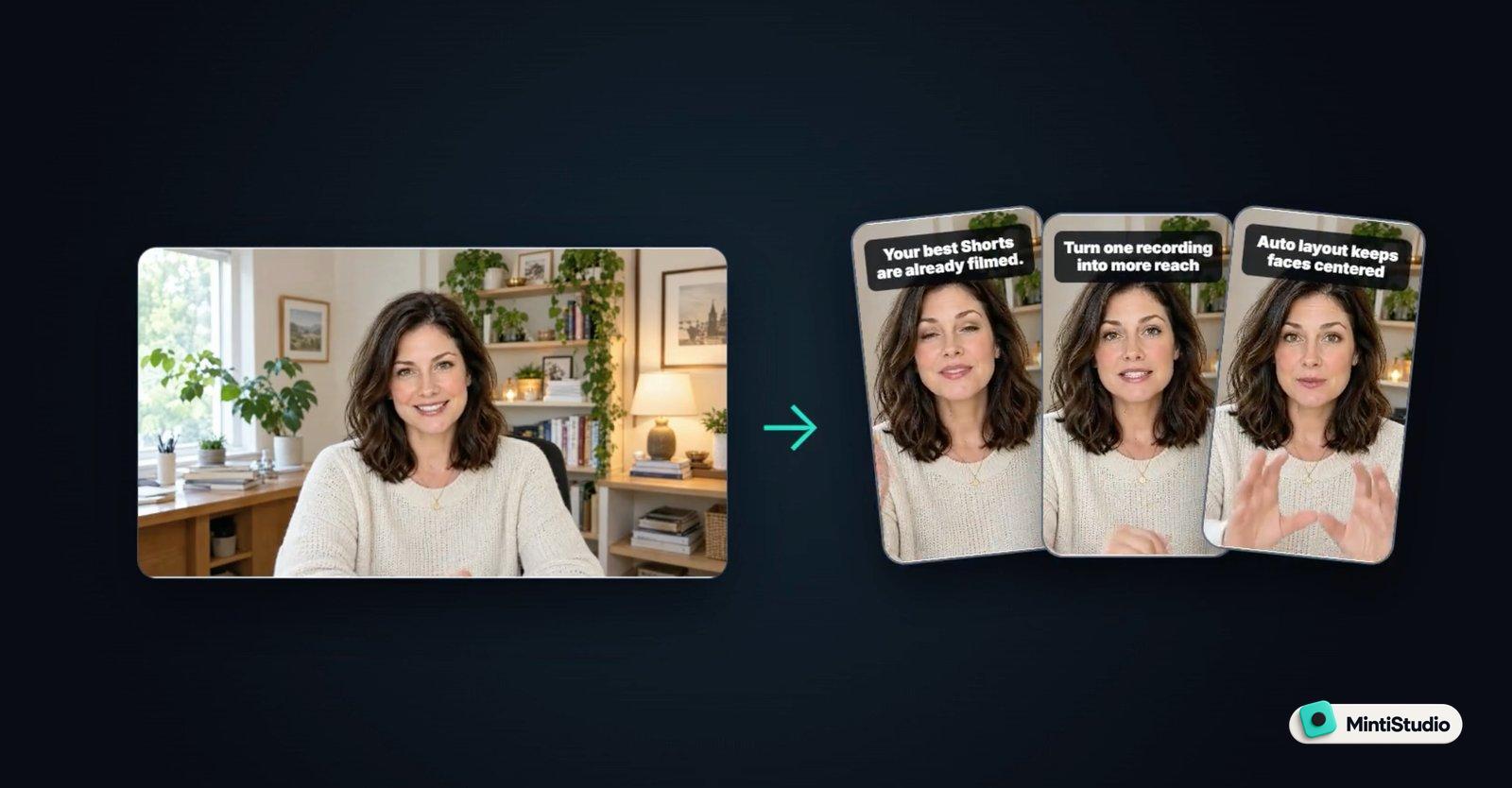
Short-form publishing becomes much easier when the steps are predictable.
A simple workflow for doctors looks like this:
Step one: choose one source recording
Start with a lecture, webinar, or teaching session you already recorded. One strong recording can supply multiple Shorts if the ideas are clear enough.
Step two: identify the teachable moment
Look for the segment where your point becomes easiest to understand. The best clip is usually the moment where a viewer would say, “That finally makes sense.”
Step three: tighten the framing
Trim the clip so it begins near the point and ends soon after the point is made. You are not trying to preserve every word. You are trying to preserve the useful explanation.
Step four: make it readable on a phone
Vertical framing and captions matter because many viewers will watch without sound. Keep the visual layout simple and the text easy to follow.
Step five: publish with a steady rhythm
A few consistent posts each week are easier to sustain than a burst of clips followed by silence. A predictable rhythm also helps maintain a coherent educational channel and makes it easier to see which teaching angles are resonating. It also gives viewers a clearer path from one Short to deeper, non-patient-specific teaching on your channel.
How to keep the tone professional
Professionalism on Shorts is less about looking formal and more about being clear.
For doctors, that usually means:
- speaking in plain language
- avoiding overstatement
- staying within general education
- using a calm, helpful tone
- keeping the clip about the viewer's understanding, not your ego
Avoid common mistakes
A Short becomes less useful when it tries to do too much at once. Common problems include:
- mixing several topics into one clip
- using jargon without explanation
- speaking as if the viewer already knows the context
- making the clip feel like a teaser instead of a real lesson
If the viewer learns something useful from the clip alone, you are on the right track.
The time objection: why doctors stop after a few posts
Many doctors stop not because Shorts don't work, but because the workflow is annoying.
You record something useful, then the clip selection, reframing, captioning, and scheduling stack up. That is where a channel can stall even when the teaching is strong.
The answer is not to force more content out of your week. The answer is to reduce the amount of manual work around each clip.
What to automate, what to keep human
Keep the judgment human. Let the system handle the repetitive tasks.
That means you still decide what represents your voice and your standards. But you do not have to hand-pick every timestamp from scratch if you already have a long recording that contains the answer.
A practical example of a Shorts workflow for a clinician
Here is a simple way to think about the process.
You finish a teaching talk. Instead of starting a new production cycle, you upload the recording or paste the link into Minti Studio. The transcript and clip suggestions help you find the strongest moment. You review the prepared Short, make any small changes you want, and then schedule it.
That keeps the workflow tied to one real source of expertise rather than forcing you to invent a separate content system.
How Shorts can support deeper teaching
Shorts should not replace your main educational work. They should point to it.
For doctors, that can mean using Shorts as entry points to a longer lecture, a webinar, or a channel playlist that explains the topic in more detail. The clip opens the door. The longer content does the deeper teaching.
That is especially useful when your expertise is broad and your viewers need a simple way in.
Keep each Short connected
A good Short should feel related to the rest of your channel. It does not need to tell the whole story, but it should feel like it came from a coherent teaching practice.
That makes your channel easier to trust. It also helps viewers understand what kind of information they can expect from you.
How to review a clip before publishing
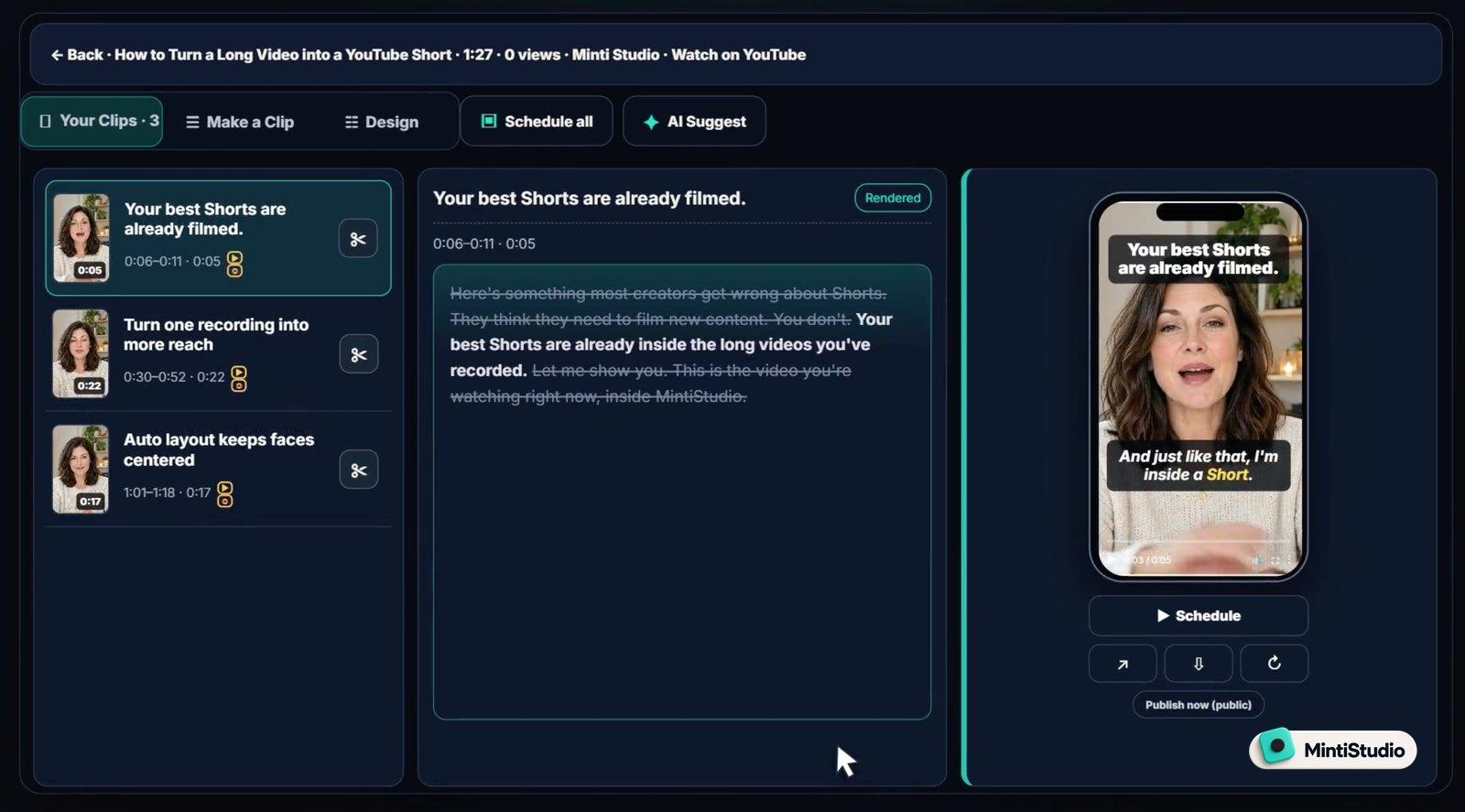 Screenshot from Minti Studio
Before a Short goes out, check three things:
- Is the point clear in the first few seconds?
- Does the clip make sense without extra explanation?
- Does the visual layout stay readable on a phone?
If the answer is yes to all three, the clip is close to ready.
That review does not need to take long. It just needs to protect the quality of what you publish.
Related guides
- YouTube Shorts for Consultants: A Practical Workflow for Public Proof Without Sharing Client Confidentials
- How Educators Can Turn Long Videos into Shorts That Attract Students
- Done-for-You vs DIY Video Clipping: Which Fits Your Week?
The practical next step
If you already have recordings, start with one of them. Do not try to build a perfect Shorts system before you have a clip worth publishing.
Choose one source video, find one clear teaching moment, and turn it into one published Short. Then repeat the process with the next recording.
If you want that workflow handled with less manual effort, Minti Studio gives you a clear path from long video to Shorts, and Autopilot is there when you want done-for-you help from the start.
More from the blog
How Busy Doctors Can Grow a YouTube Channel in One Hour a Week
A practical weekly workflow for doctors who want a steady YouTube channel without turning content into a second job.
Which YouTube Live Features Could Make Teaching Sessions More Interactive?
A practical guide for solo educators and coaches who teach live and want to make sessions feel more responsive without adding a lot of production overhead. Learn which YouTube live features are worth watching, which ones to verify before you rely on them, and how to turn each recording into Shorts after the session ends.