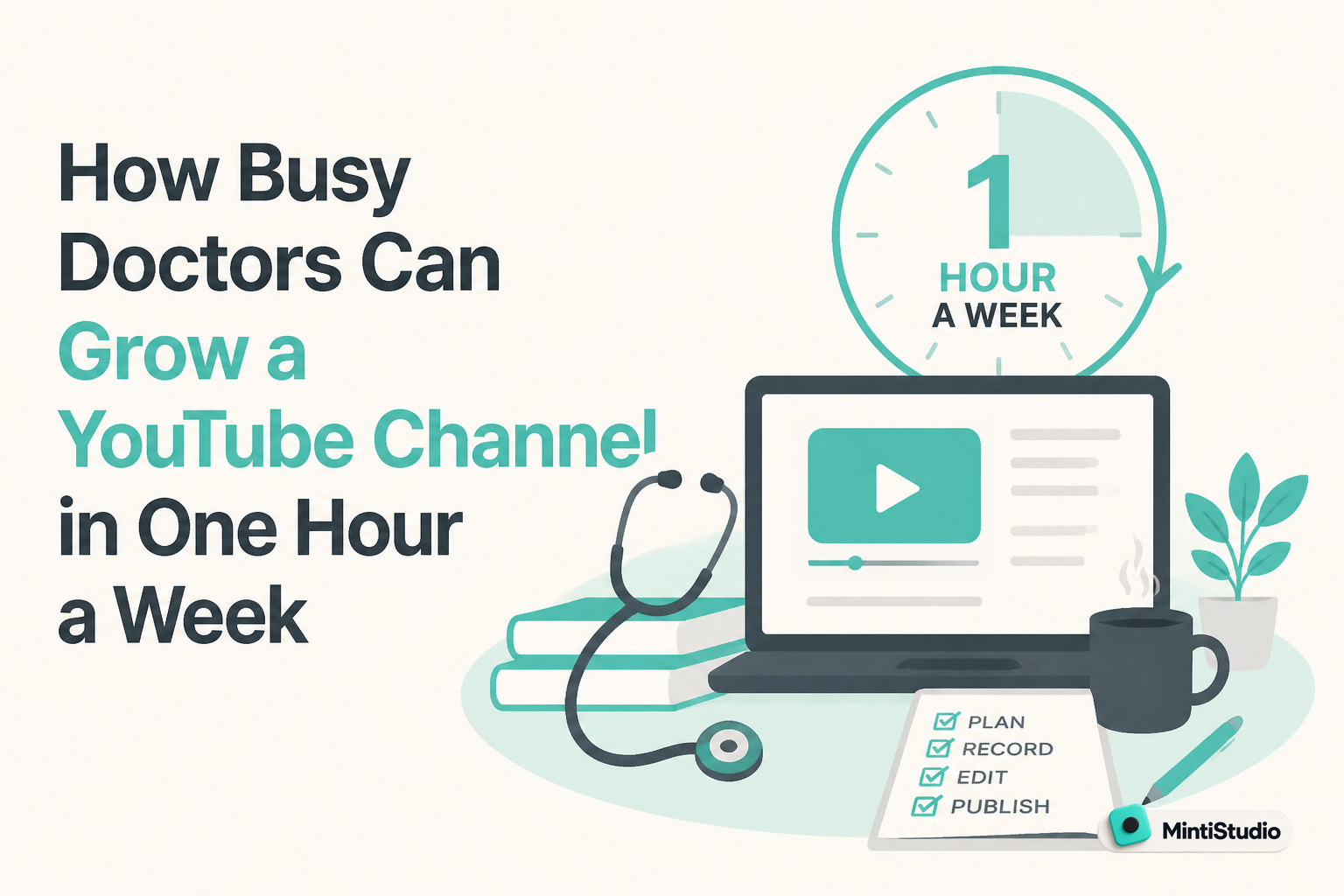
How Busy Doctors Can Grow a YouTube Channel in One Hour a Week
A practical weekly workflow for doctors who want a steady YouTube channel without turning content into a second job.
You do not need more time. You need a repeatable way to turn one recording into useful posts.
How Busy Doctors Can Grow a YouTube Channel in One Hour a Week
If you are a doctor who teaches on camera, YouTube can support your reputation, your patient education work, and your practice goals without asking for a full production team. The catch is that channel growth is often discussed as if it requires constant filming, frequent editing, and a large block of free time.
That is not a realistic model for most clinicians.
A better approach is to build a weekly habit around the recordings you already make. One teaching session, one Q&A, one lecture, or one webinar can become the raw material for a small but steady publishing system. The goal is not to make every week feel like content season. The goal is to make channel upkeep predictable enough that it stays alive.
This guide shows how to use one hour a week to keep a YouTube channel moving, what to prioritize in that hour, and where Minti Studio fits when the bottleneck is turning long videos into publishable Shorts.
What a one-hour weekly workflow should do
In one hour, you are not trying to build an entire media operation. You are trying to complete the most important steps without drifting into perfectionism.
That hour should cover three jobs:
- choose one source recording or one source topic
- identify the clearest teaching moment
- prepare the clip so it can be reviewed and scheduled
If you already have long-form teaching on your channel, the hour can start with that material. If you are recording something new each week, the same hour can be used to plan what should be captured so it can later become Shorts.
The important part is that the hour has a finish line.
What not to do in that hour
Do not spend the whole hour debating the channel strategy.
Do not try to edit every detail.
Do not turn the session into a second job with its own separate workflow.
The hour should produce one of two outcomes: a prepared Short or a prepared source recording that can become several Shorts later.
What to record if you only have limited time
If your time is tight, your recordings need to work harder.
That means the source material should be easy to understand later, easy to clip, and safe to share in a public format.
Good source material
For busy doctors, useful source material often looks like this:
- a lecture that explains one topic clearly
- a teaching session where one question gets answered in depth
- a webinar with one strong section that stands alone
- a patient-education talk that avoids private details
- a panel or interview where one response is especially clear
The best recordings already contain natural stopping points. If a sentence or two can stand on its own as a useful takeaway, that is usually a good sign.
What makes a recording hard to use
A recording becomes difficult to repurpose when it is too fragmented, too dependent on private context, or too broad to clip into one clear lesson.
If every useful idea needs a long preface, clipping gets harder. If the content depends on patient-specific detail, it should not be treated as public teaching material.
For a public channel, the safest path is usually the clearest path: one idea, one explanation, one viewer takeaway.
A simple weekly structure for channel growth
The most useful weekly routines are boring in the best way. They are easy to repeat, easy to remember, and easy to recover if one week gets busy.
A one-hour week can be divided like this:
First twenty minutes: choose the source
Pick one long video, one talk, or one teaching segment that already exists.
If you are starting from scratch, decide what the next recording should contain so it can be reused later.
Next twenty minutes: find the clip worth keeping
Look for the part where the point becomes clear.
You are searching for the moment when a viewer would stop and think, that is the part I needed.
Final twenty minutes: clean up and prepare
Trim the clip, check the framing, confirm the captions are readable, and get it ready for scheduling or review.
If a clip still needs too much manual work at the end of the hour, the workflow is too heavy.
Where Minti Studio helps
Minti Studio is built for the long-video-to-Shorts workflow, which is exactly where many busy doctors lose time.
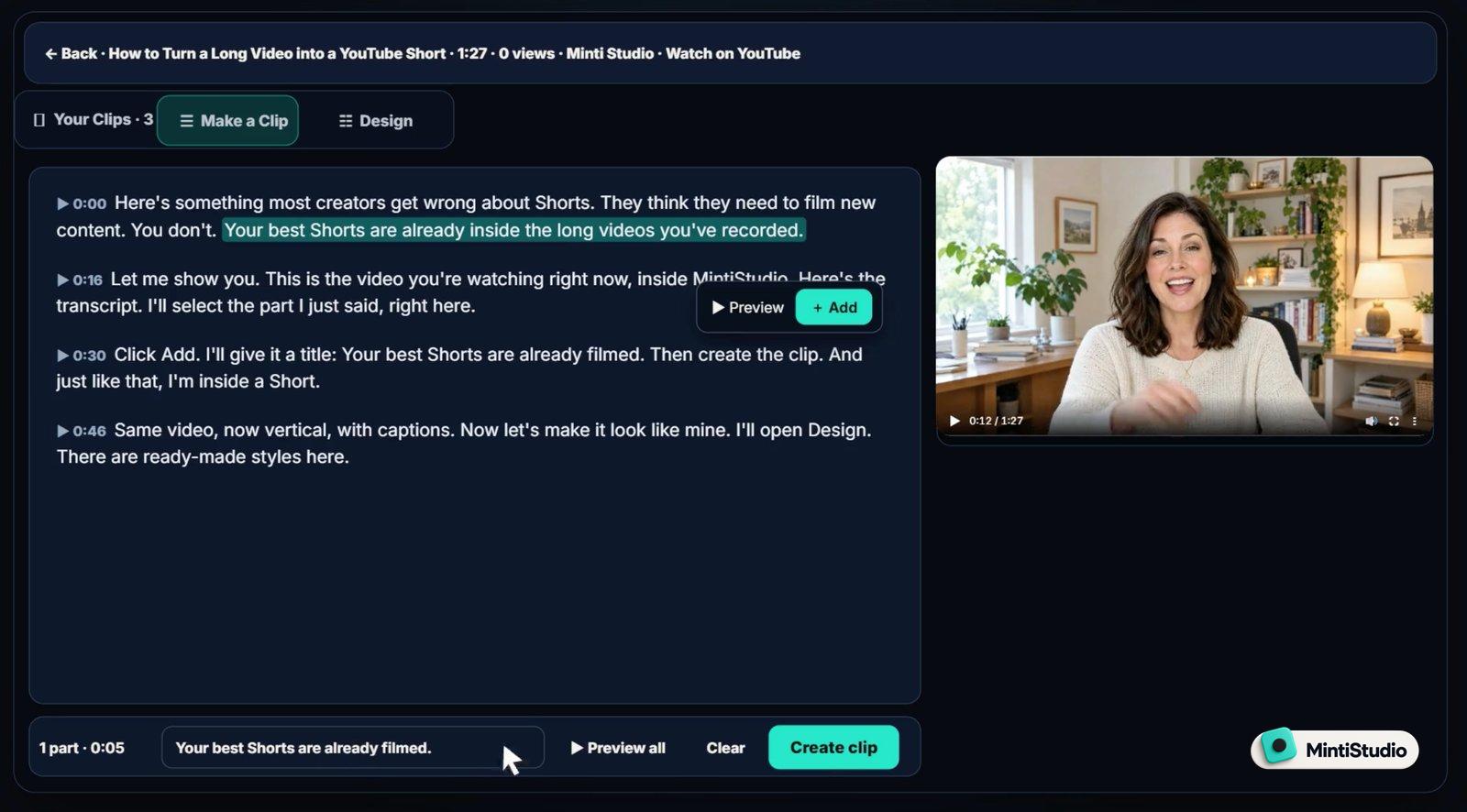
You can paste a YouTube link or upload a file, then use AI clip suggestions and transcript-based selection to find the strongest moments without scrubbing through the whole recording by hand. That saves time when your real task is choosing the right teaching moment, not hunting for it.
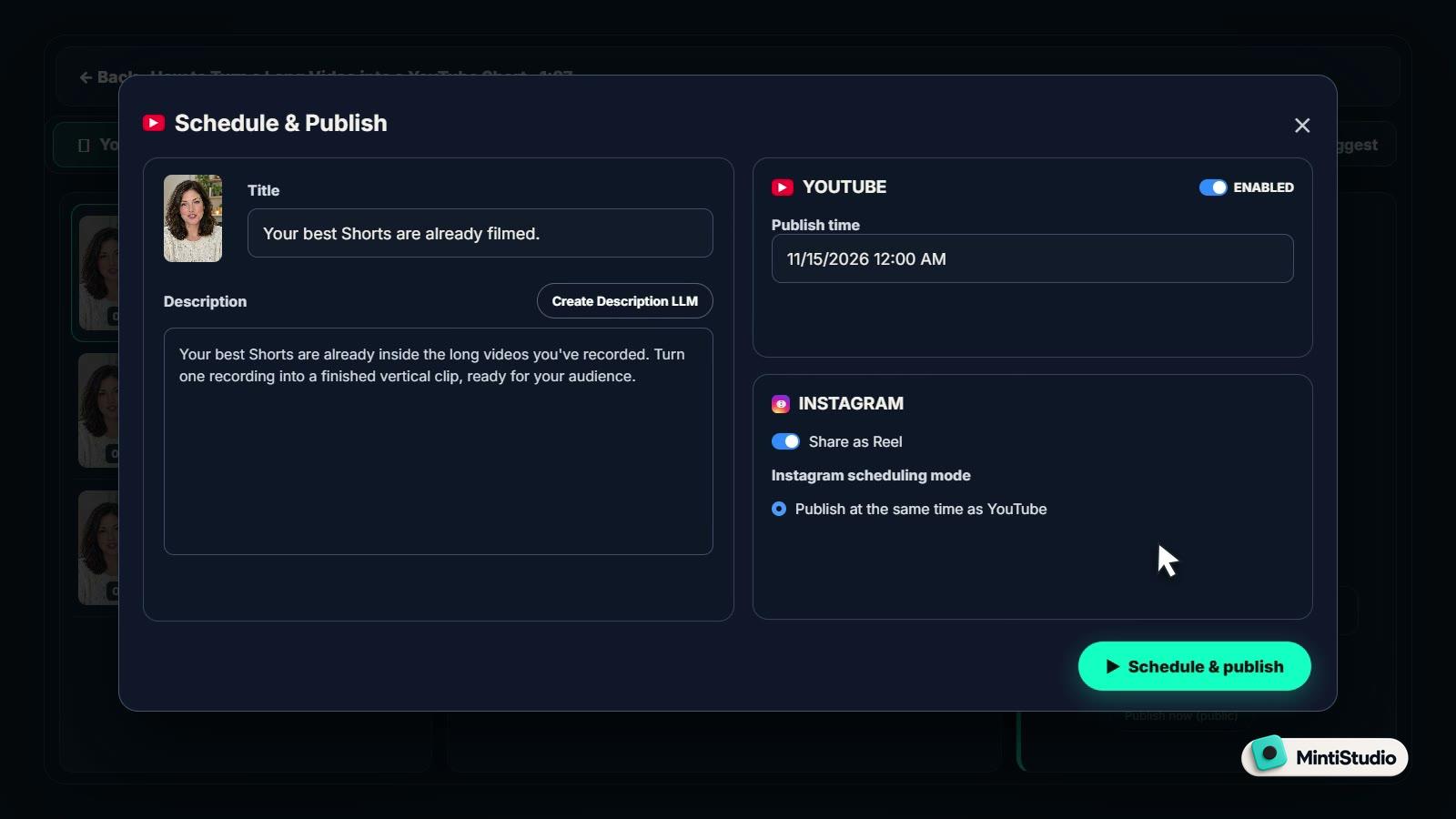
If your source recording is horizontal, Minti Studio can reframe it to vertical so the clip fits Shorts and Reels. Caption style templates help make the teaching easy to follow on a phone screen, and scheduling helps you publish steadily instead of trying to manage each post manually.
For doctors who want less operational work, Autopilot prepares, captions, and schedules Shorts from long videos, and you can change or remove any Short before it goes live.
A practical weekly workflow
A one-hour workflow works best when the steps stay narrow.
 Screenshot from Minti Studio
Step one: start with a real teaching moment
Choose a recording you already made or a segment you know contains one clear idea.
For a doctor, the best clip is often not the most dramatic part. It is the part that explains something well enough for a stranger to understand.
Step two: use the transcript to shorten the search
Instead of watching the entire recording from the beginning, go straight to the section where the useful explanation appears.
That is the value of transcript-based selection: you can move from long-form teaching to a clip candidate without making the whole process feel like manual editing from scratch.
Step three: shape the clip for public viewing
A Short should make sense fast.
The opening should point at the idea quickly. The middle should stay focused. The ending should feel complete enough that the viewer does not need extra context to understand the point.
Step four: prepare captions and framing
Many viewers watch on mobile without sound, so readable captions matter.
If the video was recorded horizontally, vertical reframing helps the lesson fit the Shorts format without asking the viewer to work around the layout.
Step five: schedule instead of chasing the moment
A channel grows more reliably when publishing is predictable.
If you can schedule the Short, you remove one more task from the week and make it easier to stay consistent.
How to decide what makes a good doctor Short
A strong Short for a clinician is not a summary of the whole lecture.
It is one useful point that a viewer can understand quickly.
Good clip qualities
A clip is worth publishing when it has these qualities:
- one main idea
- a clear start and end
- language that works without extra context
- a point that is safe for public teaching
- a visual layout that stays readable on a phone
Signs a clip should stay out of the queue
Some clips are understandable inside a long talk but weak as standalone Shorts.
If the clip depends on a long setup, a private case, or a lot of missing context, it will usually be harder to publish well.
If you need to explain too much before the clip makes sense, choose a different moment.
Keep the channel useful, not busy
A lot of doctors assume growth means posting more and more often.
In practice, a channel becomes useful when viewers can predict what they will get from it.
That means your videos should feel consistent in topic, tone, and level of detail. A viewer should be able to tell, within a few seconds, that your channel is a place for clear teaching.
Shorts help with that because they can introduce your style without demanding a long viewing commitment. When a viewer likes one clear clip, they are more likely to trust the longer teaching videos behind it.
A good weekly goal
Your weekly goal does not need to be heroic.
It can simply be:
- one recording reviewed
- one Short prepared
- one post scheduled
That is enough to keep the channel active while respecting your actual schedule.
What to do when your time window is messy
Doctors rarely get clean calendar blocks.
Some weeks are interrupted by meetings, calls, or clinical demands. That is normal. A small workflow should survive that reality.
The easiest way to protect the habit is to separate decision-making from manual work as much as possible.
One decision, then the rest follows
Decide which recording matters most.
Once that decision is made, the clip search, reframing, captioning, and scheduling can follow a fixed path instead of becoming a fresh planning exercise every week.
That is what makes the difference between a channel that stays alive and a channel that fades when your schedule gets busy.
A simple checklist before you publish
Before you schedule a Short, check the following:
- Does the clip make sense without a long introduction?
- Is the teaching point obvious in the first few seconds?
- Are private details excluded?
- Do the captions stay readable?
- Does the framing support a phone-first view?
If the answer is yes, the clip is probably ready to go.
You do not need a perfect system to grow a channel. You need a reliable one.
 Screenshot from Minti Studio
Related guides
- YouTube Shorts for Doctors: The Complete Guide
- How Educators Can Turn Long Videos into Shorts That Attract Students
- How Coaches Can Turn Long Videos into Shorts That Bring in Clients
The practical next step
If you only have one hour this week, start with one recording you already trust.
Pick one useful moment, turn it into one Short, and schedule it. Then repeat that same pattern next week.
If you want that workflow to feel lighter, Minti Studio gives you a direct path from long teaching recordings to publishable Shorts, and Autopilot can handle the preparation and scheduling when you want less hands-on work.
More from the blog
YouTube Shorts for Doctors: The Complete Guide
A practical guide for doctors and clinicians who want to use YouTube Shorts for education without turning content into a second job. Learn how to choose safe, useful topics, keep the tone professional, build a simple workflow, and use Minti Studio when your real bottleneck is turning recorded expertise into publishable Shorts.
Which YouTube Live Features Could Make Teaching Sessions More Interactive?
A practical guide for solo educators and coaches who teach live and want to make sessions feel more responsive without adding a lot of production overhead. Learn which YouTube live features are worth watching, which ones to verify before you rely on them, and how to turn each recording into Shorts after the session ends.