Your Scheduled Time Is Only as Good as Your Time Zone
You picked 8:00 AM. Did your Short actually go out at your 8:00 AM? Learn how YouTube, Instagram, and timezone-aware scheduling really work across platforms.
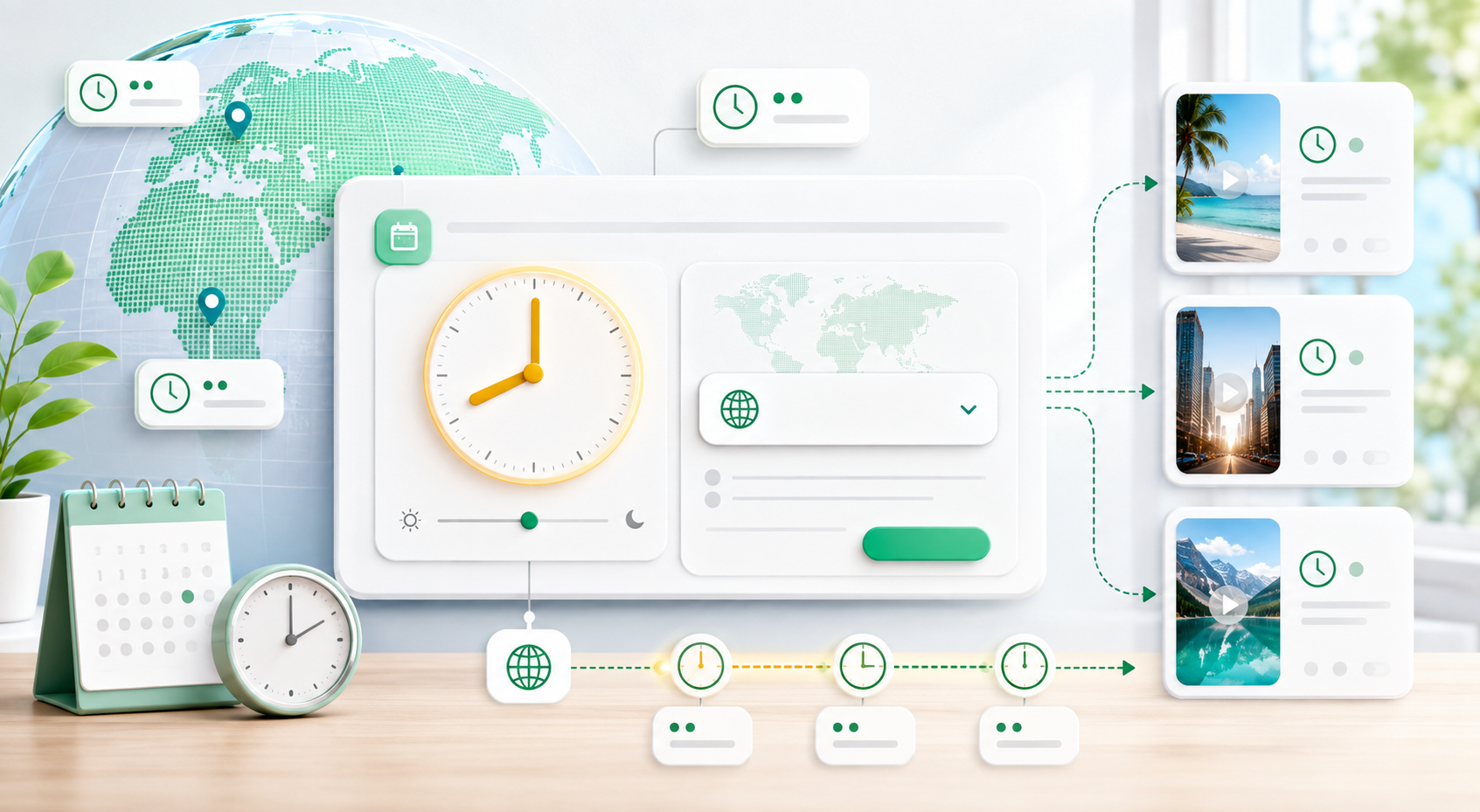
"Schedule it for 8 AM" hides a real question
Scheduling a Short feels like a solved problem. You type a time, you move on. But underneath that one field is a question most tools quietly answer for you: 8:00 AM where?
A publish time only means something once it is anchored to a time zone. 8:00 AM in Istanbul is not 8:00 AM in New York. If the scheduling tool assumes one zone while you are thinking in another, your clip goes out at the wrong hour and the audience you meant to reach never sees it near the top of their feed.
That is not a rare edge case. It is one of the easiest ways a scheduled post quietly misses its moment. Before worrying about cadence, notifications, or cross-platform timing, the first job is to make sure the time you pick is actually your time.
How the platforms actually handle scheduled time
YouTube and Instagram do not handle scheduling the same way, and that difference matters. For YouTube, MintiStudio converts your chosen local time into UTC, uploads the video as private, and sends YouTube a scheduled publish timestamp. YouTube then handles the public release on its side.
Instagram works differently. There is no native later-publish timestamp in the publishing call that MintiStudio can hand off and forget about. Instead, Instagram publishing runs through MintiStudio's own queue and worker, which hold the UTC due time and publish when that moment arrives.
That is the hidden operational difference between "schedule to YouTube" and "schedule to Instagram." One is a platform-native schedule handoff. The other depends on your publishing tool running the timer correctly on your behalf.
Why the timezone is the part that breaks
Your typed time is just a wall-clock number until a time zone is attached to it. Once the zone is wrong, every step after that is wrong too: the UTC conversion is off, the YouTube handoff is off, and the Instagram due-check is off by the same gap.
The annoying part is that nothing necessarily fails. The clip can publish successfully and still go out hours away from what you intended. You usually notice only later, when the performance looks soft and the publish time no longer matches the audience behavior you were aiming for.
- Your typed time is only digits until a time zone turns it into a real moment.
- The account time zone is the anchor the scheduler actually uses.
- Get that anchor right once, and every future schedule inherits it.
Making 8:00 AM mean your 8:00 AM
In MintiStudio, the Schedule & Publish window shows your account time zone next to the publish-time field, so you can see which clock your schedule is anchored to. If that label is wrong, the time you pick will be interpreted for the wrong place.
That is why the scheduling window includes an inline edit control right next to the time-zone label. You can open the picker, choose your zone from the same account timezone list, and update your account immediately without leaving the scheduling flow.
The important behavior is subtle but intentional: changing the zone updates the anchor, not the digits you already typed. If you entered 8:00 AM, the field stays at 8:00 AM. What changes is which time zone that 8:00 AM belongs to.
Same time or separate times across platforms
Once the timezone is right, cross-platform timing becomes a deliberate choice instead of a guess. You may want YouTube and Instagram to launch together, or you may want Instagram to go live earlier or later.
MintiStudio gives Instagram three timing modes relative to the YouTube schedule: publish at the same time as YouTube, publish immediately on Instagram, or choose a separate Instagram time. That gives you one shared timezone anchor with flexible platform timing on top of it.
- Same time as YouTube for a coordinated launch.
- Publish immediately on Instagram if you want it live now.
- Choose a separate Instagram time if each platform needs a different slot.
Let your analytics choose the hour
The timezone fix is mechanical, but it matters because it makes your analytics usable. Once your scheduled times reliably mean what you think they mean, you can compare performance across days and actually trust those comparisons.
That is where your own data becomes more useful than generic "best time to post" advice. Look at which publish windows produced the strongest early traction, then schedule the next batch into those windows in your own timezone.
- Check which past publish hours produced your best early views.
- Reuse those windows for the next batch.
- Keep the timezone anchor consistent so the comparison stays honest.
Where MintiStudio fits
MintiStudio anchors scheduled publishing to your account timezone, converts your selected local time to UTC, hands the YouTube schedule off to YouTube, and runs Instagram publishing itself when the due time arrives.
That gives you one place to control the timezone, one place to choose whether platforms stay in sync, and a schedule you can actually trust.
Sources
- YouTube Help: Schedule your video's publish time
- Google for Developers: Videos resource
- Meta for Developers: Publish Content
Next step
Publish on your schedule — and mean it
Set your timezone once, schedule across platforms with confidence, and make every publish time mean exactly what you intended.
More from the blog
Help New Viewers Follow Your Expertise One Lesson at a Time
A practical guide for educators, coaches, and podcasters who want Shorts to build understanding in sequence instead of acting like disconnected teasers. Learn how to plan a YouTube Shorts series, avoid common packaging mistakes, and use MintiStudio to turn long recordings into a coherent teaching flow.

Best OpusClip Alternatives for Busy Experts Who Need Less Clipping Work
A practical comparison of OpusClip alternatives for solo educators, coaches, consultants, and podcasters who want less weekly clipping work. See which tools fit self-serve editing, planning, publishing, and done-for-you Autopilot workflows.