How to Turn YouTube Videos into Shorts
Learn a simple workflow for turning long YouTube videos into publishable Shorts, from choosing the right moments to editing, styling, scheduling, and tracking results.
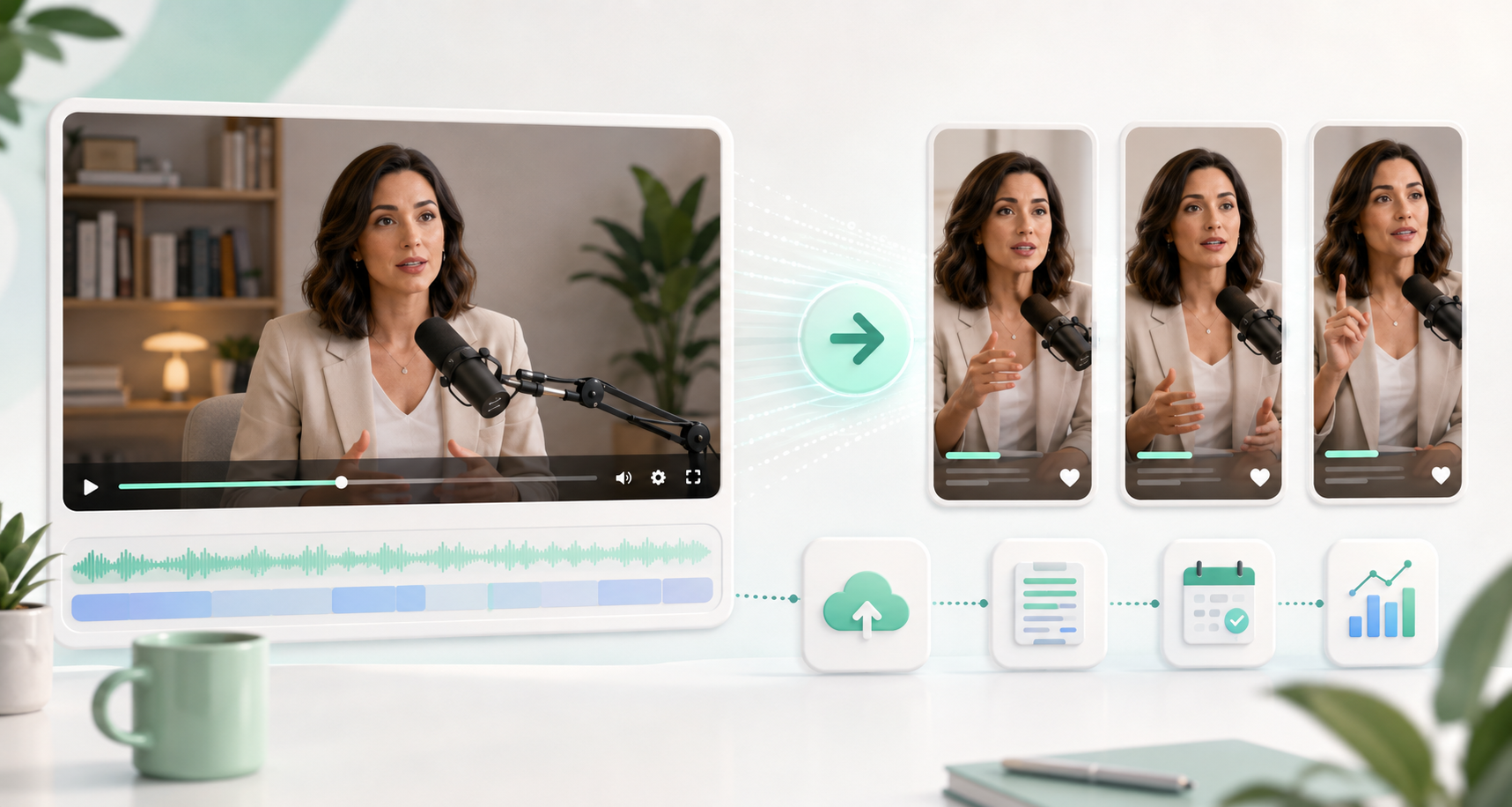
Everything in this guide can be done inside MintiStudio.
Start free with MintiStudio →
Why turn long YouTube videos into Shorts?
If you already publish long-form videos, you may be sitting on dozens of short clips without realizing it. A single interview, podcast episode, lesson, sermon, webinar, or coaching video can often become multiple Shorts.
The challenge is not only cutting a random 30 seconds. A good Short needs a clear hook, one focused idea, clean captions, vertical framing, and a simple publishing workflow.
That is where a repeatable process helps.
Step 01: Start with a video that has clear moments
The best Shorts usually come from long videos that include:
- a strong opinion
- a useful explanation
- a surprising insight
- a practical tip
- a short story
- a question and answer moment
- an emotional or memorable line
Before editing, ask one simple question: would this moment still make sense if someone saw it without watching the full video?
If the answer is yes, it may be a good Short.
Step 02: Upload your long video
Start by uploading the long video you want to repurpose. This gives you one place to manage the source video, transcript, generated clips, and publishing workflow.
For creators who publish regularly, this library becomes especially useful. Instead of treating each Short as a separate project, you can build a repeatable system from every long video you already create.
Step 03: Use the transcript to find strong clip ideas
A transcript makes it much easier to find useful moments. Instead of scrubbing through the full video manually, you can review the words, identify strong sections, and clean up anything that needs fixing.
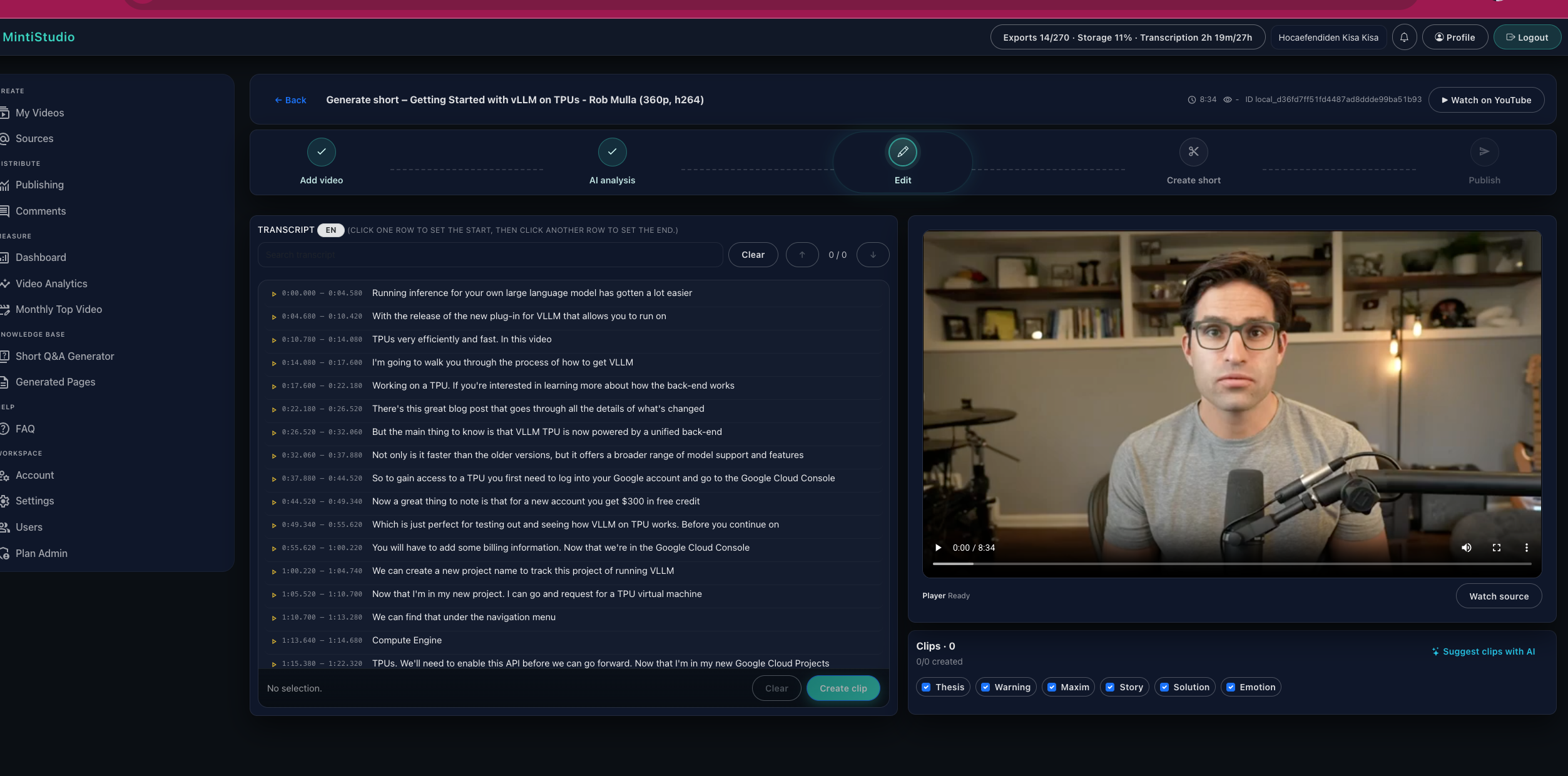
Look for moments where the speaker explains one idea clearly. Avoid clips that depend too much on what came before or after.
A strong Short usually has:
- one main idea
- a clear beginning
- a useful or memorable ending
- enough context to stand alone
Step 04: Let AI suggest candidate Shorts
Once the transcript is ready, MintiStudio can suggest short-form moments from the full video. This helps you avoid starting from a blank timeline.
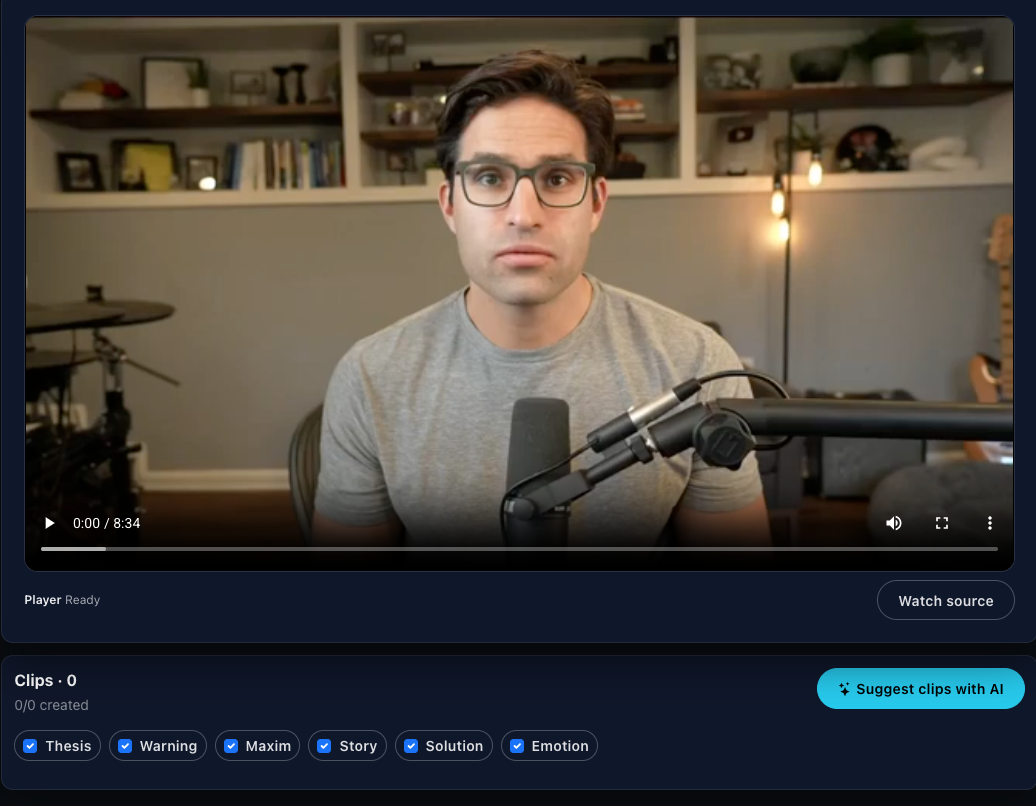
You should still review the suggestions yourself. AI can help surface good candidates, but the creator knows the audience best.
When reviewing suggestions, choose clips that feel useful, complete, and natural.
Step 05: Choose the best clip length
Most Shorts work best when they stay focused. The right length depends on the content, but many strong clips fall between 20 and 60 seconds.
A short educational clip may only need 25 seconds. A story or explanation may need closer to 60 seconds.
Do not cut only for length. Cut for clarity.
Step 06: Style the Short for vertical viewing
After choosing the clip, style it for short-form platforms. This usually means:
- vertical 9:16 framing
- readable captions
- clean crop
- simple background
- title or hook text if needed
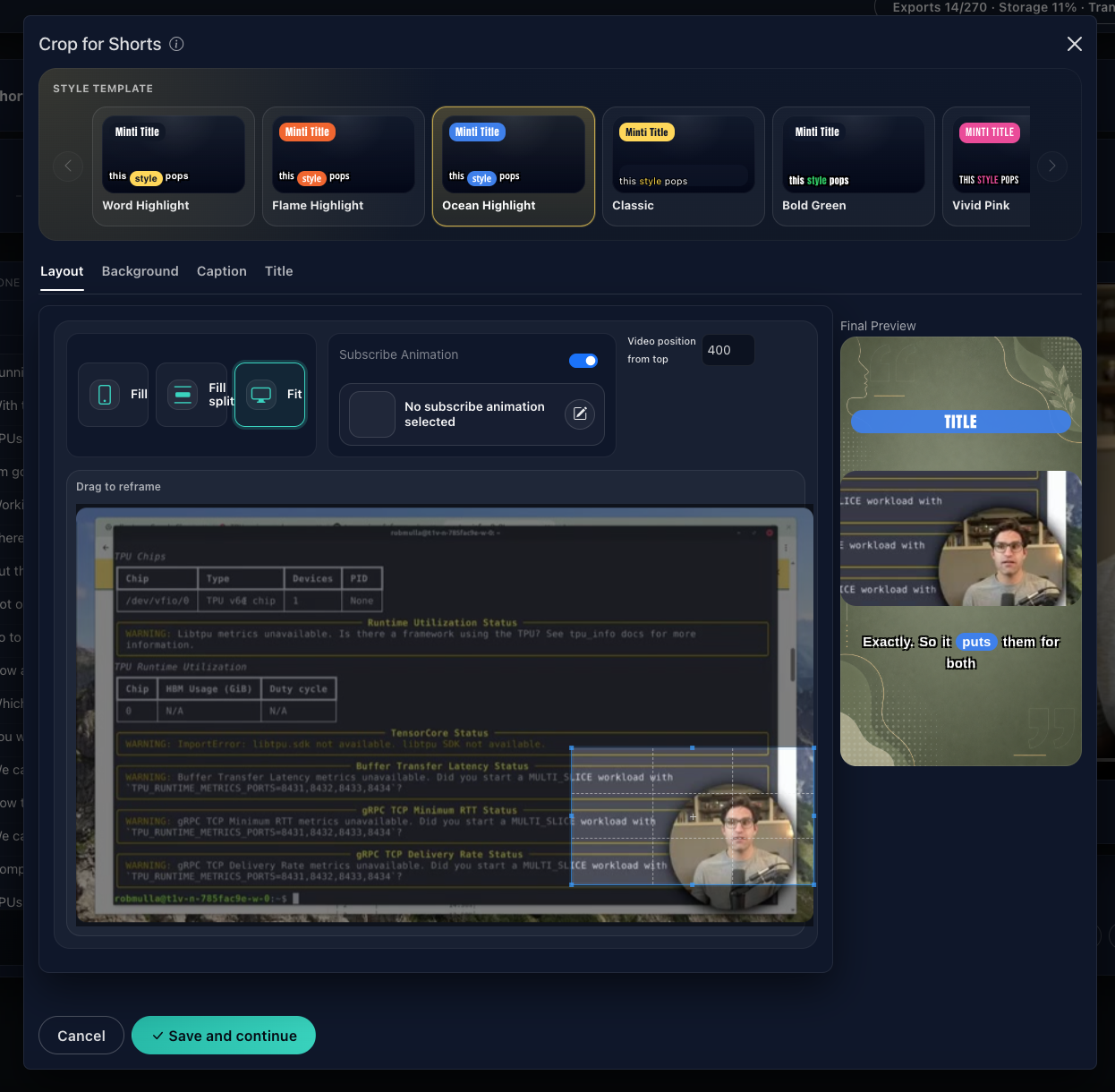
Captions matter because many people watch short videos without sound at first. Good captions make the clip easier to follow and help the viewer stay with the idea.
Step 07: Render and review the final Short
Once the clip looks right, render the final version. Review it before publishing.
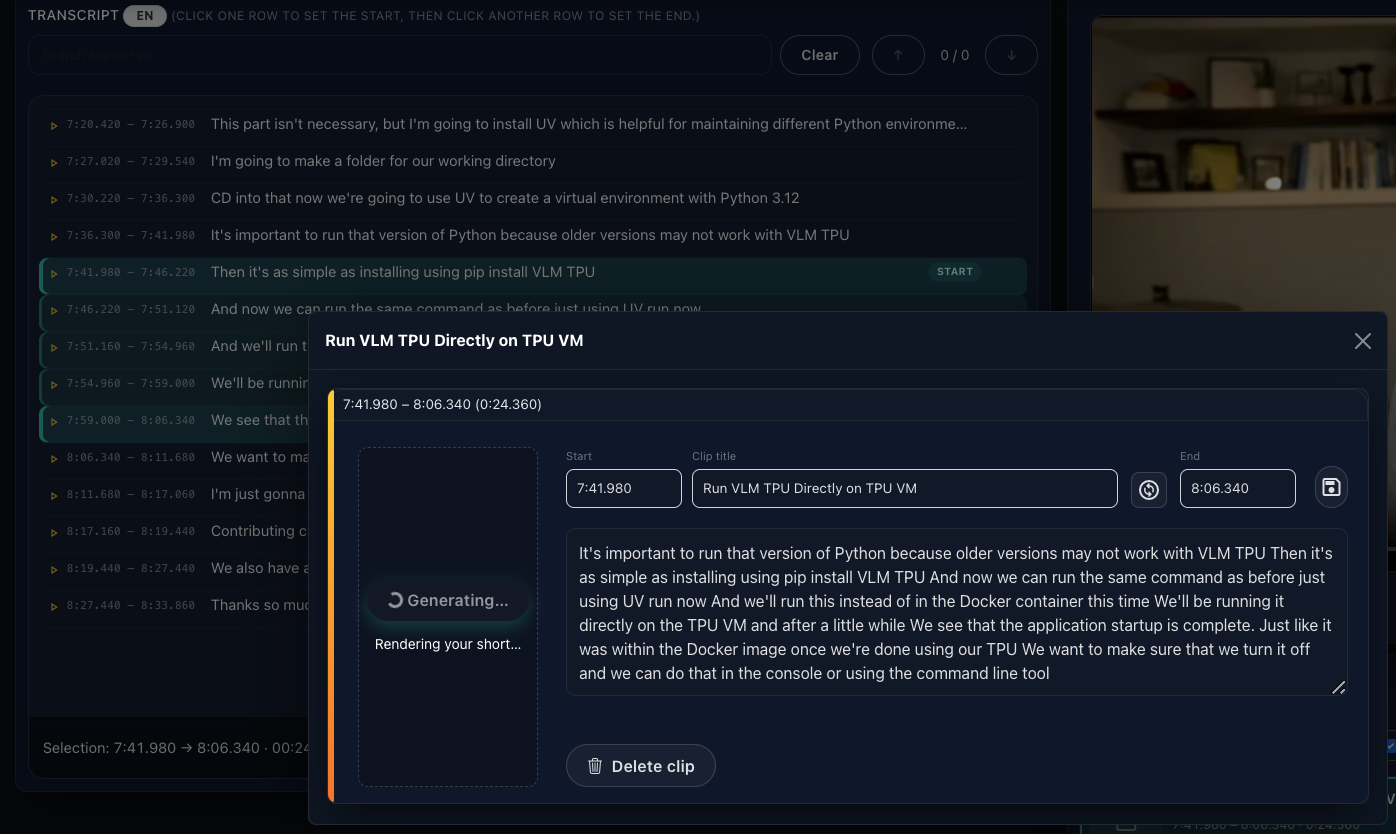
Check for:
- caption timing
- spelling mistakes
- awkward crop
- missing context
- weak opening seconds
- ending that cuts off too early
A few minutes of review can make the Short feel much more professional.
Step 08: Schedule and publish
After the Short is ready, publish or schedule it. If you post to multiple platforms, keeping the workflow in one place saves time.
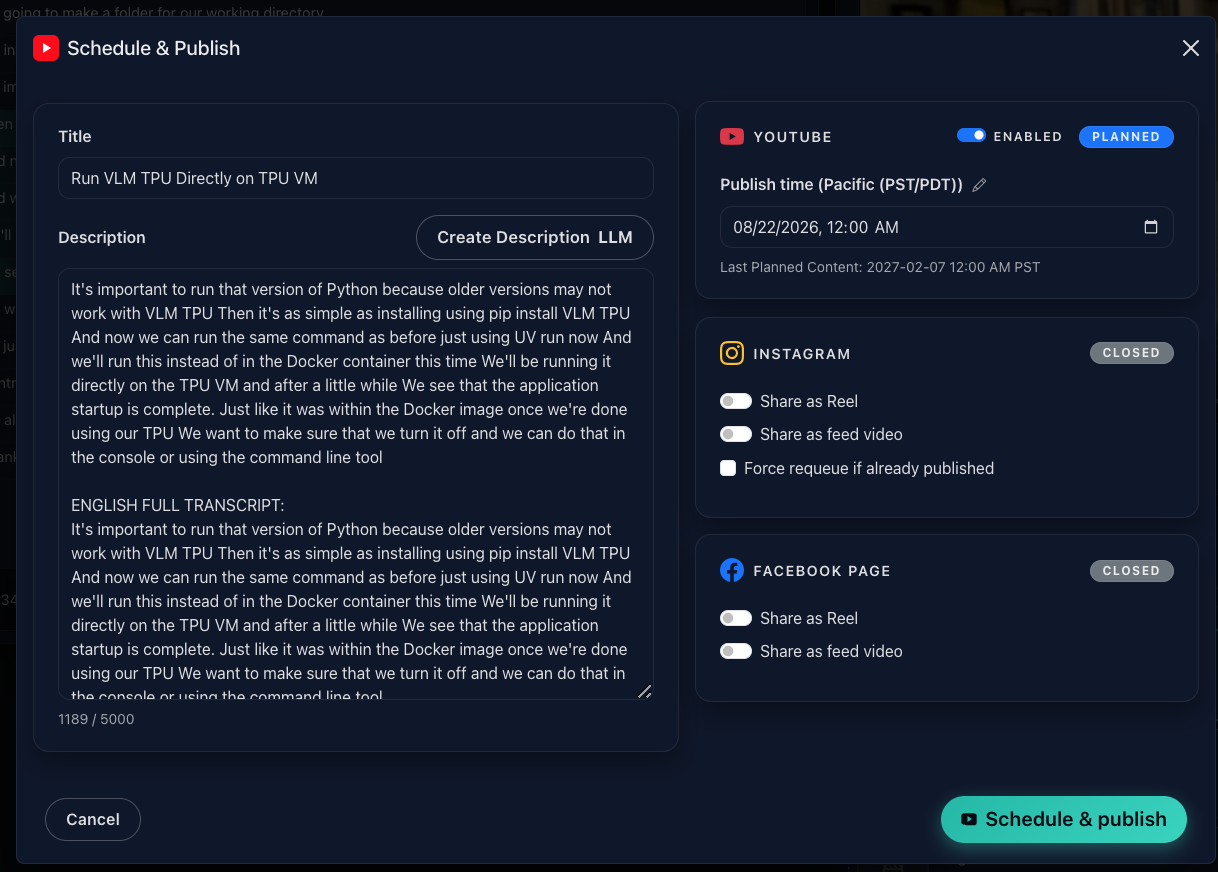
For many creators, the easiest system is to batch content. For example, one long video can become three to five Shorts scheduled across the week.
Step 09: Track what worked
Publishing is not the end of the workflow. Track which clips get views, comments, saves, or engagement.
Over time, you will learn which moments your audience responds to:
- practical tips
- strong opinions
- personal stories
- short explanations
- emotional moments
- direct answers to common questions
That feedback makes the next batch easier.
A simple weekly workflow
Here is a practical rhythm for creators:
- Publish or record one long video.
- Upload it to MintiStudio.
- Review the transcript.
- Pick three to five strong moments.
- Style and render each Short.
- Schedule them across the week.
- Review performance before choosing the next clips.
This turns long-form content into a repeatable short-form system.
Next step
If you already have long YouTube videos, start with one. Upload it, find the strongest moments, style the clips, and schedule them from one workflow.
More from the blog
YouTube Shorts for Consultants: A Practical Workflow for Public Proof Without Sharing Client Confidentials
Consultants often have strong expertise locked inside private calls, workshops, and explainers. This guide shows how to turn those long recordings into buyer-relevant Shorts that build public proof, while keeping confidential details out of the workflow.
Turn Prospect Objections into Your Next Teaching Video
Use the questions prospects ask on sales calls to plan teaching videos that answer real objections, show your thinking, and create standalone moments that can become Shorts. This guide gives coaches and consultants a simple way to turn one conversation topic into a useful long video and a set of clip-ready lessons.