Can Your Live Teaching Earn More Without More Sessions?
A practical guide for educators, coaches, and consultants who teach live and want more reach from each session without adding more hours. Learn what YouTube's live tools, fan funding, and dubbing announcement may mean for your workflow, what to verify before you rely on any feature, and how to turn each recording into Shorts that keep working after the session ends.
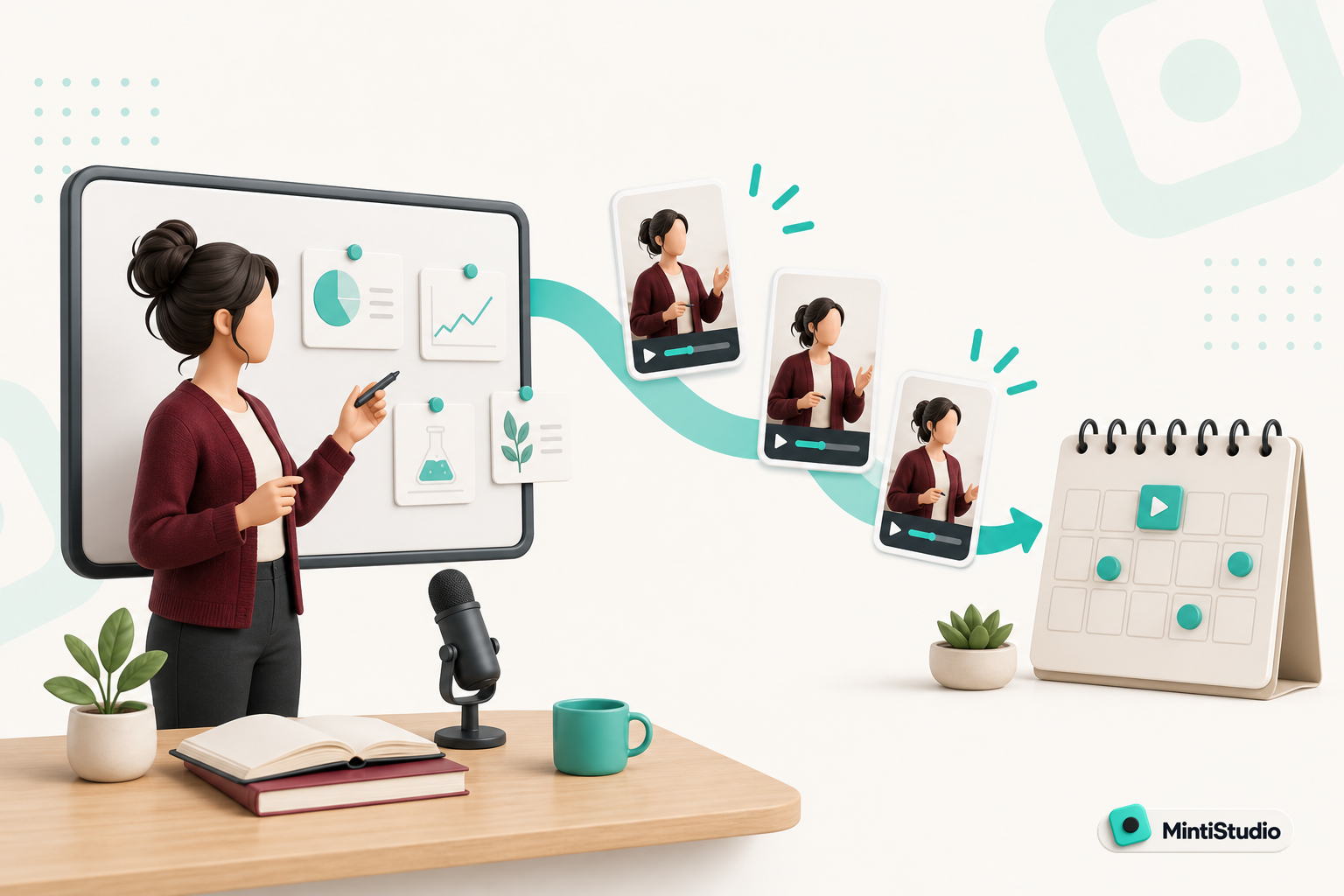
Your live session should keep working after the room empties.
If you already teach live, the question is not whether you can do more sessions. It is whether each session can do more for you.
YouTube's live tools announcement points in that direction. The official post highlights live tools, fan funding, and dubbing as areas that may affect how creators think about revenue and reach. For educators, coaches, and consultants, the practical opportunity is not only what happens during the live session. It is what the session can become after the stream ends.
That matters if you sell courses, coaching, workshops, or consulting. A good live session can answer questions, build trust, and create new teaching material in one sitting.
The practical goal is to turn that one recording into assets that keep earning attention without asking you to show up again.
What the announcement means in practice
The useful takeaway is simple: live teaching is becoming easier to connect to monetization and discovery tools.
That does not mean every feature applies to every channel or every region. Before you build a workflow around any live tool, check the announcement and the current YouTube Help Center for eligibility, rollout status, and any limitations on dubbing or fan funding.
Use the official sources first:
The reason to check is practical, not academic. Live features change the path from teaching to revenue only when they are available on your account and in your setup. If a feature is not available yet, it should not shape your content plan.
Why live teaching is still valuable without extra sessions
A live session already does three jobs.
It creates direct contact with your audience. It gives you a recording you can reuse. It surfaces the exact questions people care about right now.
That is why live teaching is such a useful format for experts who sell something. You are not just speaking in real time. You are producing source material for future content.
The hard part is that most creators stop at the recording. They publish the replay, maybe clip one highlight, and move on.
That leaves a lot of value behind.
A better approach is to treat the live session as the top of a content chain:
- the live session builds trust and gathers questions
- the replay serves people who want the full context
- the strongest moments become Shorts
- the Shorts keep discovery going after the session
If your audience is full of busy solo experts, that chain matters more than adding another calendar event.
Where monetization and reach can improve
YouTube's live-related updates matter because they can support two things at once: direct support and broader discoverability.
Direct support is the obvious one. If your audience has ways to support your work around live content, your session has a clearer revenue path.
Reach is the quieter one. If your live content is easier to reuse, translate, or package into short clips, then one session can show up in more places and keep introducing your work to new viewers.
That is the core idea behind youtube live monetization for educators: one teaching session should not end when the stream ends.
For educators, coaches, and consultants, that means the real value is not just the live event itself. It is the teaching inventory you create from it.
What to verify before you rely on the announcement
Before you change your workflow, check four things:
1. Eligibility
Make sure the live tools or fan funding feature is actually available to your channel and account type.
2. Rollout timing
Do not assume a feature mentioned in an announcement is already visible everywhere.
3. Dubbing details
If dubbing is part of your plan, confirm the supported languages, surfaces, and any constraints in YouTube's current help docs.
4. Monetization path
Decide whether the feature helps you earn directly, helps with discovery, or both.
That check takes less time than rebuilding a content plan around a feature you cannot use yet.
A simple way to think about your live content
Try this framing for every live session:
- What question does this session answer?
- Which part of the answer will become a replay?
- Which part will become one Short?
- Which part could become a second Short?
If you answer those questions before you go live, your session stops being a one-time event.
It becomes a teaching source.
What live features can help with, and what they cannot
It helps to separate support from assumptions.
Live tools can support your teaching business by making the session more useful after it happens. Fan funding can support revenue. Dubbing can support reach across languages. But none of those things replace a clear offer, a useful lesson, or a repeatable post-live workflow.
That workflow still matters.
If the session is hard to cut into clips, or if the strongest moments disappear into a long replay, you are still doing extra work for limited return.
Where MintiStudio helps
MintiStudio fits after the live session ends, when the bottleneck is turning one long recording into useful Shorts without running the clipping workflow yourself.
If your live session was recorded on YouTube, you can paste the link into MintiStudio and start from the source instead of re-uploading or rebuilding the project.
If you want the strongest moments faster, AI clip suggestions help surface candidate sections from the full recording, and transcript-based clip selection helps you choose the exact lesson you want to reuse.
If the recording is horizontal, Crop for Shorts helps you reframe it to vertical while keeping the teaching readable on a phone screen.
If you want the content to keep moving after the session, scheduling and publishing let you queue the Shorts so the live recording continues working for you.
If you want less hands-on work, Autopilot handles the long-video-to-Shorts workflow for you while still letting you review every prepared Short before it goes live.
Why that matters for live teaching
Live sessions are already demanding. You are teaching, answering questions, and keeping the pace moving.
The follow-up work should not become a second job.
That is why MintiStudio is a good fit for busy solo experts who have recordings but no time to run a clipping workflow themselves. It turns the part after the live session into a simpler system.
A workflow for turning one live session into more value
The best workflow is not complicated. It is consistent.
Capture one strong live lesson
Teach one clear topic that answers a real question from your audience.
Identify the clip-worthy moments
Review the transcript and find the parts that stand alone as useful teaching.
Reframe for Shorts
Turn the horizontal recording into vertical clips with captions that remain readable.
Queue the follow-up posts
Schedule the best Shorts so the session keeps reaching new viewers after the live ends.
Review what lands
Use performance data to learn which parts of your teaching create the strongest follow-up interest.
That workflow keeps you from treating the replay as the final product. The replay becomes the source.
How to choose what becomes a Short
Not every strong sentence is a strong Short.
A good clip usually does one of three things:
- states a clear idea
- answers a common objection
- shows a concrete step
When you clip from a live teaching session, look for moments that still make sense without the full room around them. If the moment depends too much on chat context or a long setup, it may work better in the replay than in a Short.
A useful test is simple: if someone saw only that clip, would they understand the point in one sitting?
If the answer is yes, you have a candidate.
How live tools and Shorts work together
This is where the strategy gets practical.
Live tools help the session itself feel more useful. Shorts help the session keep working afterward.
That combination is useful because live teaching often creates a lot of raw material, but not enough distribution on its own. Shorts give you a way to reuse the most important teaching points without asking the audience to watch the whole replay first.
So the real system looks like this:
- teach live
- extract the best moments
- publish them as Shorts
- use the Shorts to bring new people back to your channel and offer
That is a cleaner path than trying to make every live session do every job by itself.
A practical checklist before your next live session
Before you go live, check these items:
- one clear teaching topic
- one likely fan-support or revenue angle, if available to your channel
- one or two moments you expect to clip
- one plan for turning those clips into vertical Shorts
- one place to review what performed well afterward
That is enough to make the session more valuable without adding more sessions.
When MintiStudio is the right next step
If your main bottleneck is post-live production, MintiStudio is the concrete option.
Use the DIY plans if you want a self-serve way to turn your recordings into Shorts.
Use Autopilot if you want the long-video-to-Shorts workflow handled for you while you stay focused on teaching and selling.
Either way, the goal stays the same: make every live session create more than one piece of content.
Related guides
- How to Turn YouTube Videos into Shorts
- The Weekly Shorts Workflow for Busy Creators
- Done-for-You vs DIY Video Clipping: Which Fits Your Week?
The simplest next move
Pick your next live lesson and plan its afterlife before you hit go live.
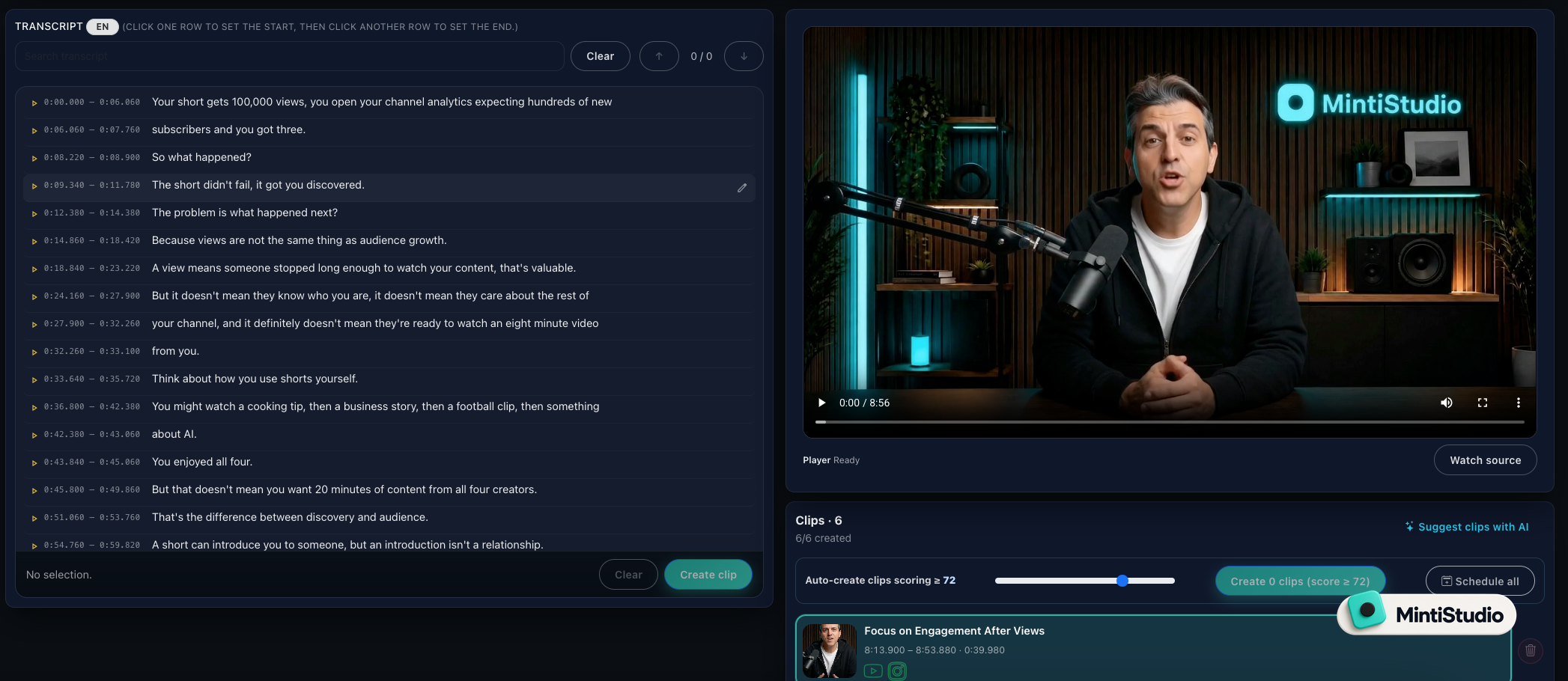 Screenshot from MintiStudio
Then treat the recording as the source for future Shorts, not just a replay.
Start free with MintiStudio and turn one live session into a longer runway for discovery and revenue.
More from the blog
Help New Viewers Follow Your Expertise One Lesson at a Time
A practical guide for educators, coaches, and podcasters who want Shorts to build understanding in sequence instead of acting like disconnected teasers. Learn how to plan a YouTube Shorts series, avoid common packaging mistakes, and use MintiStudio to turn long recordings into a coherent teaching flow.
Best OpusClip Alternatives for Busy Experts Who Need Less Clipping Work
A practical comparison of OpusClip alternatives for solo educators, coaches, consultants, and podcasters who want less weekly clipping work. See which tools fit self-serve editing, planning, publishing, and done-for-you Autopilot workflows.