Help New Viewers Follow Your Expertise One Lesson at a Time
A practical guide for educators, coaches, and podcasters who want Shorts to build understanding in sequence instead of acting like disconnected teasers. Learn how to plan a YouTube Shorts series, avoid common packaging mistakes, and use MintiStudio to turn long recordings into a coherent teaching flow.
New viewers do not need more clips. They need a path.
If you publish lessons, interviews, or coaching material, a single Short can earn attention without helping a viewer understand your larger point. A series changes that.
A good YouTube Shorts series gives new viewers one clear step at a time. Each clip teaches one thing, and each clip makes the next one easier to follow. That is useful when your long-form content already contains a teaching sequence, but your audience meets it in short bursts.
This matters for educators, coaches, consultants, and podcasters because your expertise is often spread across recordings, not packaged into one neat explanation. The job is not to invent more content. The job is to turn what you already have into a sequence people can follow.
What a Shorts series actually does
A Shorts series is not just a pile of related clips. It is a small learning path.
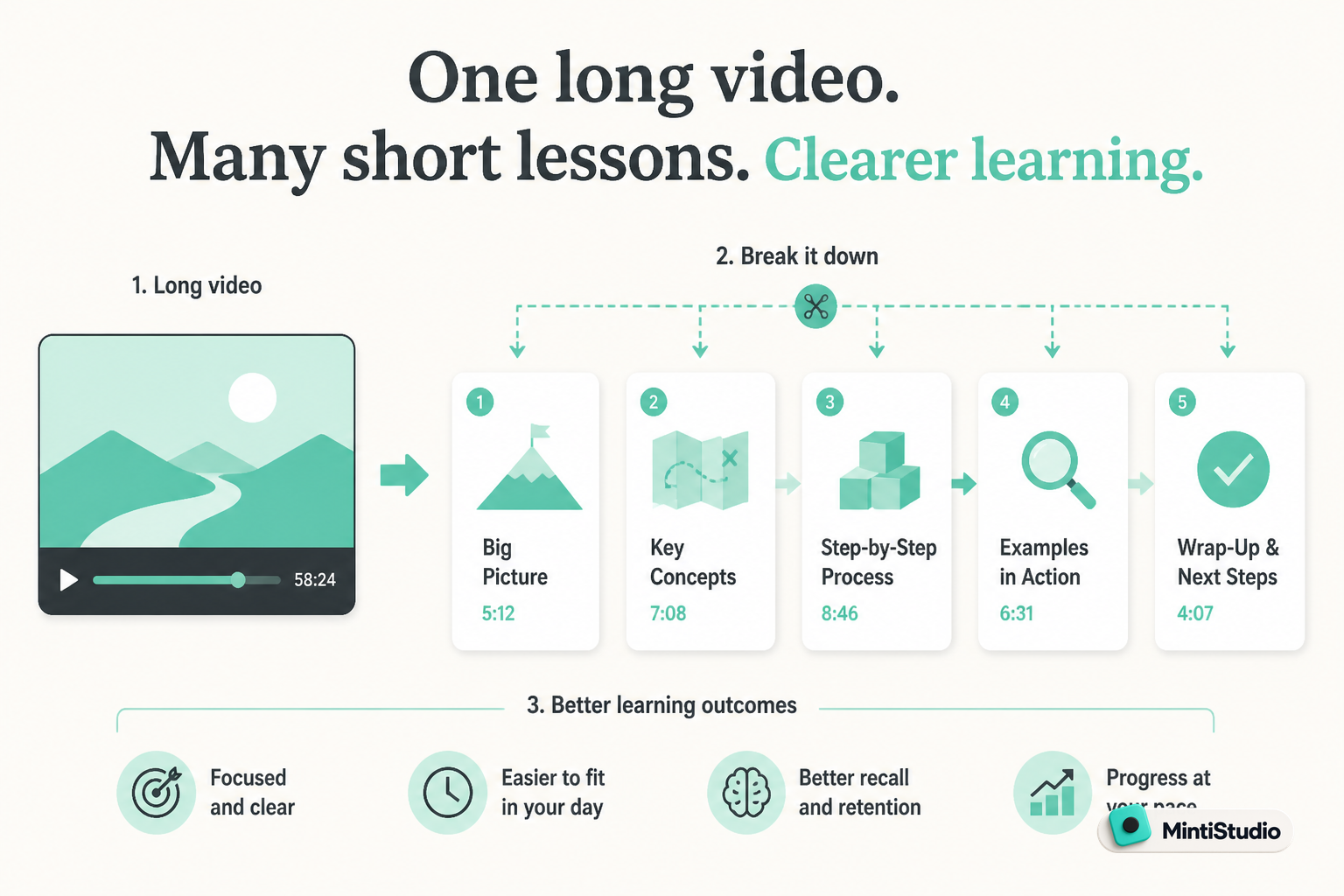
That path works best when each Short does three things:
- introduces one idea
- resolves one question
- points to the next idea
When you do that well, the viewer can start anywhere and still get value. But if they watch in order, the lessons build on one another.
For a teacher, that might mean moving from definition to example to mistake to correction. For a coach, it might mean moving from problem to diagnosis to next step to implementation. For a podcaster, it might mean moving from context to tension to takeaway to deeper episode.
The point is coherence, not repetition.
What YouTube announced and why creators should care
YouTube's creator announcement introduced Shorts series and TV-related features as part of its broader creator tooling. For the series and TV features, YouTube said the announcement covered new ways for creators to organize related Shorts and make them easier for viewers to find and watch in sequence, and that TV playback support was part of the rollout.
The practical details still matter more than the label:
- YouTube's announcement says the features are part of its creator rollout.
- The help documentation should be used to verify whether a feature is available to a given account.
- Availability, eligibility, rollout timing, and any linking behavior depend on YouTube's official documentation and product surface.
- Because those details can vary by feature and account state, creators should check the current Help Center pages before planning a series around them.
- If a feature is not available to your account, you should not assume the series or TV surfaces will appear.
If you want the official source, start with YouTube's announcement and help pages:
That matters because structure helps new viewers stay oriented.
A series can make your expertise feel easier to enter. Instead of asking a viewer to understand your whole worldview in one clip, you lead them through one lesson at a time.
That is especially useful when your main asset is a long recording. The long-form video holds the full explanation, while Shorts become the guided entry points.
The series mindset: teach in sequence, not fragments
A lot of creators already have enough footage for Shorts. The gap is usually sequence.
Before you cut a clip, ask what role it plays in the series:
Lesson one: the starting point
This clip should define the problem or idea in plain language. New viewers need a first foothold.
Lesson two: the tension or mistake
This clip should show where people get stuck. That gives the series a reason to continue.
Lesson three: the correction
This clip should show what to do instead. Now the viewer has a usable next step.
Lesson four: the bigger frame
This clip should explain why the lesson matters inside your larger approach, framework, or offer.
You do not need four parts every time. Sometimes two Shorts are enough. Sometimes three is the right number. The goal is to make the sequence feel natural.
How to plan a coherent Shorts series
Start with one long recording and look for the teaching arc inside it.
That might be a webinar, lesson, podcast episode, workshop, or client-safe coaching conversation. The best series usually comes from a source that already contains progression.
A simple planning pass looks like this:
One. Find the core promise
What is the main idea the viewer should understand by the end?
Two. Break that promise into steps
What has to be understood first, second, and third?
Three. Match each step to one Short
Give each clip one job. Do not force a single clip to teach the entire framework.
Four. Leave a breadcrumb to the next lesson
The final sentence of each Short should make the next one feel necessary.
That is how a series starts to feel like teaching instead of recycling.
Common mistakes that break the flow
A series fails when the clips compete with each other instead of building on each other.
Watch for these problems:
- too many ideas in one clip
- no sense of sequence between posts
- opening with the conclusion instead of the setup
- changing terms halfway through the series
- using different examples that make the lesson feel unrelated
- publishing strong clips without any connective logic
If a viewer needs your full backstory to understand a Short, the clip is carrying too much.
If a viewer can understand the point but cannot tell why the next clip exists, the series is too loose.
Where MintiStudio helps
MintiStudio is useful when the bottleneck is turning one long recording into several connected teaching clips without running the workflow yourself.
If you already have a YouTube video, you can paste the link and pull it into MintiStudio so you can start from the source instead of rebuilding the whole project.
If you need help finding the right section, AI clip suggestions and transcript-based clip selection help you move through the recording faster and keep the teaching order intact.
If your lesson was recorded horizontally, Crop for Shorts helps you reframe it to vertical while you choose a caption style template that keeps the clip readable.
If you want the series to keep moving, scheduling and publishing let you queue the Shorts so the sequence goes out in order.
If you want less hands-on work, Autopilot handles the long-video-to-Shorts workflow for you while still letting you review every prepared Short before it goes live.
A simple workflow for building a Shorts series
You do not need a complicated content system. You need a repeatable one.
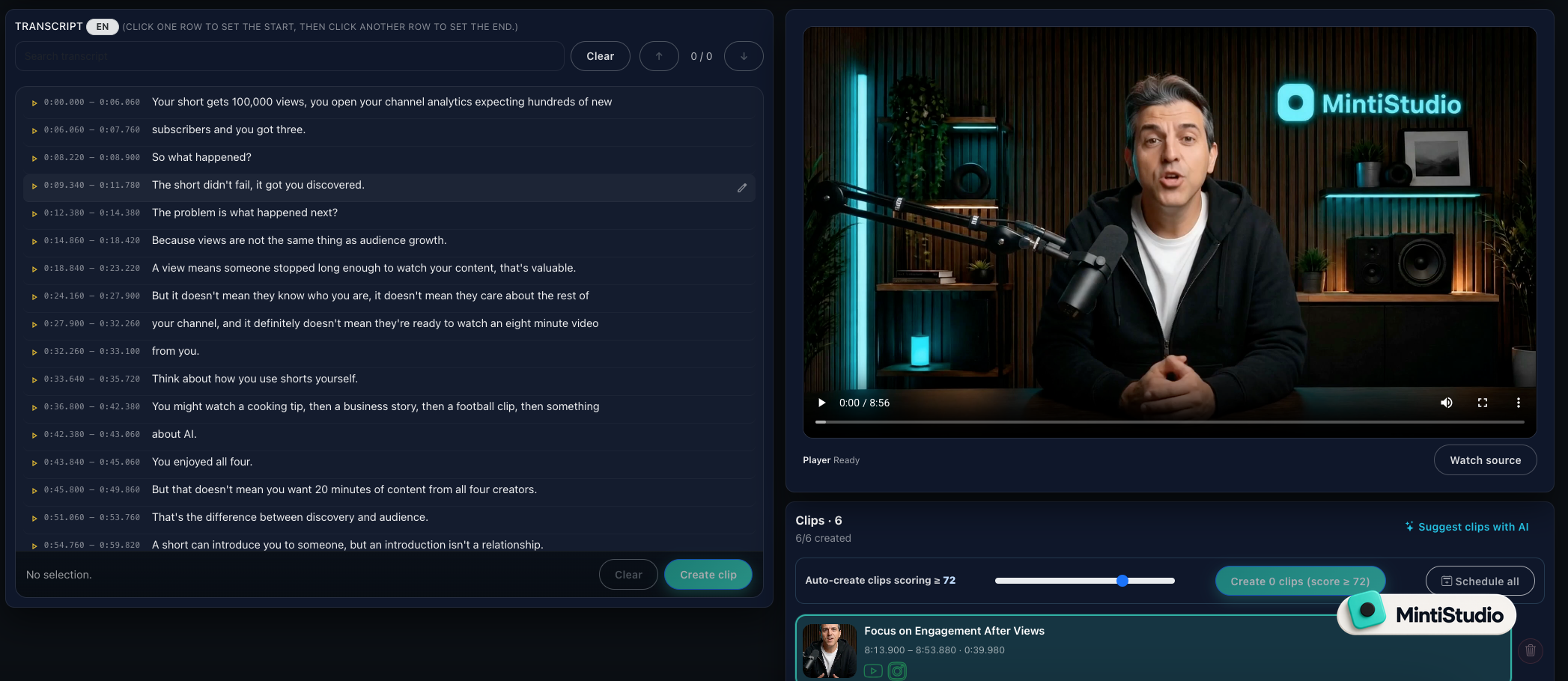 Screenshot from MintiStudio
Start with one long recording
Use a webinar, lesson, workshop, or podcast episode that already contains a clear teaching arc.
Map the sequence
Identify the opening idea, the common mistake, the correction, and the deeper explanation.
Cut one Short per lesson
Keep each clip focused on one step so the viewer can follow the series without confusion.
Reframe and style the clips
Turn horizontal footage into vertical Shorts and use captions that stay readable on a phone screen.
Review and schedule the set
Check the prepared Shorts, then publish them in an order that supports the teaching flow.
That workflow keeps the series from becoming random highlights. It also makes it easier to turn one strong recording into several connected Shorts.
How to write each Short so it connects to the next one
A useful series has a clear internal rhythm.
Try this structure:
- open with the problem
- define the key idea in one sentence
- give one example or correction
- end with the reason the next lesson matters
You do not need a hard sales pitch in every clip. You need continuity.
For example, if your first Short explains the main mistake beginners make, the second Short can show how that mistake appears in real work. The third Short can show the fix. The fourth Short can connect the fix to your larger framework or offer.
That sequence helps new viewers trust that you know where you are going.
How this supports deeper expertise and paid offers
A good Shorts series does more than earn views. It helps viewers understand your thinking.
That matters because people do not usually buy from a single idea. They buy from confidence that your method is clear, useful, and consistent.
A coherent sequence can do three things at once:
- make your teaching easier to follow
- show how your ideas connect
- create a natural bridge to a longer lesson, workshop, or offer
The goal is not to force conversion in every clip. The goal is to make the next step feel obvious when the viewer is ready for it.
What to track after publishing
When you publish a series, do not only ask which clip got the most attention.
Ask these questions instead:
- did viewers enter the series at different points and still understand the lesson
- did one Short lead naturally into the next idea
- did comments show confusion or momentum
- did people ask for the next part
- did the series support your larger teaching goal
MintiStudio's analytics can help you review how your Shorts perform after publishing, which makes it easier to see which clips are getting attention and which ones need a different edit or caption style.
Related guides
- How Educators Can Turn Long Videos into Shorts That Attract Students
- How Coaches Can Turn Long Videos into Shorts That Bring in Clients
- How to Turn YouTube Videos into Shorts
A practical way to start this week
Pick one long recording and look for three connected lessons inside it.
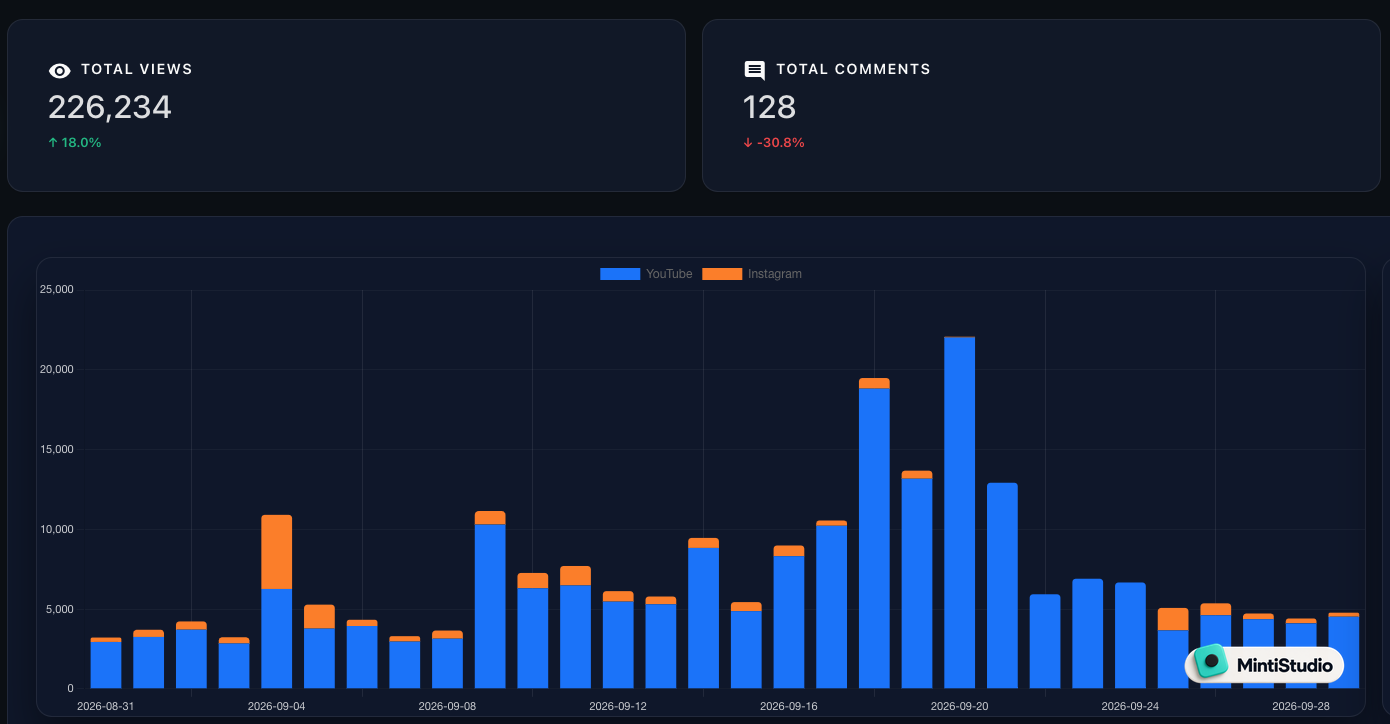 Screenshot from MintiStudio
Then turn those lessons into one short series:
- one clip that introduces the idea
- one clip that deepens it
- one clip that resolves it
If you already have recordings and you want the workflow handled with less operational work, MintiStudio Autopilot is built for that job. If you want to run the process yourself, the DIY plans give you a self-serve path too.
Start free with MintiStudio and turn one lesson into a sequence new viewers can actually follow.
More from the blog
Best OpusClip Alternatives for Busy Experts Who Need Less Clipping Work
A practical comparison of OpusClip alternatives for solo educators, coaches, consultants, and podcasters who want less weekly clipping work. See which tools fit self-serve editing, planning, publishing, and done-for-you Autopilot workflows.
Before Your Lesson Goes Public, Check the Path to Your Offer
A practical publishing checklist for educators and consultants who want their long lessons and Shorts to support an offer clearly, accurately, and responsibly. Learn what to check before publishing so your title, captions, links, disclosures, and end screens all point in the same direction.