How to Guide a YouTube Viewer from One Useful Lesson to the Next
A practical guide for educators, coaches, and consultants who want viewers to move from one useful lesson to the next without feeling pushed. Learn how to create a clear next step, choose the right follow-up video, and use Shorts and end screens to build a useful viewing path from the lessons you already recorded.
One good lesson should make the next lesson feel obvious.
If you publish long-form teaching on YouTube, one of the simplest ways to help viewers stay with you is to make the next step easy to see. That does not mean pushing people around your channel. It means helping them continue the learning path you already started.
For educators, coaches, consultants, and podcasters, that matters because a viewer often arrives with one immediate problem. If your video solves part of it, the best follow-up is the video that solves the next part. When the sequence is clear, viewers do not have to guess what to watch next.
This article shows how to guide a viewer from one useful lesson to the next in a way that feels calm, practical, and relevant to the problem they already care about.
Start with the viewer’s next question
A strong follow-up video does not start with your content calendar. It starts with the viewer’s likely next question.
If your first lesson explains the problem, the next video can show the fix. If the first lesson gives a framework, the next one can show how to use it. If the first lesson answers a beginner question, the next one can help the viewer apply the idea in a real situation.
That kind of sequence feels natural because the viewer is not jumping to a random topic. They are moving through a logical path.
A simple test for the next video
Ask three questions before you recommend another video:
- What did this video help the viewer understand?
- What would they still need in order to act on it?
- Which of my videos answers that next question most clearly?
If you can answer those three questions, you have a sensible recommendation.
Make the recommendation specific
A vague end screen often asks the viewer to continue on autopilot. A specific recommendation gives them a reason to click.
Instead of saying something broad like “watch another video,” explain why the next one matters. That does not require a sales pitch. It only requires one clear sentence that connects the two lessons.
For example, if the first video teaches how to spot clip-worthy moments in a long recording, the next video might show how to turn those moments into a weekly Shorts workflow. The click makes sense because the viewer can see the bridge.
A specific recommendation works best when it points to one of these:
- the next step in a process
- the common mistake that follows
- the deeper version of the same lesson
- the application for a different situation
Use a sequence, not a pile of related videos
Many channels have related videos. Fewer channels have a clear sequence.
A sequence helps because each lesson leads to the next one in a way the viewer can understand. You are not asking them to browse. You are helping them progress.
That is especially useful for expertise channels. A coach, consultant, or educator often teaches in layers. One lesson introduces the idea. Another shows how to apply it. A later one handles objections, examples, or implementation.
If you arrange those lessons in order, viewers can move through them with less friction.
A basic sequence structure
A useful learning path often looks like this:
- explain the problem
- define the key idea
- show the process
- answer the common objection
- give the practical example
You do not need every video to follow this exact pattern. The point is to think in terms of progression.
Where end screens fit
End screens are useful when the viewer has just finished one video and is ready for a next step.
Because YouTube’s end screen and analytics features can change, check the current official YouTube Help and YouTube Studio Analytics guidance before you rely on a specific workflow for placement or measurement.
A good place to start is the official YouTube Help pages for end screens and YouTube Studio Analytics. If your process depends on a feature detail, confirm it there before you publish.
That means the recommendation should match the video they just watched. A viewer who finished a beginner explainer may not want a deep technical lesson right away. A viewer who finished a detailed tutorial may be ready for the next layer.
The best end screen is the one that feels like a natural continuation.
What to choose for the end screen
Choose the video that does one of these jobs:
- completes the idea
- deepens the same idea
- removes a likely objection
- shows the next action
If you cannot explain why that video is the next step, it is probably not the right one to recommend.
Shorts can be the entry point to the next lesson
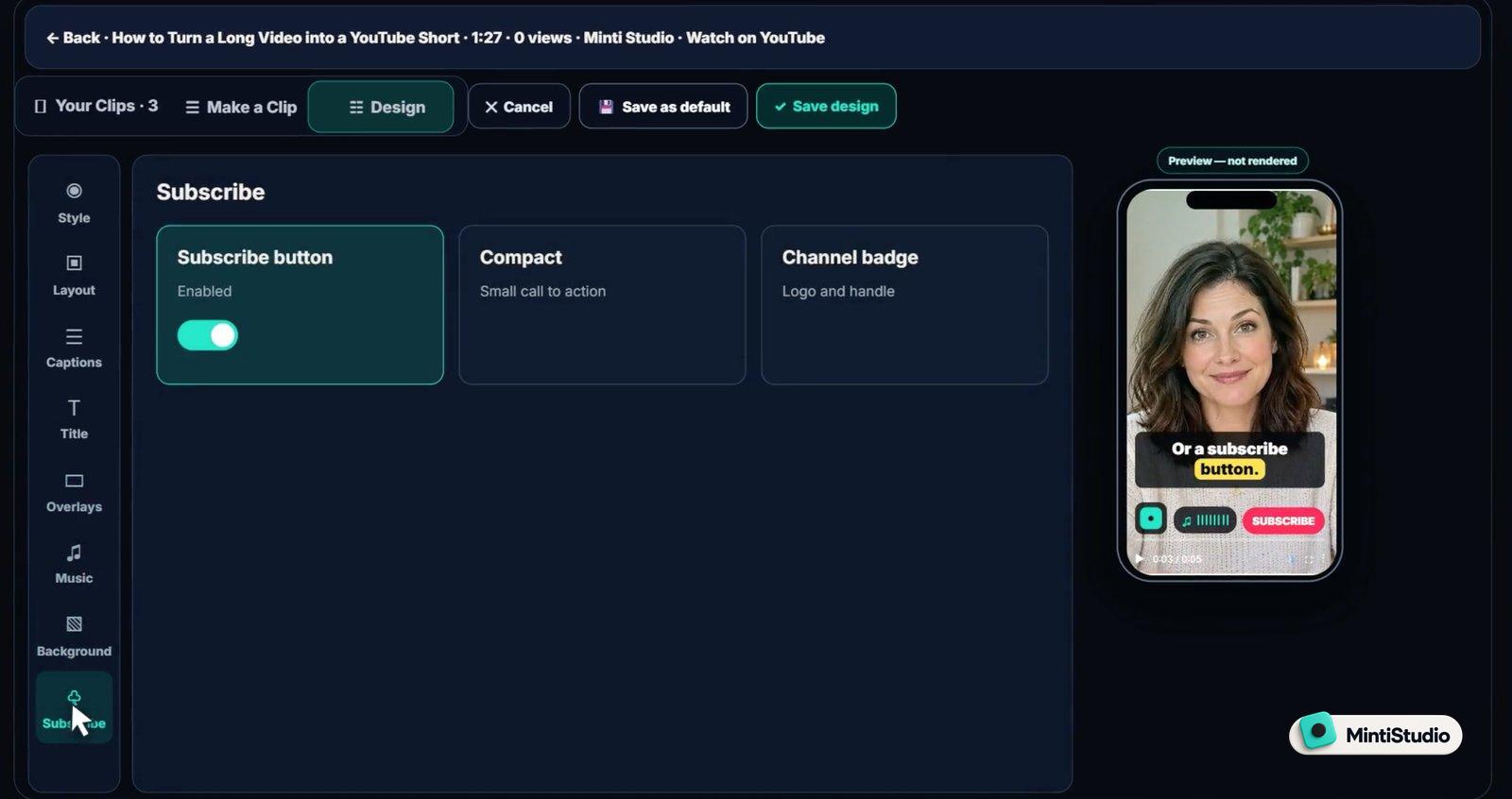 Screenshot from Minti Studio
Shorts are useful when they do not act like disconnected teasers.
A Short can introduce one useful concept, then point the viewer toward the fuller lesson that expands it. That creates a small but useful bridge between discovery and depth.
For educators and coaches, this is often the easiest way to guide viewers forward. A Short captures one clear idea. A long video gives the fuller version. Together they form a path.
If your long videos already contain several useful moments, you can turn them into Shorts that act like signposts toward the next teaching video.
Where Minti Studio helps
Minti Studio helps when you already have a library of long videos and want to turn them into Shorts that can point viewers toward deeper teaching.
You can paste a YouTube link or upload a file, then use AI clip suggestions and transcript-based selection to find the moments that are most likely to become useful Shorts. That makes it easier to build a set of clips that can introduce one lesson and naturally lead into the next.
If your recording is horizontal, Minti Studio can reframe it to vertical so the Short fits the format. Caption style templates help make the teaching readable on a phone screen, and the scheduling tools let you space clips out so each one supports a broader sequence instead of crowding the feed.
If you want the long-video-to-Shorts workflow handled for you, Autopilot is built for that exact task. You share your YouTube channel link, and Minti Studio handles the clip selection, vertical preparation, captions, titles, and publishing setup while you review every prepared Short before it goes out. That is a strong fit when your bottleneck is time and your lesson library already exists.
A practical workflow for connected videos
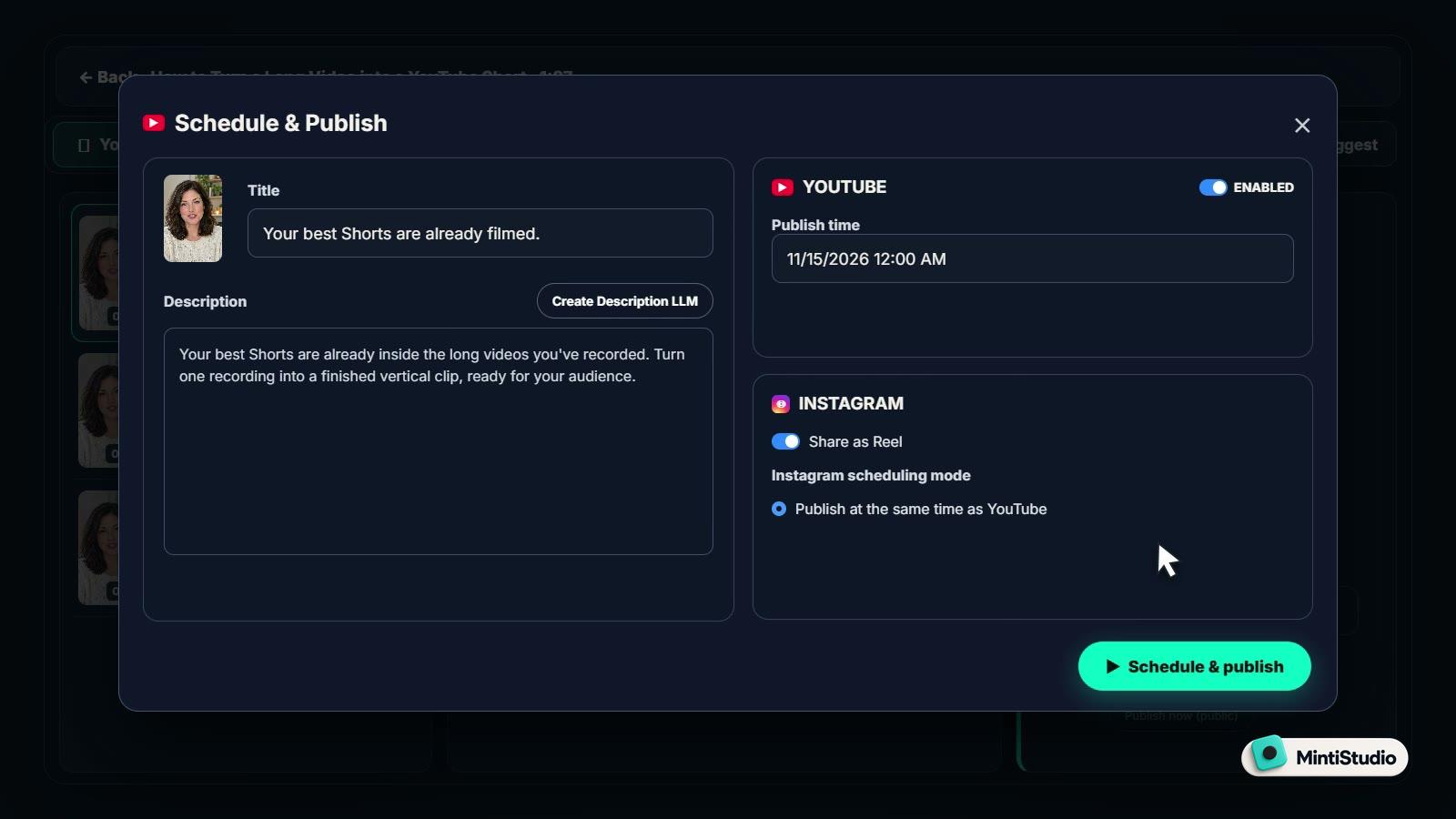 Screenshot from Minti Studio
A connected viewing path does not need to be complicated. It needs to be deliberate.
Step one: name the next problem
Look at the lesson you just published and write down the next problem a viewer is likely to have. That gives you a clear target for the follow-up video.
Step two: pick the matching lesson
Choose the video that answers that next problem most directly. If you do not have one yet, make that your next recording.
Step three: shape the handoff
Write one sentence that explains why the viewer should continue. Keep it specific and grounded in the lesson they just watched.
Step four: add the recommendation
Use the end screen, pinned comment, description, or verbal outro to point viewers to the next video. Check the current official YouTube Help guidance for the best placement and any current limits before you publish.
Step five: review what they choose next
Use YouTube analytics and your own notes to see whether the sequence feels natural to viewers. Confirm the current measurement views and reports in YouTube Studio Analytics before you treat any specific metric as your main signal.
The goal is not to force every viewer into a funnel. The goal is to make the next useful step easy to find.
A simple structure for the outro
Your outro does not need to be long. It only needs to connect the current lesson to the next one.
A strong outro usually does three things:
- names the problem just solved
- points to the next problem
- explains why that next video matters
For example: “If this helped you identify the clearest teaching moment, the next video shows how to turn that moment into a weekly Shorts workflow.”
That kind of handoff feels useful because it continues the learning, rather than interrupting it.
Why this matters for expertise channels
For experts, the value of the next video is not just more watch time. It is more clarity.
When someone moves from one lesson to the next in a sensible order, they understand your work faster. They see how the ideas connect. They are more likely to trust the teaching because it does not feel scattered.
That is especially important if your videos support an offer. A coherent video path helps the viewer understand the problem, the method, and the kind of help you provide.
A practical way to review your own channel
Take three of your published videos and check whether a viewer could follow them in order.
Ask:
- Does the first video open the problem clearly?
- Does the second video deepen the same idea?
- Does the third video help the viewer act on it?
If the answer is yes, you already have the beginnings of a useful viewing path.
If the answer is no, you may still have strong individual videos. They just need a better sequence.
Related guides
- How to Sell Your Course with YouTube Shorts Without Turning Every Clip into a Pitch
- How Coaches Can Turn Long Videos into Shorts That Bring in Clients
- Script Structure for Educational Videos That Makes Teaching Easier to Follow and Easier to Clip
The practical next step
Do not try to fix your whole channel at once. Pick one video and ask what the viewer would naturally need next.
Then choose the next lesson, write a clear handoff, and use that pair to shape your end screen, your Short, or your next upload. When your lessons connect in a sensible order, viewers have a reason to stay with you.
Start free with Minti Studio when you want that workflow turned into a repeatable Shorts and publishing process with less manual editing.
More from the blog
How Busy Doctors Can Grow a YouTube Channel in One Hour a Week
A practical weekly workflow for doctors who want a steady YouTube channel without turning content into a second job.
YouTube Shorts for Doctors: The Complete Guide
A practical guide for doctors and clinicians who want to use YouTube Shorts for education without turning content into a second job. Learn how to choose safe, useful topics, keep the tone professional, build a simple workflow, and use Minti Studio when your real bottleneck is turning recorded expertise into publishable Shorts.