How to Sell Your Course with YouTube Shorts Without Turning Every Clip into a Pitch
YouTube Shorts can support course sales when each clip teaches something useful and points to a clear next step. This guide shows how to connect lesson excerpts to your course offer, what to link from each Short, how to measure whether viewers are moving closer to enrollment, and where Minti Studio helps when you already have long recordings that need to become publishable clips.
Helpful Shorts sell the idea first, then the course.
If you sell a course, Shorts can do more than bring in views. They can help the right people see your teaching style, understand a problem, and move one step closer to buying.
The key is not to make every clip sound like an ad.
The key is to build a short-form path that feels useful on its own and still leads somewhere relevant.
For solo educators, coaches, consultants, and podcasters, that usually means repurposing what you already teach. A recorded lesson, webinar, Q&A, or workshop can become a set of focused Shorts that point toward one course, one module, or one enrollment page.
What Shorts should do for a course
A Short is not the place to explain your whole offer. It is the place to earn attention and create the next logical click.
A strong course-focused Short usually does three things:
- it names a problem your learner already has
- it shows one useful idea or correction
- it points to a next step that fits the same problem
That next step does not have to be a hard sell. It can be a course overview, a lesson page, a lead magnet tied to the course, or an enrollment page that matches the topic of the clip.
Keep the clip aligned with the course promise
A good Short and a good course should feel like part of the same conversation.
If your course helps people write better webinar offers, the Short should not drift into general productivity advice. If your course teaches client acquisition, the clip should not end up as a broad mindset story with no practical tie to enrollment.
The more directly the clip maps to the course promise, the easier it is for the right viewer to recognize themselves in it.
Use the clip as proof of fit
Many buyers do not enroll because they are unsure whether your teaching style is for them.
A Short can answer that quickly. It can show how you think, how clearly you explain, and how you handle a common obstacle. That is often more persuasive than a polished promo video.
What to say in the clip
A course-selling Short works best when it has one clean idea.
You are not trying to compress your entire curriculum into 45 seconds. You are trying to make one specific point memorable enough that the viewer wants the next layer.
Good clip shapes for course sales
These clip types are especially useful:
- a quick answer to a common question
- a mistake people make before they buy the course topic
- a before-and-after comparison
- a tiny teaching win that shows your method
- a lesson fragment that naturally leads to a fuller framework
The best clips sound like teaching, not pitching.
For example, if your course is about selling consulting packages, a Short can explain why vague results blur the buying decision. If your course is about lesson planning, a Short can show how one strong structure makes a course easier to finish.
End with a soft, relevant direction
The last line should point to the next step without breaking the teaching moment.
You can say things like:
- if you want the full framework, see the course page
- I break this down step by step inside the course
- the next lesson shows the complete process
- if this is the sticking point, the course walks through it in order
That kind of ending feels like continuation, not interruption.
Where to send viewers
 Screenshot from Minti Studio
The link matters as much as the clip.
If a viewer watches a useful Short and lands on a page that feels disconnected, you lose the momentum the clip created.
Match the destination to the clip intent
Choose the link based on what the Short is doing:
- if the Short answers a question, send people to a course page that expands that exact question
- if the Short shows one tactic, send people to a lesson or module overview
- if the Short frames a broader problem, send people to an enrollment page or course sales page that resolves it
- if the Short is almost all trust-building, send people to a page that explains who the course is for
The point is to reduce confusion. The viewer should not have to guess why they clicked.
Keep the route simple
A Short should not lead to a maze.
If you use a link in a place YouTube currently supports for Shorts, keep the route short and obvious. Verify which links are clickable in the current Shorts experience before you rely on them.
If your course lives on a separate page, make the page open with the same problem the Short raised. That continuity helps the viewer feel like they are in the right place.
How to make the offer feel natural
You do not need a salesy voice to sell a course.
You need a useful clip and a clear bridge.
Teach first, then point
A good pattern looks like this:
- open with the learner’s problem
- give one practical answer
- show why that answer matters
- point to the course for the fuller version
That sequence respects the viewer. It also makes your course feel like the next step in a teaching relationship, not a random upsell.
Avoid forcing a pitch into the middle of the lesson
If you interrupt the useful part too early, the viewer may never reach the payoff.
Let the clip finish the thought. Then invite the viewer forward.
That is especially important for course creators, because the course itself depends on trust. A good Short should reinforce that trust, not spend it too quickly.
Where Minti Studio helps
Minti Studio helps when you already have the long video and need the short-form version that supports the course.
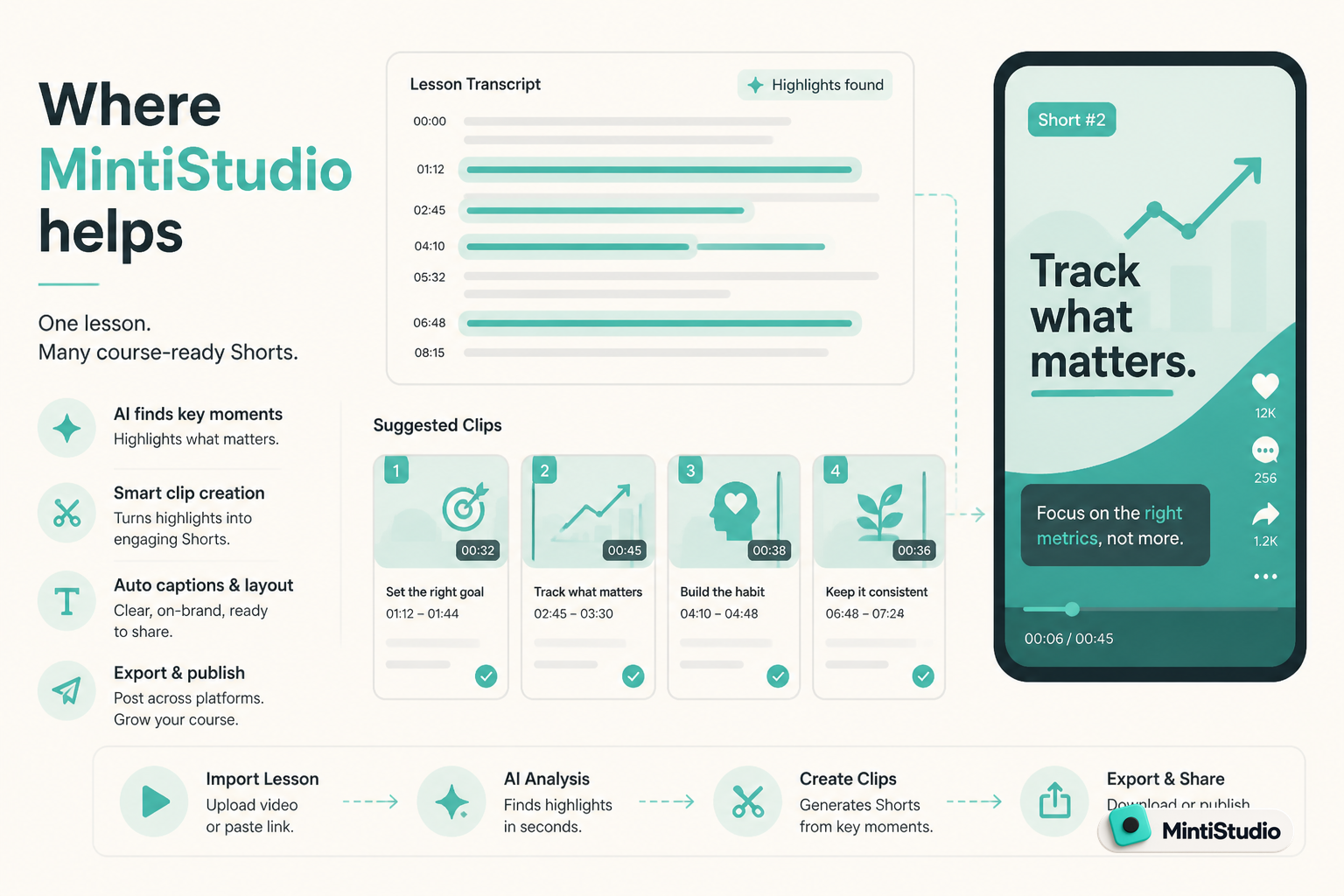
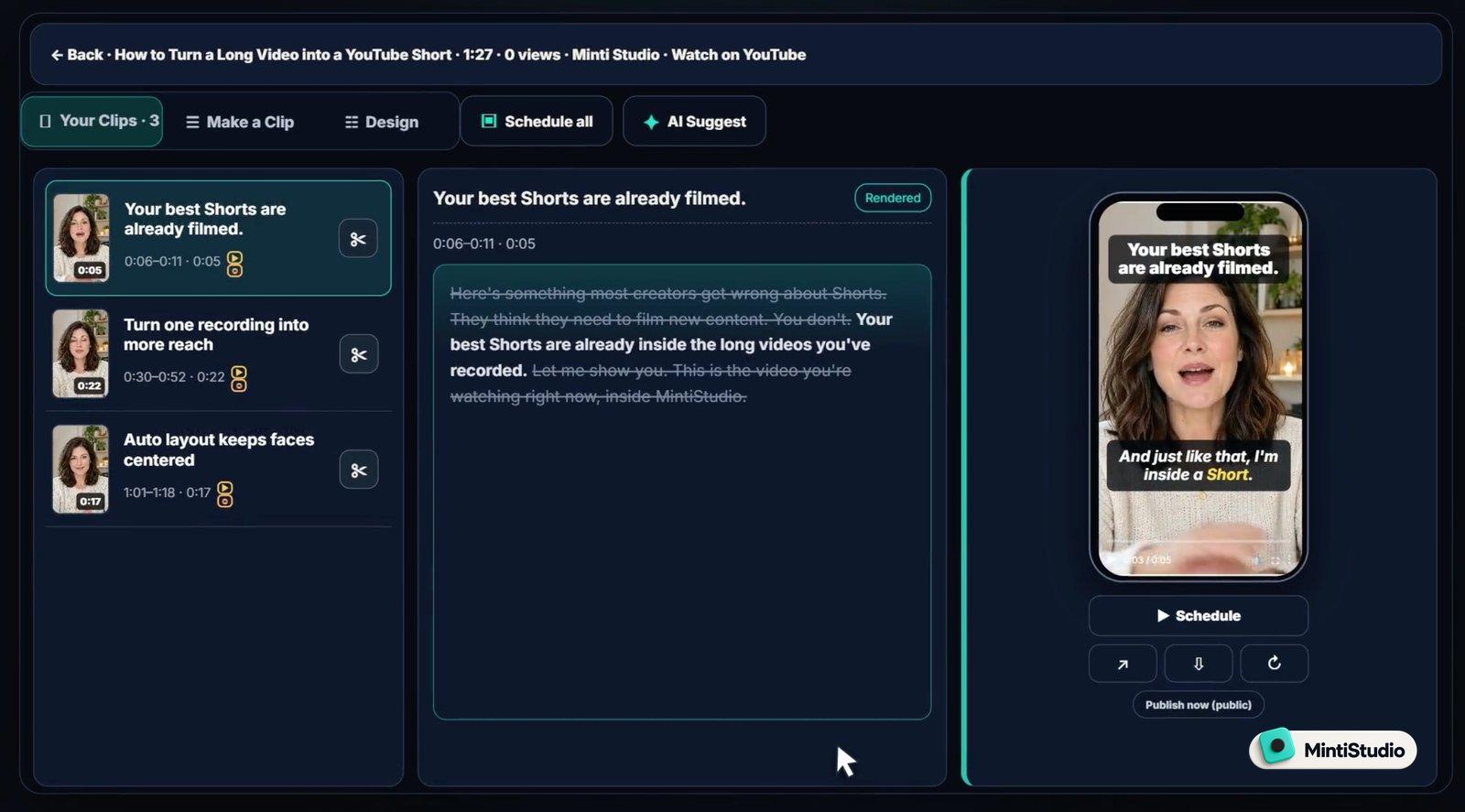
You can paste a YouTube link or upload a file, then use AI clip suggestions and transcript-based selection to pull out the moments that already teach something useful. That saves time when you want to turn one lesson into several Shorts that each point to the same course.
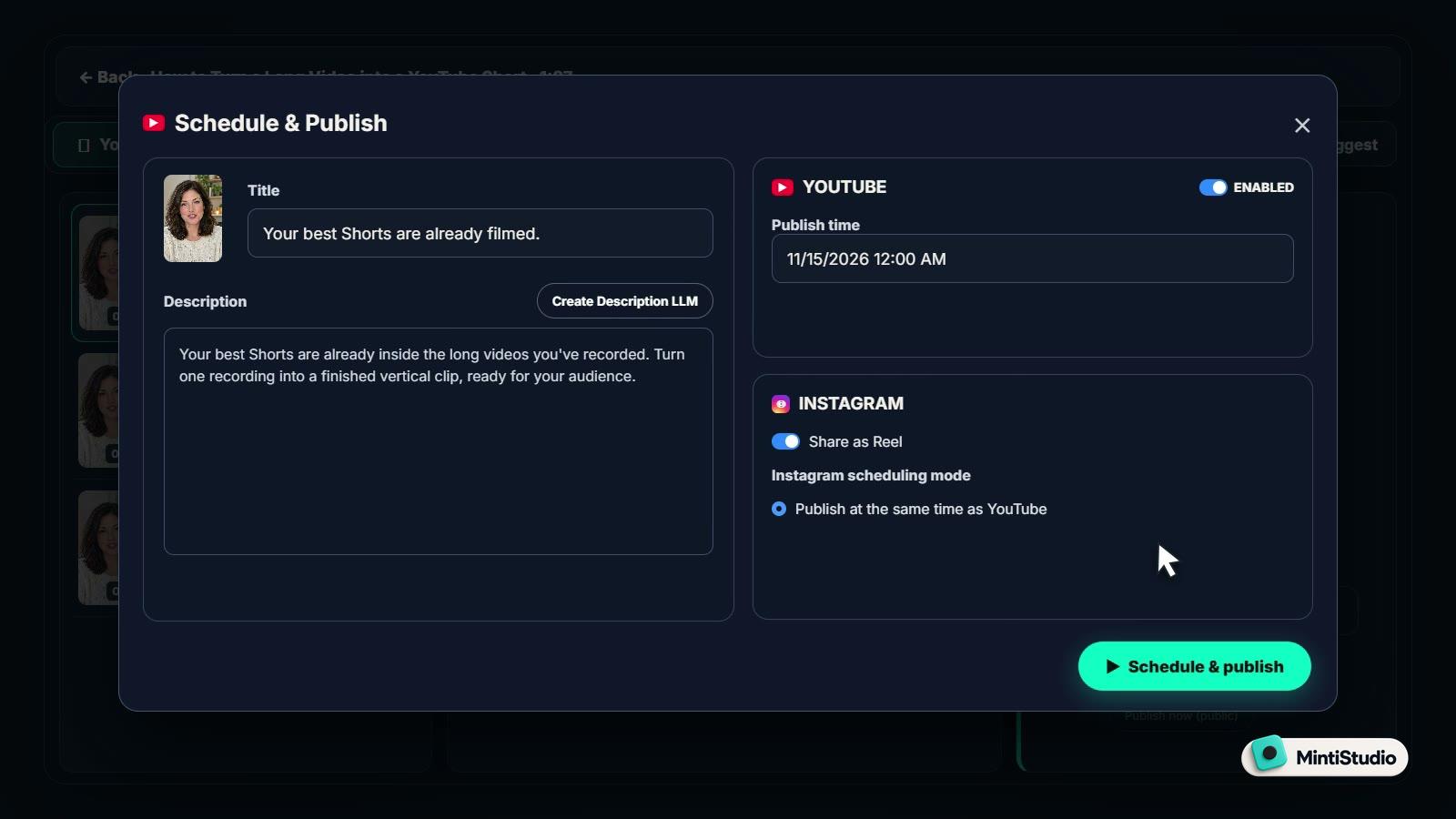
If your recording is horizontal, Minti Studio can reframe it to vertical so the clip fits Shorts and Reels. Caption style templates help keep the teaching readable, while scheduling lets you space out the clips instead of dropping them all at once.
Autopilot fits when you have the recordings but do not have time to run the clipping workflow yourself. You share your YouTube channel link, and Minti Studio handles the clip selection, captions, titles, reframing, and scheduling prep while you review every prepared Short before anything goes out.
That is useful when your real bottleneck is not ideas. It is turning course-worthy teaching into a steady publishing flow.
A simple course-to-Shorts workflow
 Screenshot from Minti Studio
You do not need a complex funnel to start.
You need a repeatable process that turns lessons into useful entry points.
Record one teaching asset
Start with a webinar, lesson, Q&A, or workshop that already addresses a buyer problem your course solves.
Pull out one clear moment
Choose a segment that teaches a single idea and can stand on its own in short form.
Shape the next step
Decide whether the clip should point to a course page, lesson page, or enrollment page.
Publish and observe
Watch which clips attract the right comments, clicks, and enrollments, then build the next batch around that pattern.
What to look for in the first few posts
Do not judge a clip only by views.
For course sales, the more useful signals are usually simpler:
- are the right people watching
- are viewers clicking through to the course page
- are people asking relevant questions
- are they mentioning the exact problem the course solves
Those are stronger signs than raw reach alone.
How to measure whether the Short helped
A course-selling Short should move a viewer one step closer to enrollment.
That means you need to measure more than surface attention.
Track the path, not just the post
At minimum, watch for:
- clicks from the Short to the course page
- traffic from Shorts over time
- comments that repeat course-relevant questions
- saves or shares from people who seem to fit the offer
- enrollment patterns after specific clip themes
If one topic consistently sends better-fit viewers, that topic belongs in your next round of clips.
Use one message across the path
The Short, the link destination, and the course page should all reinforce the same promise.
If the Short is about solving a specific obstacle, the page should open with that obstacle. If the Short is about the transformation, the page should show the transformation quickly.
That continuity makes your offer easier to understand.
A practical content pattern that works
If you want a simple pattern for the next month, use this one:
- one long teaching video
- three to five Shorts pulled from that video
- one shared course theme
- one clear destination for each Short
That gives you enough variation to learn what resonates without creating a different sales setup every time.
Example pattern
If your course teaches webinar selling, you might clip:
- one mistake people make in their opening
- one better way to frame the offer
- one quick objection answer
- one lesson on follow-up
Each Short does useful teaching work. Each one also nudges the same course topic forward.
Related guides
- How Educators Can Turn Long Videos into Shorts That Attract Students
- Before Your Lesson Goes Public, Check the Path to Your Offer
- Your YouTube Audience Watches but Doesn’t Buy: Find the Gap Before Changing Your Price
The practical next step
If you already have course lessons, workshops, or webinars recorded, you do not need to create new content from scratch.
Turn the strongest moments into Shorts, make the next step obvious, and measure which clips move viewers toward enrollment.
Start free with Minti Studio and turn your existing lessons into Shorts that support your course.
More from the blog
How Busy Doctors Can Grow a YouTube Channel in One Hour a Week
A practical weekly workflow for doctors who want a steady YouTube channel without turning content into a second job.
YouTube Shorts for Doctors: The Complete Guide
A practical guide for doctors and clinicians who want to use YouTube Shorts for education without turning content into a second job. Learn how to choose safe, useful topics, keep the tone professional, build a simple workflow, and use Minti Studio when your real bottleneck is turning recorded expertise into publishable Shorts.