Your YouTube Audience Watches but Doesn’t Buy: Find the Gap Before Changing Your Price
If your channel gets views but your offer stalls, the problem is often not price. Use a simple diagnosis to check whether the gap is in your content, your sales page, or the path between them, then fix the bottleneck without guessing.
Your audience may be interested. They may just not see the offer clearly enough.
When a course does not sell, price is often the first thing people want to change.
That can be the wrong move.
If your videos attract views but your course does not convert, the real problem is usually somewhere else in the path from viewer to buyer. The viewer may not be the right fit. The content may not point toward a clear outcome. The sales page may describe the course in a way that sounds complete to you but vague to them.
For solo educators, coaches, consultants, and podcasters, this is good news. It means you may not need a new offer. You may need a clearer path.
Start with the gap, not the price
Before you lower the price or rebuild the course, ask a simpler question:
 Screenshot from MintiStudio
Where does interest stop turning into action?
There are three common places to look:
- the content that brings people in
- the sales page that explains the offer
- the link between the two, where the viewer decides whether to click
If the content attracts people who never wanted the outcome, the page cannot fix that alone. If the content is relevant but the page is vague, the buyer still hesitates. If both are clear but people are not reaching the page, the problem is distribution or the call to action.
This is the diagnosis that matters before you touch pricing.
Ask three direct questions
- Does this video solve the exact problem my buyer wants solved?
- Does the sales page promise a specific outcome, not just a topic?
- Does the video make the next step feel obvious?
If you cannot answer yes to all three, the conversion gap is probably messaging, not price.
What usually goes wrong
A course can fail to sell even when the creator has an audience because the offer is framed around the creator’s expertise instead of the buyer’s result.
That often looks like this:
- the content covers a broad topic, but the offer is for a narrow pain point
- the sales page lists lessons and modules, but not the transformation
- the CTA is present, but it does not feel like the natural next step
- the viewer understands the topic, but not why the course is worth buying now
The good part is that each of these is fixable.
You do not need to become louder. You need to become more specific.
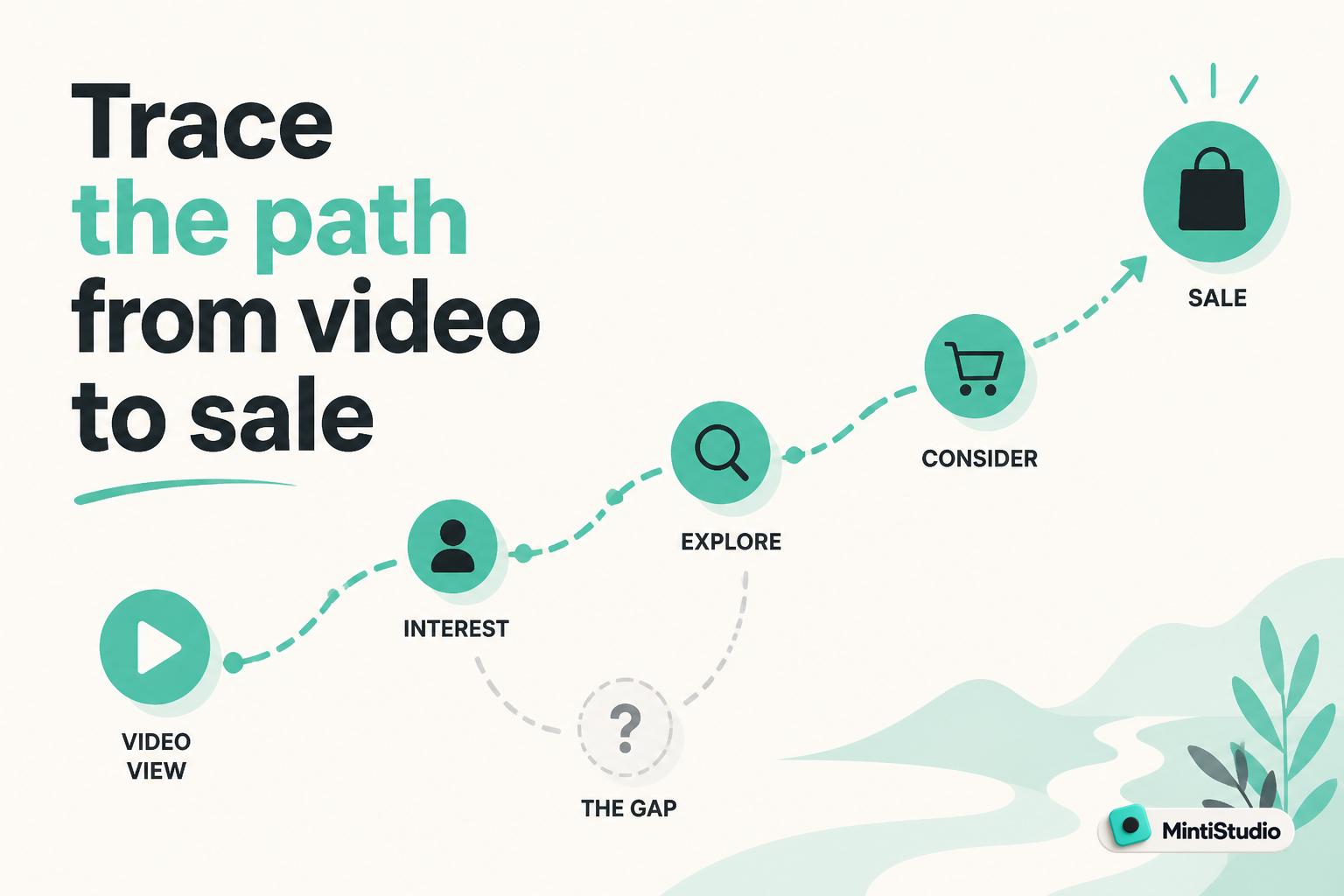
Trace the path from video to sale
A practical way to find the gap is to map the journey a viewer takes.
Start with the video that gets the most relevant attention. Then follow the path.
1. Check the topic fit
Ask whether the video is about a problem your buyer would actively pay to solve.
A helpful video on a related subject is not always enough. A person who wants help with one narrow outcome may watch a broader topic and still not feel that your course is for them.
This is why review-style or general-interest content often underperforms as a bridge to a course, even when it gets views.
2. Check the handoff
Look at the moment you send viewers onward.
Does the video say why they should click, or does it simply mention the offer at the end?
If the CTA is thin, viewers keep watching content but never move into buying mode.
3. Check the page promise
The sales page should lead with the result, not the curriculum.
A visitor should quickly understand:
- what outcome they can expect
- who the course is for
- why this course is different from free content
- what success looks like in practical terms
If the page starts with your story, your method, or a table of lessons, the buyer has to work too hard to understand the value.
Make the outcome concrete
The strongest fix is often to make the outcome more vivid.
Not bigger. Clearer.
A vague promise sounds like this:
- learn the system
- improve your setup
- understand the process
- get better results
A buyer-friendly promise sounds like this:
- go live with a setup you trust
- publish your first useful replay in one sitting
- reduce avoidable mistakes before your next session
- turn one recording into a useful asset for your channel
The more specific the before-and-after picture is, the easier it becomes for a viewer to decide.
If your course helps with a technical workflow, show the workflow.
If it helps with confidence, show what confidence looks like in action.
If it helps save time, show where the time is saved.
Use content that matches the sale
One of the most useful fixes is to align your videos with the exact transformation your course delivers.
If your course solves a specific business problem, your content should spend more time on that problem and less time on loosely related topics.
For example, if your offer helps people improve livestreaming, content about gear reviews may build attention, but content about stream quality, setup mistakes, and replay workflow creates a stronger path to the sale.
That does not mean every video must pitch the course.
It means every relevant video should make the same promise in a different form.
A simple content-to-offer ladder
- A top-of-funnel video introduces the problem.
- A mid-funnel video shows the mistake or hidden cost.
- A bottom-of-funnel video shows the solution in a practical way.
- The course page explains how the solution works in full.
When those four layers match, the buyer does not feel like they are being redirected to something unrelated.
Where MintiStudio helps
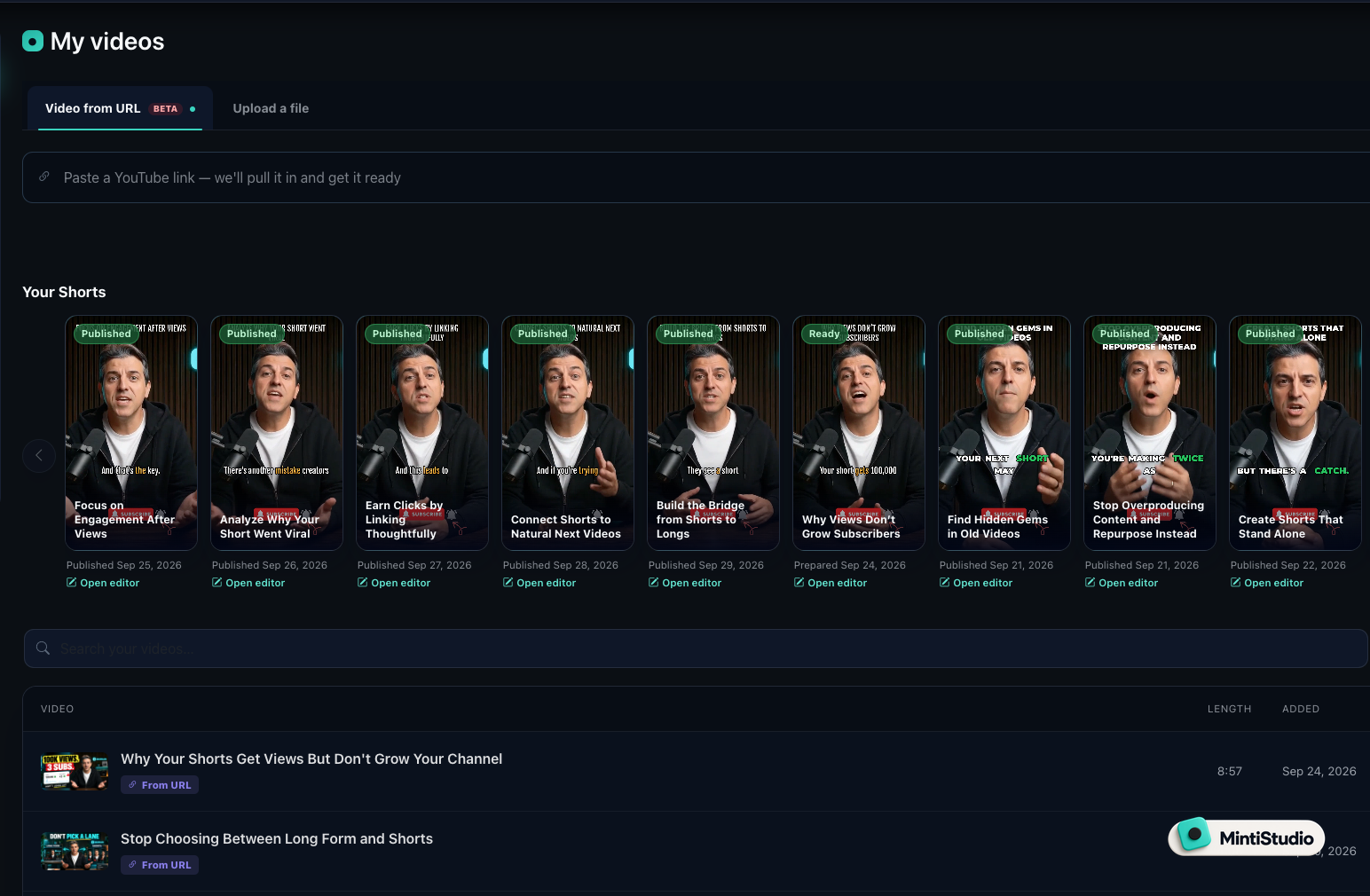
If your issue is not a lack of attention but a lack of useful follow-through, MintiStudio helps you keep the right clips in circulation.
You can paste a YouTube link or upload a file when you want to turn a long teaching video into Shorts that keep your offer visible. That matters because a good Short can point viewers toward the exact problem your course solves.
In Autopilot, MintiStudio handles the clipping workflow for you by finding the moments in your long videos, preparing the Shorts, and scheduling or publishing them on your channel. You still review each prepared Short before it goes live, so the clips stay aligned with your offer.
If you want more control, the DIY workflow lets you use AI clip suggestions, transcript-based selection, caption style templates, reframing, and scheduling so you can shape the Shorts yourself around the same buyer problem.
Build the buyer path in a simple workflow
Do not start by rewriting everything.
Start by tracing one path from one video to one sale.
Step one: choose the source video
Pick a video that already speaks to the problem your course solves.
If you have a long teaching video, webinar, podcast, or Q&A, start there. These often contain the clearest proof that you understand the issue.
Step two: isolate the strongest moment
Pull the section that states the problem, names the mistake, or shows the desired result.
If the clip only entertains, it may get views but fail to lead buyers anywhere useful.
Step three: shape the clip around the outcome
Use the clip title, caption, and opening line to make the promise obvious.
The viewer should know why the clip matters within the first few seconds.
Step four: send them to one page
Send viewers to one sales page, not a general homepage or a menu of options.
The next step should be easy to recognize and easy to act on.
Step five: review what happens next
If views are strong but clicks are weak, the problem is usually the CTA or the video-to-page match.
If clicks are strong but sales are weak, the page promise is likely not matching the viewer’s expectation.
Do not let the course page hide the course
Many course pages try to be complete, and end up becoming harder to buy from.
The buyer does not need every detail first. They need enough clarity to feel safe moving forward.
Lead with:
- the result
- the type of person it is for
- the problem it solves
- the proof that the result is realistic
Then expand into modules, bonuses, and logistics.
If the page opens with the curriculum, the buyer may assume the course is about information. If it opens with the result, the buyer can see the value more quickly.
When price is the wrong lever
Price becomes the main issue only after the path is clear.
If the content is mismatched, a lower price does not create relevance.
If the sales page is vague, a lower price does not create trust.
If the viewer never reaches the page, a lower price does not create traffic.
That is why the first fix should usually be diagnostic, not promotional.
Ask whether the audience is seeing:
- a problem they recognize
- a result they want
- a path that feels credible
- a page that explains the offer in buyer language
If one of those is missing, fix that first.
A practical checklist for the next week
Use this before you change your price:
- Review one long video that already attracts the right kind of viewer.
- Identify the clip that most clearly names the buyer’s problem.
- Check whether your Short and CTA point to the same outcome.
- Read your sales page as if you had never seen the course before.
- Rewrite the first section so the result is obvious in a few lines.
- Track whether more viewers reach the page after the next publish cycle.
That will tell you more than guessing at price ever will.
Related guides
- Best OpusClip Alternatives for Busy Experts Who Need Less Clipping Work
- The Weekly Shorts Workflow for Busy Creators
- Before Your Lesson Goes Public, Check the Path to Your Offer
The next move
Do not change the price first.
Take one video, one clip, and one sales page, then check whether they all promise the same outcome. If they do not, fix that gap before you make the offer cheaper.
More from the blog

Free YouTube to Shorts: Paste a Link, Get an Edited Short in Minutes
Paste a YouTube link and get a captioned, vertical Short in minutes. AI picks the best moment, you edit it like a document. Free, no sign-up to try.
Can Your Live Teaching Earn More Without More Sessions?
A practical guide for educators, coaches, and consultants who teach live and want more reach from each session without adding more hours. Learn what YouTube's live tools, fan funding, and dubbing announcement may mean for your workflow, what to verify before you rely on any feature, and how to turn each recording into Shorts that keep working after the session ends.