What Short Videos Can a Coach Pull from One Useful Lesson?
A practical guide for coaches and educators who want to turn one strong lesson into short videos that stand on their own. Learn how to spot the clearest takeaway, example, or answer, then turn that source lesson into a steady stream of Shorts without adding more editing work.
One useful lesson can become several useful Shorts.
If you already recorded a lesson, coaching session, webinar, or explainer, you do not need to invent a new topic from scratch. The better question is simpler: which parts of that lesson can stand alone as short videos?
For coaches, consultants, educators, and podcasters, that shift matters. A long recording usually contains several distinct moments: a clear answer, a useful example, a practical mistake to avoid, or a quick framework the viewer can use immediately. Those moments are often more valuable than trying to compress the whole lesson into one clip.
This article is about finding those moments on purpose.
Start with one useful lesson
A strong source lesson already has enough substance to support multiple short videos. You are not looking for filler. You are looking for parts of the lesson that still make sense when someone sees them in isolation.
The best short video ideas for coaches usually come from one of three places:
- a direct answer to a question people ask often
- a clear example that makes the lesson easier to understand
- a specific takeaway that changes how the viewer thinks or acts
If your long video teaches one main idea, each of those pieces can become a separate Short.
A useful clip must stand alone
Before you cut anything, ask one practical question: would this still make sense if someone saw only 30 to 60 seconds of it?
If the answer is yes, you probably have a clip-worthy moment.
If the answer is no, the moment may still be useful inside the full lesson, but it may not be right for a Short.
That simple test saves time because it keeps you focused on standalone ideas instead of fragmenting your video at random.
The three kinds of moments that work best
Most useful lessons contain one or more of these.
One clear answer
A Short can begin with a direct answer to a common question.
For example, a coach might explain why a client keeps getting stuck, what to do before changing a process, or how to decide between two approaches. These clips work because they solve a real problem quickly and give the viewer a reason to keep listening.
One concrete example
Examples help viewers understand abstract teaching.
If you explain a framework, the example makes it real. If you describe a habit change, the example shows what that looks like in practice. If you teach communication, a specific example makes the lesson easier to remember and easier to share.
One practical takeaway
Sometimes the strongest Short is not the whole lesson, just the one action the viewer can use today.
That can be a check, a question, a rule of thumb, or a simple sequence. Practical takeaways work well because they feel immediately useful without needing the full lesson for context.
A simple way to spot clip-worthy moments
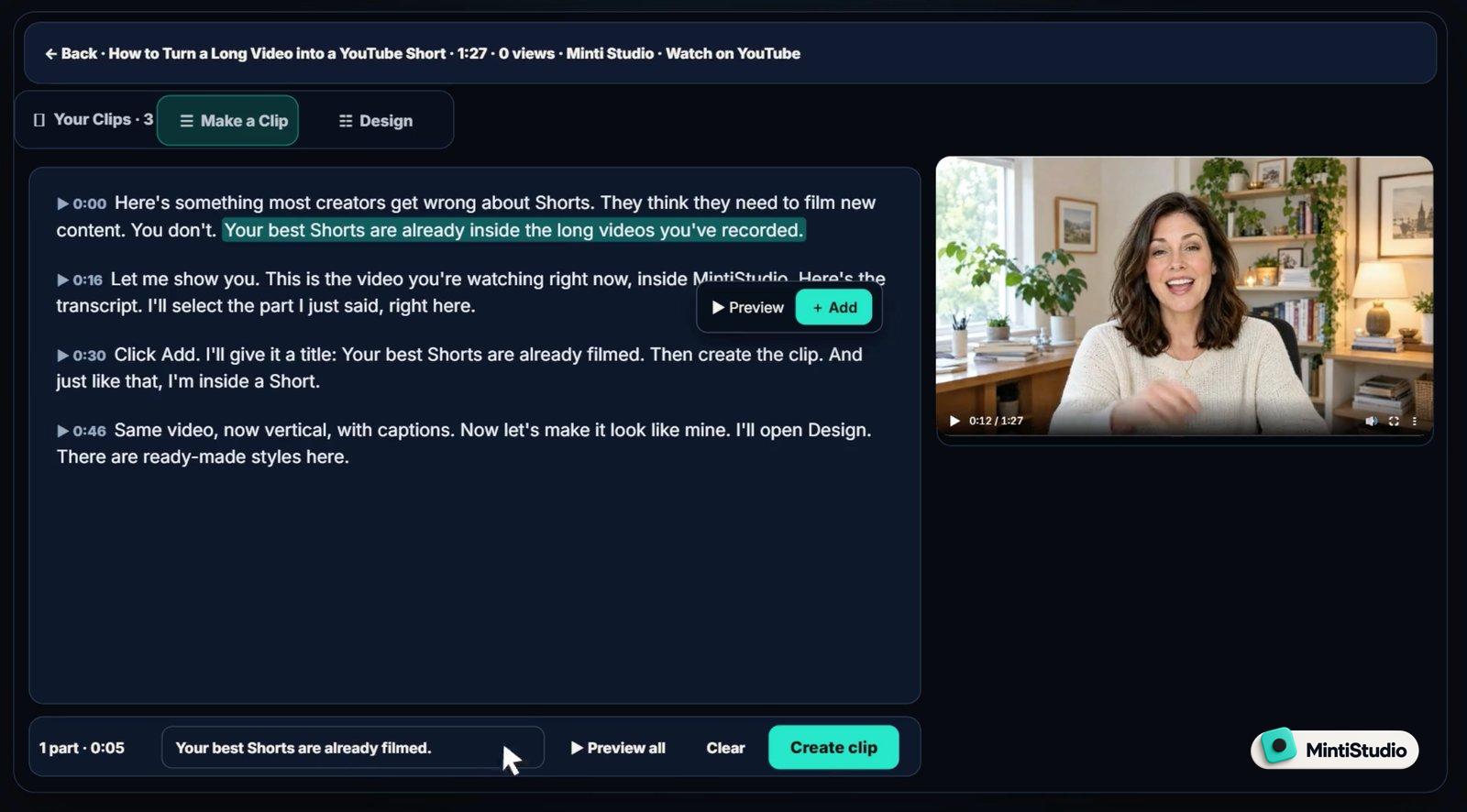 Screenshot from Minti Studio
When you review a long lesson, do not start by thinking about editing. Start by thinking about meaning.
Read or watch the lesson once and mark the places where one of these appears:
- a complete thought
- a useful contrast
- a memorable example
- a clean answer to a common question
- a short framework
Then ask whether the moment still works without the setup around it.
If it does, it is a strong candidate for a Short.
A quick filter for coaches
Use this filter while reviewing your recording:
- Does this moment teach one idea clearly?
- Would a new viewer understand it without the full lesson?
- Does it answer something people actually ask?
- Can the clip end cleanly without feeling cut off?
If you can answer yes to most of those, the clip is probably worth keeping.
Where Minti Studio helps
Minti Studio helps when you already have the lesson and need a faster way to turn it into publishable Shorts.
You can paste a YouTube link or upload a file, then use AI clip suggestions and transcript-based selection to find the moments that are most likely to work as short videos. That helps you move from one long recording to a set of candidate Shorts without scrubbing through the whole video manually.
If your lesson was recorded horizontally, Minti Studio can reframe it to vertical so the clip fits Shorts and Reels. Caption style templates help keep the teaching readable, and scheduling lets you line up your posts instead of publishing everything at once.
If you want the workflow handled for you, Autopilot is built for that use case. You share your YouTube channel link, and Minti Studio handles the clip selection, vertical preparation, captions, titles, and publishing setup while you review every prepared Short before it goes out. That is a strong fit when your real bottleneck is time.
Turn one lesson into a small content set
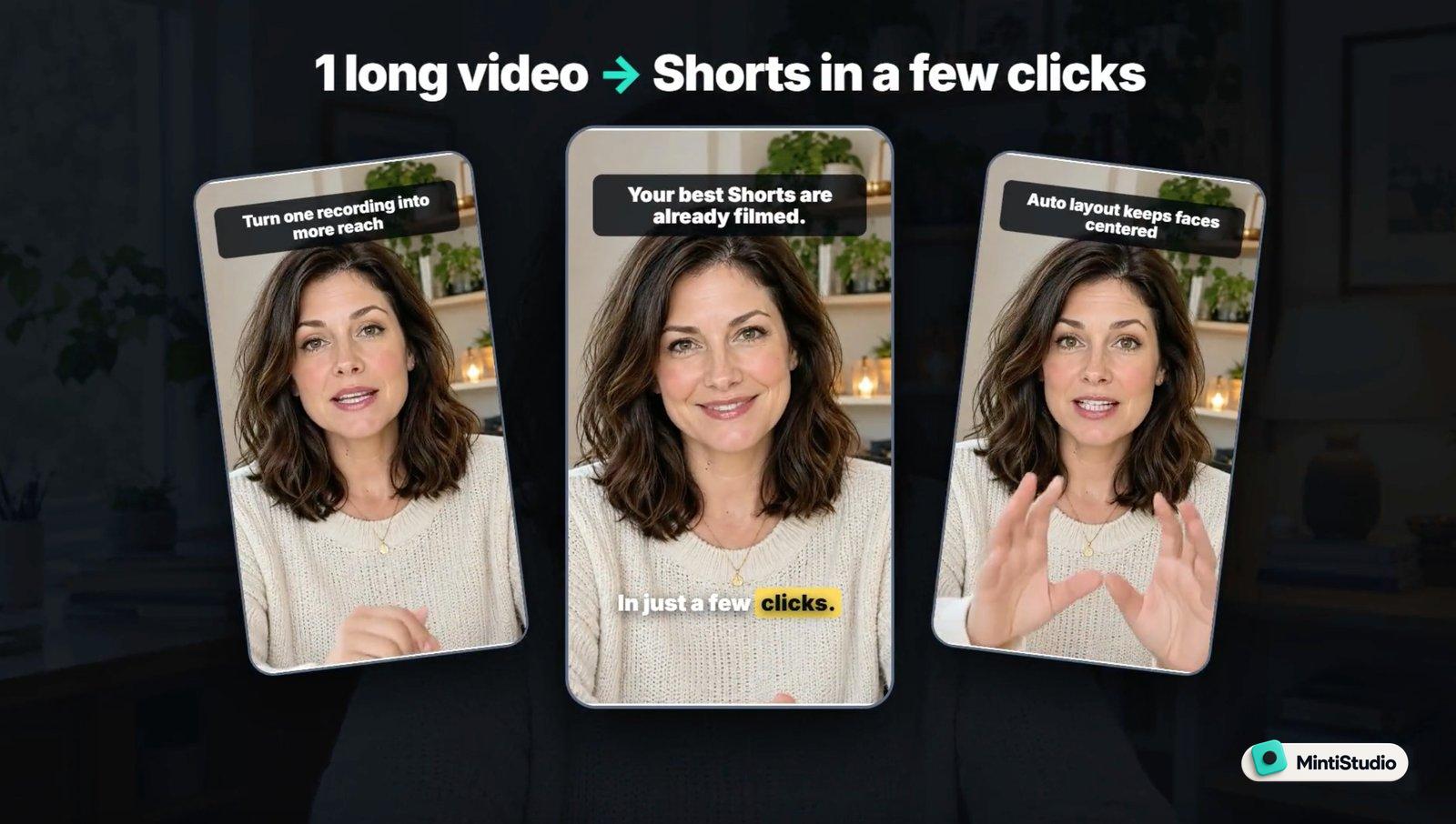
A single lesson should not produce one clip by default. It should produce a small set of related clips that each do one job.
Think in terms of roles:
- one Short introduces the problem
- one Short explains the mistake
- one Short shares the fix
- one Short gives the example
- one Short ends with the key takeaway
That way, the lesson becomes a mini library instead of one recycled cut.
Keep each Short narrow
Narrow clips are easier to understand and easier to watch through.
If one clip tries to explain the setup, the method, the example, and the conclusion, it usually becomes too crowded. A better clip chooses one angle and lets that angle do the work.
The goal is not to say everything. The goal is to make one thing clear.
A practical selection workflow
You do not need a complicated system. You need a repeatable one.
Step one: choose the source lesson
Pick one recording that already teaches something valuable. The lesson should have enough depth to support more than one Short.
Step two: mark the strongest moments
Scan for complete answers, examples, and takeaways. Ignore the parts that only make sense inside the full conversation unless they can still stand alone.
Step three: test each moment for clarity
Read the moment as if it were the whole clip. If the viewer would need too much explanation, skip it or rework the framing.
Step four: turn the best moments into Shorts
Edit each one around a single idea. Keep the structure clean so the viewer can follow the point quickly.
Step five: publish on a schedule
Spacing the clips out gives each one room to breathe and lets you see which angle connects best.
If your source lesson was strong, you may have enough material for several weeks of posting.
A comparison that helps you choose the right clip
Not every interesting moment is the right moment for a Short.
What to avoid
The most common mistake is choosing a clip because it sounds good to you, not because it is complete for the viewer.
Avoid moments that depend on a long setup, rely on inside context, or only make sense after several minutes of explanation. Those moments can be valuable in the full lesson, but they often work poorly as standalone clips.
How to decide if a moment is worth posting
A useful clip is usually doing at least one of these jobs:
- teaching one idea clearly
- answering one common question
- showing one useful example
- correcting one mistake
- pointing to one next step
If it is doing none of those, it may be a weak Short even if it sounds interesting in the room.
Ask what the viewer gets in one minute
A Short should give the viewer one meaningful result.
That result might be clarity, relief, a new lens, or a simple action to take next. The exact format matters less than the usefulness of the moment.
If you keep that standard in mind, you will stop clipping random highlights and start building a useful set of short videos from each lesson.
A simple example
Imagine a coach recorded a 45-minute training on client follow-up.
From that one lesson, you might pull:
- a Short about the most common follow-up mistake
- a Short about the sentence that keeps the conversation moving
- a Short about what to do when the client goes quiet
- a Short about the one habit that makes follow-up easier to maintain
Each clip has a different job, but all of them come from the same useful lesson.
That is the real advantage of repurposing. One recording can produce multiple entry points for new viewers.
A workflow that stays manageable
If you want this to stay sustainable, keep the process simple.
You do not need to over-edit each clip. You need to choose better source moments, shape them clearly, and publish them consistently.
The easiest way to do that is to treat the long lesson as the source material and the Shorts as separate teaching assets, not leftovers.
A repeatable weekly habit
Use this rhythm:
- review one lesson
- mark three to five strong moments
- turn the clearest ones into Shorts
- schedule them across the week
- note which kind of moment gets the best response
That rhythm works because it gives you a steady publishing loop without requiring a fresh recording every day.
Related guides
- How Coaches Can Turn Long Videos into Shorts That Bring in Clients
- Script Structure for Educational Videos That Makes Teaching Easier to Follow and Easier to Clip
- The Weekly Shorts Workflow for Busy Creators
The practical next step
If you have one useful lesson sitting in your recordings folder, do not wait for a new idea.
Pick the clearest answer, example, or takeaway from that lesson and turn it into a Short first. Then repeat the process until the full lesson has become a small set of useful clips.
Start free with Minti Studio when you want that workflow handled with less manual editing and a clearer path from one lesson to a week's worth of Shorts.
More from the blog
How Busy Doctors Can Grow a YouTube Channel in One Hour a Week
A practical weekly workflow for doctors who want a steady YouTube channel without turning content into a second job.
YouTube Shorts for Doctors: The Complete Guide
A practical guide for doctors and clinicians who want to use YouTube Shorts for education without turning content into a second job. Learn how to choose safe, useful topics, keep the tone professional, build a simple workflow, and use Minti Studio when your real bottleneck is turning recorded expertise into publishable Shorts.