Can Your Shorts Stay Original When You Repurpose Your Own Long Videos?
A practical guide for solo experts who turn long videos into Shorts and want to stay aligned with YouTube’s originality, reused-content, and copyright expectations. Learn what to verify in YouTube Help, how to keep your own point of view visible in every clip, and where Minti Studio fits when your bottleneck is the clipping workflow itself.
Originality is not only about where the footage came from. It is also about what the Short says, teaches, and does for the viewer.
If you already record long videos, the question is not whether you can make Shorts from them.
The real question is whether those Shorts still feel like your work once they are cut down, reframed, captioned, and published.
That matters for two reasons. First, your audience should still recognize your perspective. Second, if you publish on YouTube, you want your workflow to fit the platform’s current guidance on original content, reused material, spam, and copyright.
This guide is for educators, coaches, consultants, and podcasters who want to repurpose their own long videos without drifting into generic clip farming.
What originality means in practice
When people talk about original Shorts, they often mean one of two things.
One meaning is ownership: did you make the recording, or do you have the right to use it?
The other meaning is value: does the Short add enough of your own thinking, context, or teaching to stand as a real piece of content?
Those are related, but they are not the same.
A clip from your own webinar can still feel weak if it only repeats a sentence with no setup. A clip from your own lesson can feel strong if it includes your reasoning, a clear takeaway, and a specific point of view.
That is why the best repurposing workflow is not just “trim the video.” It is “preserve the idea.”
The test to use before publishing
Ask yourself three questions:
- Would someone understand why this moment matters without extra context?
- Does the Short sound like something I would actually say or teach?
- Does the clip give the viewer a clear next thought, not just a fragment?
If the answer is yes, you are close to a useful Short.
What to verify in YouTube Help
The topic here is policy, so the safest move is to verify the current guidance directly in YouTube Help before you change your publishing process.
You want to check four areas:
- the current Shorts guidance on originality
- reused-content monetization rules
- spam and repetitive content policies
- copyright policy and content ownership
You can verify those areas here:
- YouTube Help: Reused content
- YouTube Help: Copyright
- YouTube Help: Spam, deceptive practices, and scams policies
- YouTube Help: Shorts policies and original content guidance
These are different policy areas, and they do not mean the same thing.
Reused-content monetization guidance is about whether a channel’s content is eligible for monetization when it repeatedly reuses existing material with limited original value. Spam and repetitive content policies are about content patterns that try to game the platform or offer little authentic value. Copyright policy is about whether you have the legal right to use the material.
The Shorts originality guidance is about what YouTube wants to prioritize in the Shorts experience, but the exact scope, timing, and recommendation effects should be treated carefully.
If you are relying on a creator commentary video for those details, treat that as interpretation unless you can confirm it in an official source.
That distinction matters when you are making workflow decisions.
What changes when you repurpose your own videos
Repurposing your own long-form content is very different from re-uploading someone else’s clips.
Your own teaching video already contains your examples, your phrasing, and your judgment. When you turn it into Shorts, the goal is to keep those elements visible in a shorter format.
That usually means the Short should do at least one of these things:
- state one clear teaching point
- show one useful example
- answer one real question
- give one practical next step
If the clip only looks busy because it has captions and a vertical crop, it may be easy to watch but hard to justify as a meaningful original Short.
What to avoid
There are a few common mistakes that make repurposed Shorts feel disposable.
Avoid empty excerpts
A random sentence lifted from a longer talk is rarely enough on its own. Without context, the viewer may not know what problem you are solving or why the point matters.
Avoid over-editing that erases your voice
Heavy trimming can remove the parts that make the lesson yours: the setup, the example, the reasoning, or the closing thought.
Avoid treating captions as originality
Captions help readability. Reframing helps format. Neither one creates substance by itself.
Avoid copying your own format into sameness
If every Short opens the same way, uses the same phrasing, and resolves the same way, the feed can start to feel repetitive even when the footage is yours.
How to make a Short feel like yours
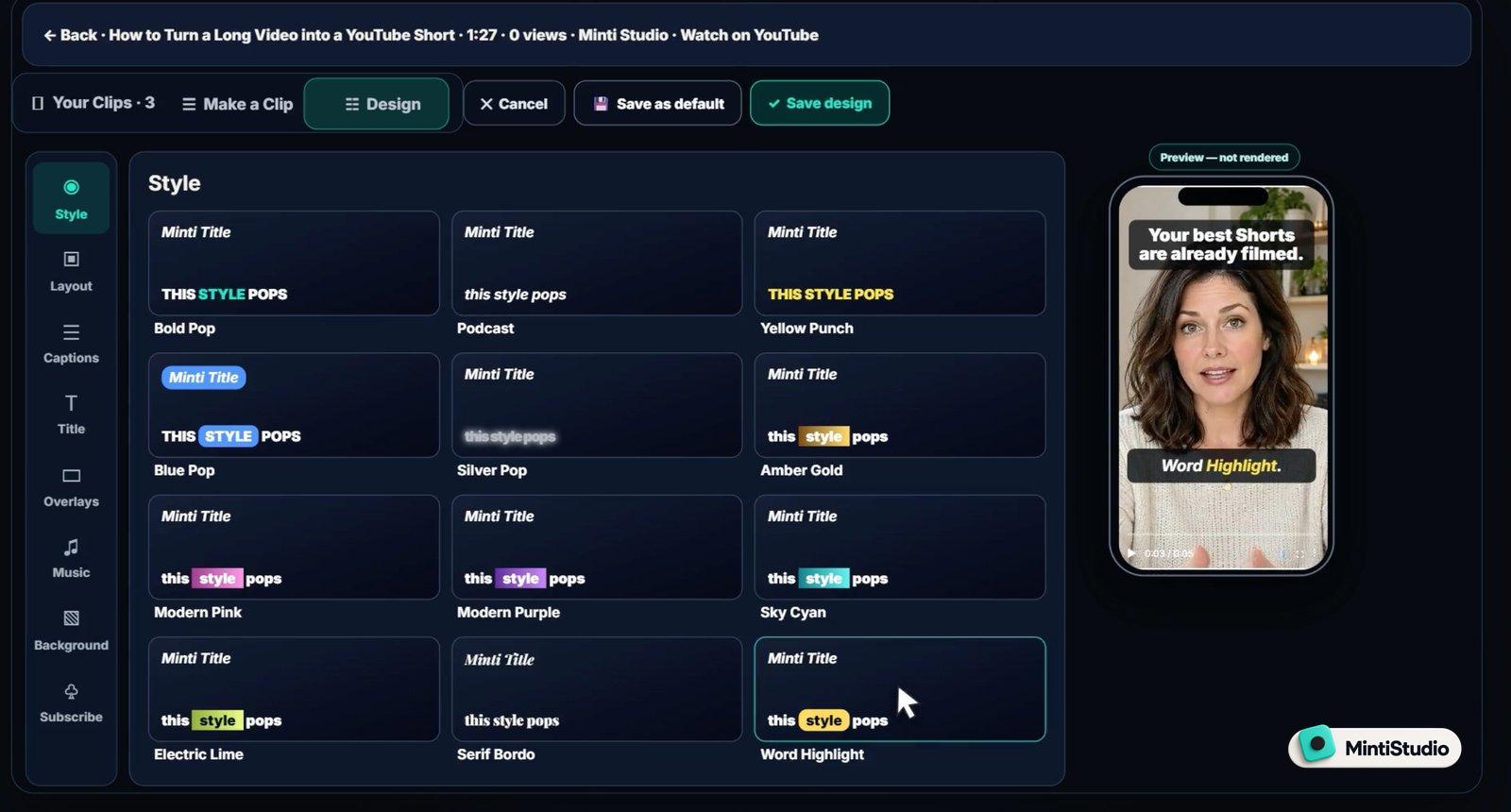 Screenshot from Minti Studio
A strong repurposed Short usually has one clear center of gravity.
That center can be your point of view, your framework, your example, or your teaching style. The Short does not need to cover everything. It needs to make one idea obvious.
A useful way to check is to compare these two versions in your head:
- “Here is a clip from my video.”
- “Here is my answer to a real problem.”
The second version is what you want the viewer to feel.
A simple originality checklist
Before you post, check whether the Short has:
- one clear takeaway
- your own explanation, not just a quote
- enough context for a stranger to follow it
- a topic that matters to your audience
- a reason to continue watching or visit the long video
This is a creator review tool, not a list of official YouTube requirements.
If the clip has all five, it is doing more than filling a slot in a schedule.
Where Minti Studio helps
Minti Studio helps when your main bottleneck is turning your own long recordings into Shorts without adding another editing job to your week.
You can paste a YouTube link or upload a file, then use AI clip suggestions and transcript-based selection to find the strongest moments faster. That makes it easier to choose clips that actually carry your teaching instead of guessing from memory.
If your video is horizontal, Minti Studio can reframe it to vertical so the lesson works on a phone screen. If you want the Short to look ready for publishing, caption style templates help you present the clip clearly without rebuilding the edit from scratch.
Autopilot fits when you want the done-for-you workflow handled for you. You share your YouTube channel link, and Minti Studio prepares Shorts from your long videos, including reframing, captions, titles, and scheduling prep. You still review every prepared Short before anything goes out, so your own voice stays in the final decision.
That is a strong fit for busy solo experts who already have recordings and do not want to run a clipping system themselves.
A simple workflow for staying original
A practical workflow keeps originality intact by making editorial choice part of the process.
Step one: start with one lesson, not one clip
Begin with the message you want to teach.
If you know the lesson first, you can choose a clip that supports it. If you start with the clip first, you are more likely to end up with a fragment that feels thin.
Step two: choose the moment that proves the point
A good Short does not have to cover the whole topic. It has to prove that the topic is worth caring about.
Look for the section where you explain the problem, show the turning point, or state the practical answer.
Step three: keep the framing honest
The title, caption, and clip should point to the same idea.
If the title promises one thing and the clip delivers another, viewers lose trust quickly. The more specific your promise, the easier it is to judge whether the Short is original and useful.
Step four: review before publishing
Before anything goes live, review the prepared Short as if you were the viewer.
Ask whether the clip still sounds like your thinking, not just your footage.
Step five: repeat with variation
You do not need a different strategy for every video.
You do need enough variation in your openings, examples, and lesson angles that the channel feels like a body of work instead of a single template copied repeatedly.
How to judge whether a clip is too thin
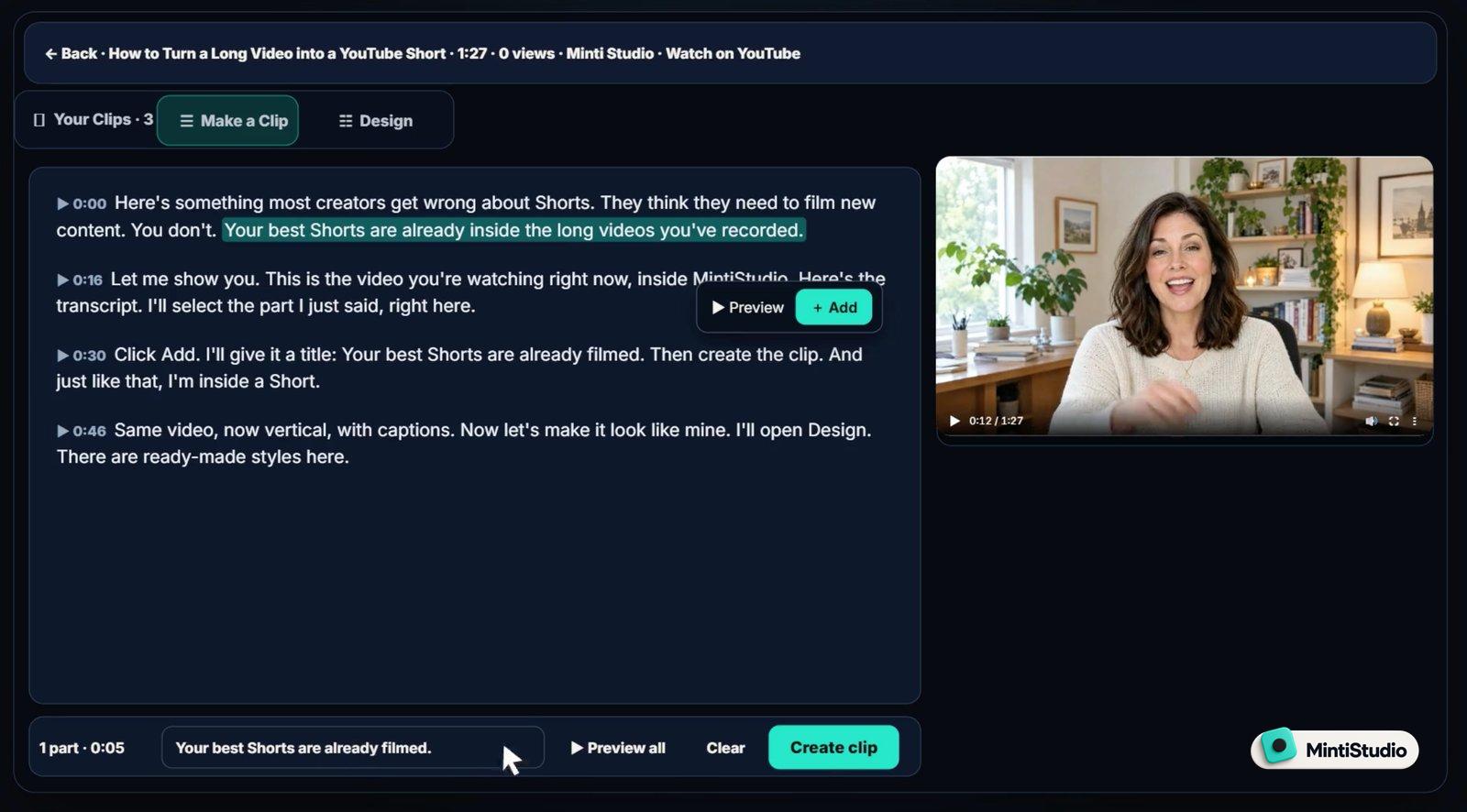 Screenshot from Minti Studio
A clip can be technically clean and still not worth publishing.
Here is a useful way to think about it:
- if the clip is only a hook, it may need more context
- if the clip is only a takeaway, it may need a better setup
- if the clip repeats a point you have already made in the same way, it may not add anything new
The best Shorts from your own videos usually do at least one of these things well:
- introduce a problem
- answer a question
- show a decision
- give a concrete example
- clarify a misconception
That is enough to feel original without turning every Short into a full lecture.
What this means for your publishing strategy
If your channel depends on long-form teaching, Shorts should not become a second channel with a different voice.
They should extend the same expertise in a tighter format.
That is the point of repurposing your own recordings. You are not trying to manufacture novelty from nothing. You are trying to extract the part of your lesson that can travel well in a short feed.
When the workflow is handled well, Shorts can introduce your expertise to new viewers without flattening it into noise.
Related guides
- Help New Viewers Follow Your Expertise One Lesson at a Time
- AI Can Suggest Your Clips. You Should Still Decide Which Ones Go Out.
- Done-for-You vs DIY Video Clipping: Which Fits Your Week?
The next move
If you are repurposing your own long videos, verify YouTube’s current guidance first, then build a clip workflow that keeps your point of view intact.
If the bottleneck is time, Minti Studio can turn your long videos into Shorts while you stay focused on the teaching itself.
If you want a cleaner process, start free and see how your next lesson looks as a Short: Start free with Minti Studio.
More from the blog
How Busy Doctors Can Grow a YouTube Channel in One Hour a Week
A practical weekly workflow for doctors who want a steady YouTube channel without turning content into a second job.
YouTube Shorts for Doctors: The Complete Guide
A practical guide for doctors and clinicians who want to use YouTube Shorts for education without turning content into a second job. Learn how to choose safe, useful topics, keep the tone professional, build a simple workflow, and use Minti Studio when your real bottleneck is turning recorded expertise into publishable Shorts.