Will Your Lesson Still Make Sense on a Phone Screen?
When you crop a teaching video for Shorts, the goal is not just to fit the frame. The goal is to keep the lesson readable, understandable, and complete on a small screen. This guide gives educators, coaches, and interview podcasters a practical checklist for vertical cropping, with a simple workflow for reviewing text, references, and speaker changes before publishing.
A good vertical clip is still a good lesson.
If your video was clear on a laptop, that does not mean it will stay clear in a vertical crop.
A phone screen changes the job. Text gets smaller. Slides get tighter. Speaker shifts become more noticeable. A useful example can lose its context if the crop follows the face instead of the teaching.
For educators, coaches, and interview podcasters, this is the real test:
Will the viewer still understand the lesson when the frame gets narrow?
That question matters more than a perfect center crop. A Short should preserve the information the viewer actually needs, not just the most obvious visual focus.
What vertical cropping is really doing
Vertical video cropping for educational content is not only about trimming edges.
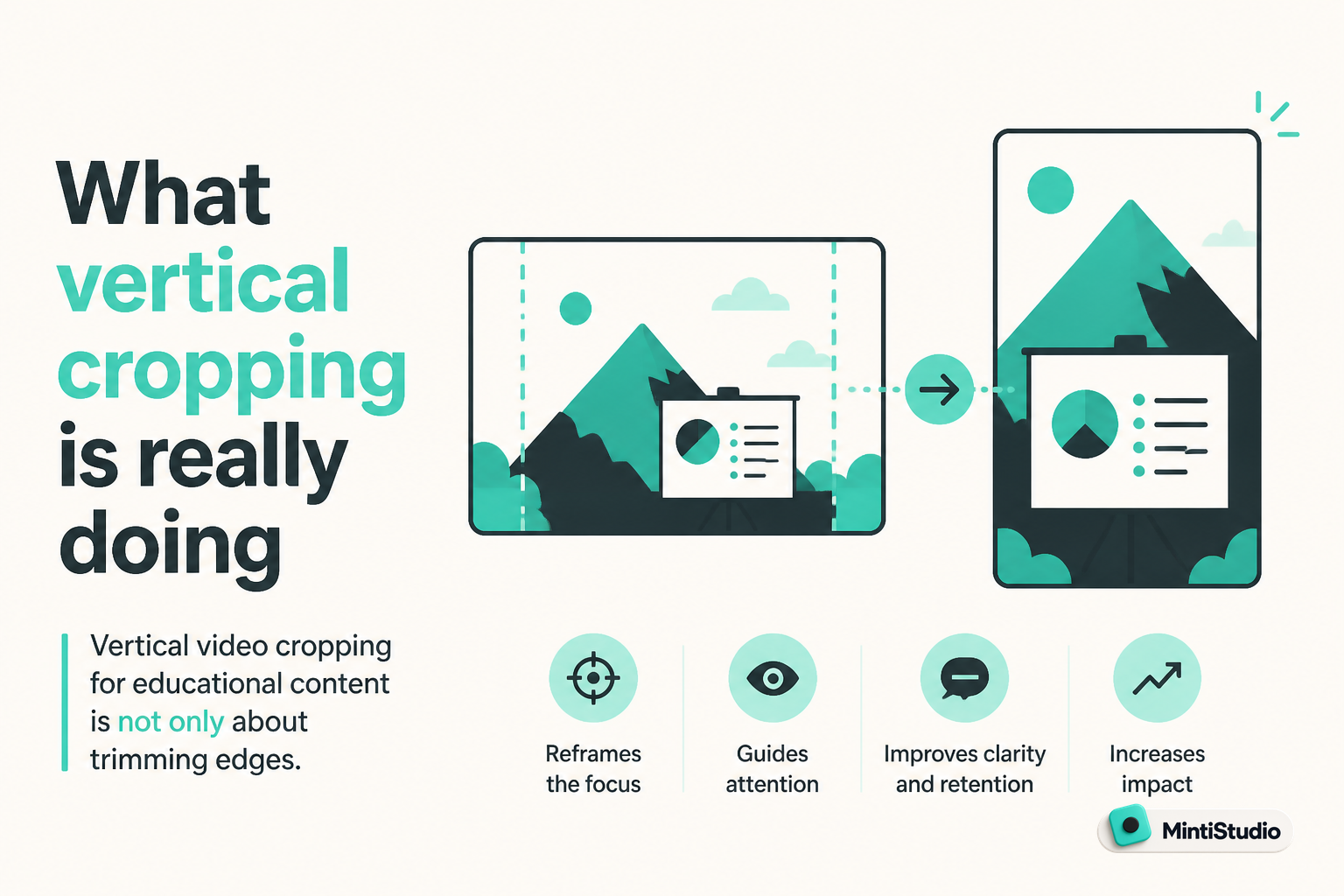
It is a decision about what deserves attention in a smaller frame.
In a teaching video, the viewer may need one of three things most:
- the speaker’s mouth and expression
- a slide, whiteboard, or demo screen
- a reference that proves the point is specific and not vague
If the crop keeps the person visible but hides the slide, the lesson may become harder to follow. If the crop centers the slide but cuts off the speaker’s explanation, the clip may feel flat or confusing.
The best crop supports the lesson instead of competing with it.
Start with the lesson, not the frame
Before you adjust a crop, ask a simpler question:
What does the viewer need to understand this moment?
That answer changes by content type.
For educators
A lesson clip often depends on text, diagrams, or a step-by-step visual.
If the viewer must read a phrase on a slide, that text has to remain large enough to scan quickly. If the key idea is on a whiteboard, the crop should keep the relevant writing visible long enough to support the explanation.
For coaches
A coaching clip may rely more on the speaker’s phrasing, but even then the important part is often a framework, list, or on-screen note.
If you are using a slide with three points, each point needs enough space to breathe in the vertical frame.
For interview podcasters
An interview clip usually has a different problem. The important moment can be a reaction, a question, or a small visual cue that shows who is speaking.
The crop should make it easy to follow the speaker change without forcing the viewer to guess who is talking.
A practical checklist for readable vertical crops
Use this checklist every time you review a clip.
One. Check the smallest readable text
Look for any text the viewer must actually read.
That could be a slide title, an on-screen label, a framework name, or a quote that matters to the point. If the crop makes it hard to read at phone size, the clip may need a different framing choice.
Ask yourself:
- Is the text essential to the lesson?
- Is it large enough to scan quickly?
- Does the crop leave enough space around it?
If the answer is no, the lesson may be better served by a tighter segment or a different visual moment.
Two. Check visual references
Educational clips often include visual references that carry the meaning.
A pointer, chart, diagram, or example on a screen can be the difference between a useful clip and a vague one.
Make sure the crop does not remove the thing the speaker is referring to. If a viewer has to guess what the speaker is pointing at, the clip has already lost clarity.
Three. Check speaker changes
Speaker changes matter more in vertical video than many people expect.
In interviews, a crop that drifts too far toward one person can make the conversation feel unbalanced. In coaching clips with quick back-and-forth, the viewer should be able to tell who is talking without effort.
When the format includes two speakers, the frame needs to serve the exchange, not just the louder voice.
Four. Check the opening second
The first second should make sense without setup.
If the opening crop lands on the wrong visual, the viewer may not know what they are looking at. The safest opening is usually the moment where the point is already visible, readable, or clearly being introduced.
Five. Check the ending moment
A good ending is as important as a good opening.
If the crop cuts away before the conclusion lands, the clip can feel incomplete. The viewer should leave with the full thought, not just the middle of it.
Common crop mistakes that hurt educational Shorts
Most bad crops do not fail because the footage is low quality. They fail because the crop hides the lesson.
The face is centered, but the slide is gone
This is one of the most common mistakes in teaching content.
A centered face can be attractive, but if the key point is on a slide beside the speaker, the crop may remove the evidence behind the explanation.
The text is present, but too small to matter
If the viewer can barely read the headline, the text is no longer helping.
It may technically be on screen, but the lesson still feels hard to follow.
The speaker change is unclear
In interviews, the viewer should never have to work to identify the speaker.
If the crop makes the conversation feel crowded or unstable, the clip becomes harder to trust.
The crop moves too often
Constant reframing can be distracting.
A Short should feel intentional. If the frame keeps changing just to chase motion, the viewer may lose the thread of the teaching.
A simple workflow for reviewing a vertical crop
Here is a repeatable process you can use before publishing.
Choose the moment
Start with a section that already has one complete idea. A Short works best when the lesson is self-contained.
Identify the required visual
Decide what the viewer must see to understand the point. That may be the speaker, the slide, or both.
Check the phone-sized view
Review the clip as if you were watching on a small screen. If the point is not obvious there, adjust the crop or choose a different moment.
Confirm speaker clarity
If more than one person is talking, make sure the frame makes each turn easy to follow.
Finalize only after a plain-language review
Ask whether the clip still makes sense if someone sees it without the original video.
Where MintiStudio helps
MintiStudio turns long videos into Shorts for YouTube and Instagram Reels. Facebook Page publishing is supported when a Facebook Page is connected.
That helps when you already have a recorded lesson, coaching session, or interview and want to turn it into a vertical Short without rebuilding the whole workflow.
If you need to find the strongest section first, MintiStudio supports AI clip suggestions and transcript-based clip selection so you can isolate a moment that already carries the lesson.
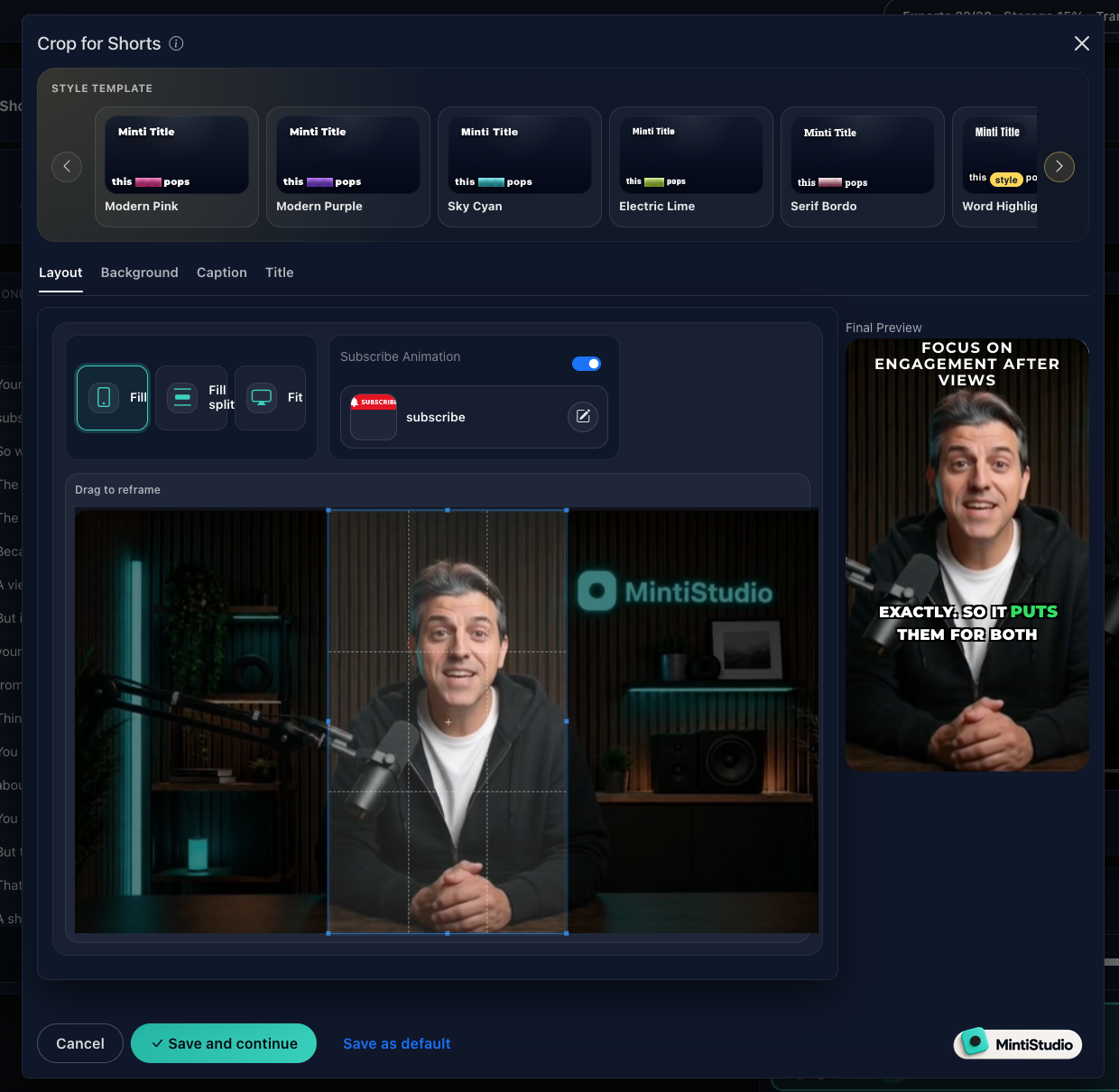
If the crop is the main issue, the Crop for Shorts editor helps you reframe horizontal video to vertical while you review how the caption style and final preview look together.
When you want to keep the workflow moving, MintiStudio also supports scheduling and publishing, so you can prepare a clip once and line it up for later.
A visual test for educational content
A good way to review a clip is to look at it in three layers.
 Screenshot from MintiStudio
Layer one: meaning
What is the viewer supposed to learn?
If the answer is not obvious in a sentence or two, the clip may be too broad.
Layer two: evidence
What visual proof supports the lesson?
That may be a slide, an example, a diagram, or the speaker’s face when the point depends on emphasis.
Layer three: readability
Can the viewer process the visual in a phone-sized frame?
This is where most vertical crop decisions are won or lost.
If the evidence is there but the viewer cannot read or follow it, the clip still needs work.
When to keep the speaker centered, and when not to
A centered speaker is useful when the lesson is mostly verbal.
That often fits:
- short definitions
- opinion-led coaching moments
- interview answers that depend on tone and timing
But a centered speaker is not always the best choice.
If the lesson depends on a slide, product demo, or whiteboard, the crop should protect the visual that carries the meaning.
The question is not, “Where is the speaker?”
The question is, “Where is the lesson?”
A quick quality check before publishing
Before you schedule a Short, check these points:
- the key text is readable
- the main visual reference is visible
- speaker changes are easy to follow
- the opening makes sense immediately
- the ending feels complete
- the crop supports the lesson instead of covering it
That list is simple on purpose.
If a clip passes these checks, it is more likely to work on a phone screen.
Where Autopilot fits
If you already have recordings and the problem is not ideas but execution, Autopilot can take on the clipping workflow for you.
You share your YouTube channel link, and MintiStudio handles the clipping work, the vertical prep, the captions, the titles, and the scheduling or publishing. The Shorts are published to your own connected YouTube account, and you can review every prepared Short before anything goes live.
That is useful when you want the crop, framing, and publishing work handled without turning it into a second job.
Each prepared Short also stays visible in your My Videos page under "prepared by Minti," where you can watch, edit, or delete it at any time.
For busy solo educators, coaches, consultants, and podcasters, that is a practical handoff when the workflow is the bottleneck.
Related guides
- How Educators Can Turn Long Videos into Shorts That Attract Students
- How Coaches Can Turn Long Videos into Shorts That Bring in Clients
- How to Make Shorts from Podcast Episodes
Keep the lesson, not just the frame
A vertical crop should do one job well: keep the lesson understandable.
 Screenshot from MintiStudio
If the viewer can still read the important text, follow the speaker changes, and grasp the point without strain, the clip is ready.
If not, the answer is not more polish. It is a better crop decision.
Start free with MintiStudio and turn your next teaching video into a Short that still makes sense on a phone screen.
More from the blog
YouTube Shorts for Consultants: A Practical Workflow for Public Proof Without Sharing Client Confidentials
Consultants often have strong expertise locked inside private calls, workshops, and explainers. This guide shows how to turn those long recordings into buyer-relevant Shorts that build public proof, while keeping confidential details out of the workflow.
Turn Prospect Objections into Your Next Teaching Video
Use the questions prospects ask on sales calls to plan teaching videos that answer real objections, show your thinking, and create standalone moments that can become Shorts. This guide gives coaches and consultants a simple way to turn one conversation topic into a useful long video and a set of clip-ready lessons.