How Creators Make Money From Shorts With a Small Channel
Yes, you can earn from Shorts with only a couple of thousand subscribers — but usually not the way beginners expect. A clear look at the two YouTube monetization tiers, off-platform income, and why consistency (not subscriber count) is the real bottleneck.
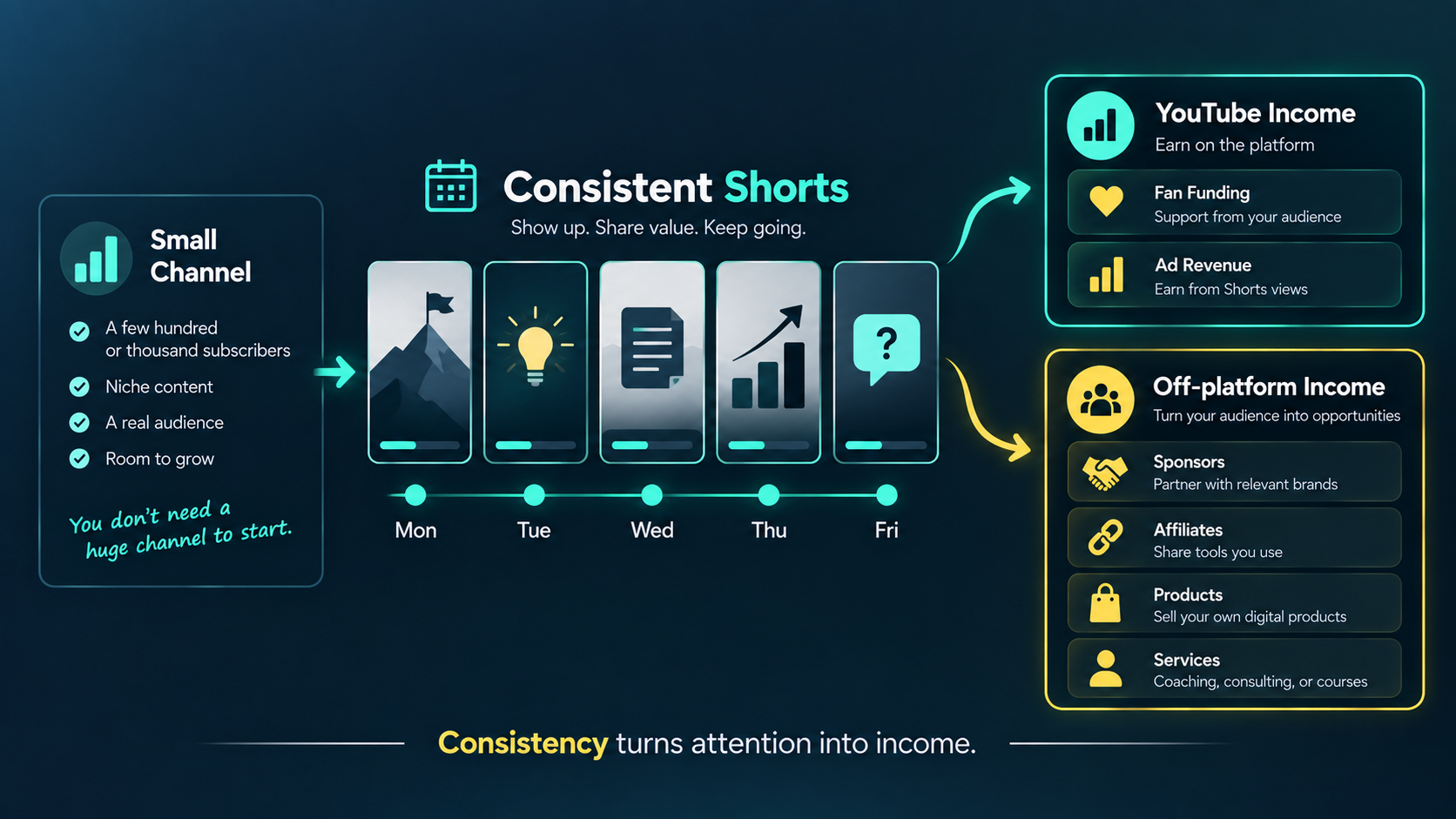
You do not need a huge channel to earn from Shorts. You need a system.
Start free with MintiStudio
The honest answer: yes, small channels can earn from Shorts
One of the most common questions creators ask is simple: "Can I actually make money from Shorts if my channel is small?"
The honest answer is yes.
Plenty of creators earn from Shorts with only a couple of thousand subscribers. But it usually does not happen the way people imagine.
Most beginners assume "making money from Shorts" means one thing: a share of YouTube's ad revenue. That is only one path, and for a small channel it is often the slowest one.
The creators who earn early usually understand something else first.
"Making money from Shorts" means more than ad revenue
Before we talk about thresholds, it helps to separate the different ways Shorts can earn.
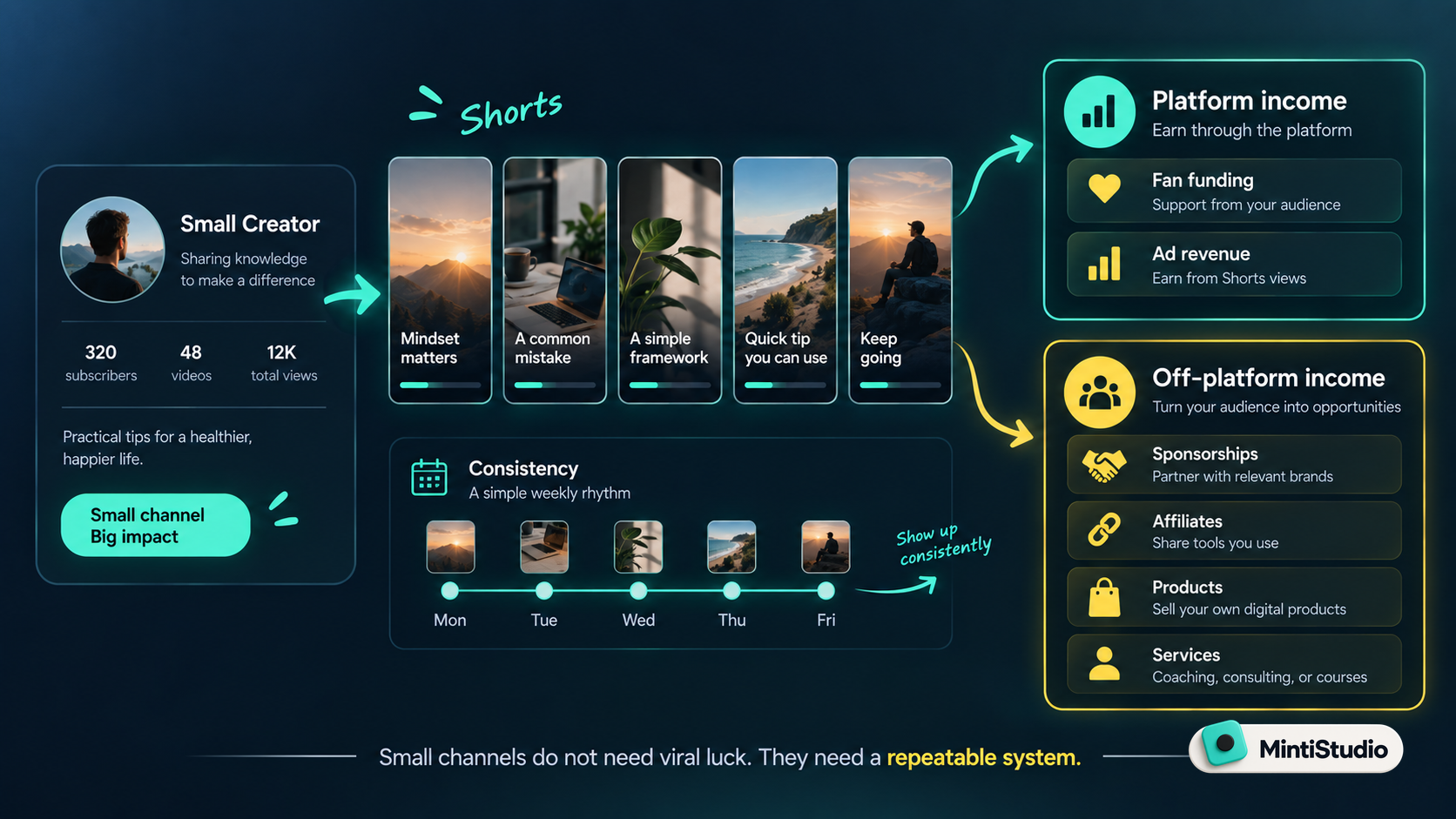 There are really two buckets:
- Platform income — money YouTube pays you (ad revenue share and fan funding).
- Off-platform income — money you earn because Shorts brought the right people to you (sponsorships, affiliate links, and your own products or services).
For a small channel, the second bucket is usually where the first real money comes from.
A creator with 2,000 engaged subscribers may not earn much from ad share yet, but they can absolutely land a small sponsorship, promote an affiliate product, or sell their own course, service, or coaching. This is especially true for educators, coaches, and consultants who already have something to sell.
Shorts are the doorway. What you sell on the other side is often where the income lives. We made that case in [Shorts Are Not the Whole Strategy. They Are the Entry Point.]
The two YouTube monetization tiers (as of 2026)
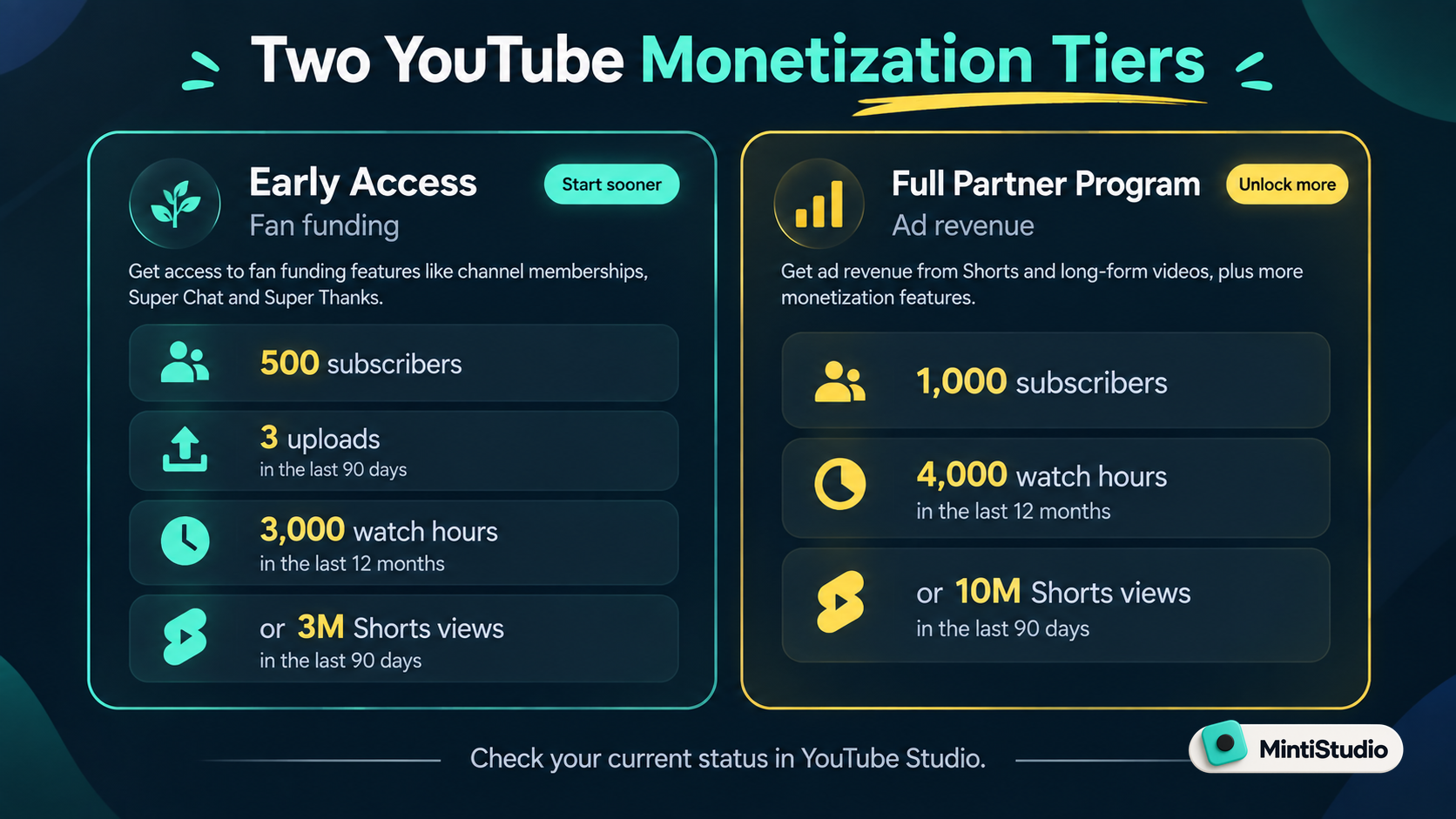
If you do want YouTube to pay you directly, there are two tiers. It helps to know which one you are actually aiming for.
Early access tier (fan funding):
- 500 subscribers
- 3 public uploads
- 3,000 valid public watch hours in the last 12 months, or 3 million valid public Shorts views in the last 90 days
This tier unlocks fan-funding features like Super Thanks, channel memberships, and Shopping. It does not include a share of Shorts ad revenue.
Full Partner Program (ad revenue):
- 1,000 subscribers
- 4,000 valid public watch hours in the last 12 months, or 10 million valid public Shorts views in the last 90 days
This tier unlocks the ad revenue share from the Shorts feed.
Two things worth noticing here.
First, subscribers alone do not unlock ad revenue. You need the subscriber count and a performance threshold. That is why a channel with 2,000 subscribers and strong Shorts views can qualify, while a channel with 2,000 subscribers and few views may not.
Second, these numbers are changing. For new applicants, YouTube is raising the performance thresholds on February 1, 2027 — to 8,000 watch hours or 20 million Shorts views. The 1,000-subscriber requirement stays the same, and channels already in the program keep their status.
The practical takeaway: the bar goes up next year, so the easiest time to start building toward it is now.
Always confirm your current status in YouTube Studio under the Earn tab. Monetization rules change, and Studio shows the exact numbers for your channel.
Keep your clips original
One more rule matters for anyone hoping to earn: your Shorts need to be your own work.
Reaction Shorts, compilations, and clips built mostly from other people's content are routinely flagged as ineligible and removed from the revenue pool.
This is good news if you create original long-form content, because your Shorts are already original by default. You are simply reusing your own material, which is exactly what the platform rewards. We covered that approach in How to Repurpose Long Videos into Short Clips.
The real bottleneck is consistency, not subscribers
Here is what quietly separates creators who earn from creators who stall.
It is almost never the subscriber count. It is consistency.
Both paths to real income reward the same thing:
- Ad revenue and fan funding require you to keep publishing until you hit a view or watch-hour threshold.
- Sponsorships and product sales require a steady presence that makes people trust you enough to buy.
Neither happens from posting a burst of clips once and disappearing. They happen from showing up week after week.
And that is exactly where most small creators break down. Finding moments, trimming clips, adding captions, writing titles, scheduling, and publishing — every single week, on top of making the long-form content — is a lot of work for one person.
Spreading your clips out rather than dumping them helps too. We explained why in Should You Publish All Your YouTube Shorts at Once? and The Weekly Shorts Workflow for Busy Creators.
Where MintiStudio helps
This is the exact problem MintiStudio was built to solve.
Most clipping tools hand you a feature and leave the weekly work to you. You still have to learn the tool, find the moments, cut the clips, style the captions, schedule everything, and keep it running — forever. For a solo creator trying to reach a monetization threshold, that grind is usually what kills the momentum.
MintiStudio comes in two tiers, and the difference matters for your goal:
- DIY lets you do it yourself. Start from a long video, review AI-suggested moments, create vertical clips, add readable captions, and schedule across YouTube, Reels, and Facebook. You stay in full editorial control — you decide which moments represent your channel.
- Autopilot is the done-for-you tier. This is the real difference. It is not a tool you learn and run yourself — it is a managed service that turns your long-form videos into a steady stream of published Shorts for you, so the consistency that monetization depends on keeps happening even in your busiest weeks.
For a small channel, that consistency is the whole game. Autopilot keeps you publishing toward your thresholds and keeps your presence steady enough to attract sponsors and buyers — without you spending your evenings clipping.
You still decide what your channel stands for. MintiStudio just makes sure the work actually gets done, every week.
We wrote more about keeping that editorial control in AI Can Suggest Your Clips. You Should Still Decide Which Ones Go Out..
A simple plan to start earning from Shorts
Here is a practical path for a small channel:
- Pick the income that fits you now — fan funding, ad revenue, or selling your own offer.
- Check your real status in YouTube Studio under Earn.
- Turn each long video into three to five original Shorts.
- Add clear captions and a title that names the value.
- Schedule the clips across the week instead of posting them all at once.
- Keep a steady rhythm until you cross a threshold — or until a sponsor or buyer notices.
- Track which topics perform, and lean into them.
You do not need to go viral. You need to stay consistent long enough for the money to catch up.
Next step
Decide which income path fits your channel today, then commit to turning one long video into several original Shorts every week.
If the weekly work is what usually stops you, that is exactly the part MintiStudio can carry for you.
Related guides
- How Coaches Can Turn Long Videos into Shorts That Bring in Clients
- Shorts Are Not the Whole Strategy. They Are the Entry Point.
- The Weekly Shorts Workflow for Busy Creators
- How to Repurpose Long Videos into Short Clips
Start free with MintiStudio
More from the blog
YouTube Shorts for Consultants: A Practical Workflow for Public Proof Without Sharing Client Confidentials
Consultants often have strong expertise locked inside private calls, workshops, and explainers. This guide shows how to turn those long recordings into buyer-relevant Shorts that build public proof, while keeping confidential details out of the workflow.
Turn Prospect Objections into Your Next Teaching Video
Use the questions prospects ask on sales calls to plan teaching videos that answer real objections, show your thinking, and create standalone moments that can become Shorts. This guide gives coaches and consultants a simple way to turn one conversation topic into a useful long video and a set of clip-ready lessons.